Question
Hi, I'm a newbie who is willing to learn very quickly to help me install TWiki 4.1.2 natively using Apache, Cygwin, TWiki.zip. I've read through all documentation with regards to installing TWiki on Windows, and have searched the forums for some of the issues I have encountered. I've been trying to install TWiki for about 3 weeks now and have had no joy. I have managed to install TWikiVMDebianStable and from this I know I want to use TWiki. The reason for not continuing to use TWikiVMDebianStable is due to performance issues. Is there someone who can help me install TWiki the dummies way, or are there any plans in updating the Documentation for installing TWiki 4.1.2? Also whilst following the Windows Cookbook I noticed the TWiki.cfg file doesn't exist? Also I used the ApacheConfigGenerator to create my httpd.conf file and did exactly as it said but this seems to cause the Apache service not to run. So I used the generated script as a httpd.conf file and this too did not work. I would greatly appreciate any help. DhwirenEnvironment
Answer
 If you answer a question - or someone answered one of your questions - please remember to edit the page and set the status to answered. The status selector is below the edit box.
 include into the default apache httpd.conf. Does apache run if you don't include any twiki stuff? I always check that first (last time around, for instance, I didn't enter an admin e-mail, and that prevented it from starting.)
-- JustinLove - 08 Apr 2007
Performance should be pretty good of the TWikiVMDebianStable installation, but you need adequate memory. Having said that, on the same x86 hardware, the TWiki Perl cgi environment performs better on Linux than on Windows.
The TWiki.cfg file does no longer exist. You will find a twiki/lib/LocalSite.cfg file once you save the settings in configure.
-- PeterThoeny - 09 Apr 2007
Justin - with regards to your question does apache run without any twiki stuff? The answer is yes. Only when I enter the include part at the bottom of my apache httpd.conf file does it fall over in a heap.
That all being said and done, I managed to get twiki up and running but not 100%. The WYSIWYG plugin doesn't seem to work and in the configure page I can't save changes!
-- TWikiGuest - 10 Apr 2007
You probably need additional CPAN modules. See HowToInstallCpanModules.
Configure: Check the error message in Apache's error_log. Workaround: Edit the twiki/lib/LocalSite.cfg file on the file level.
-- PeterThoeny - 10 Apr 2007
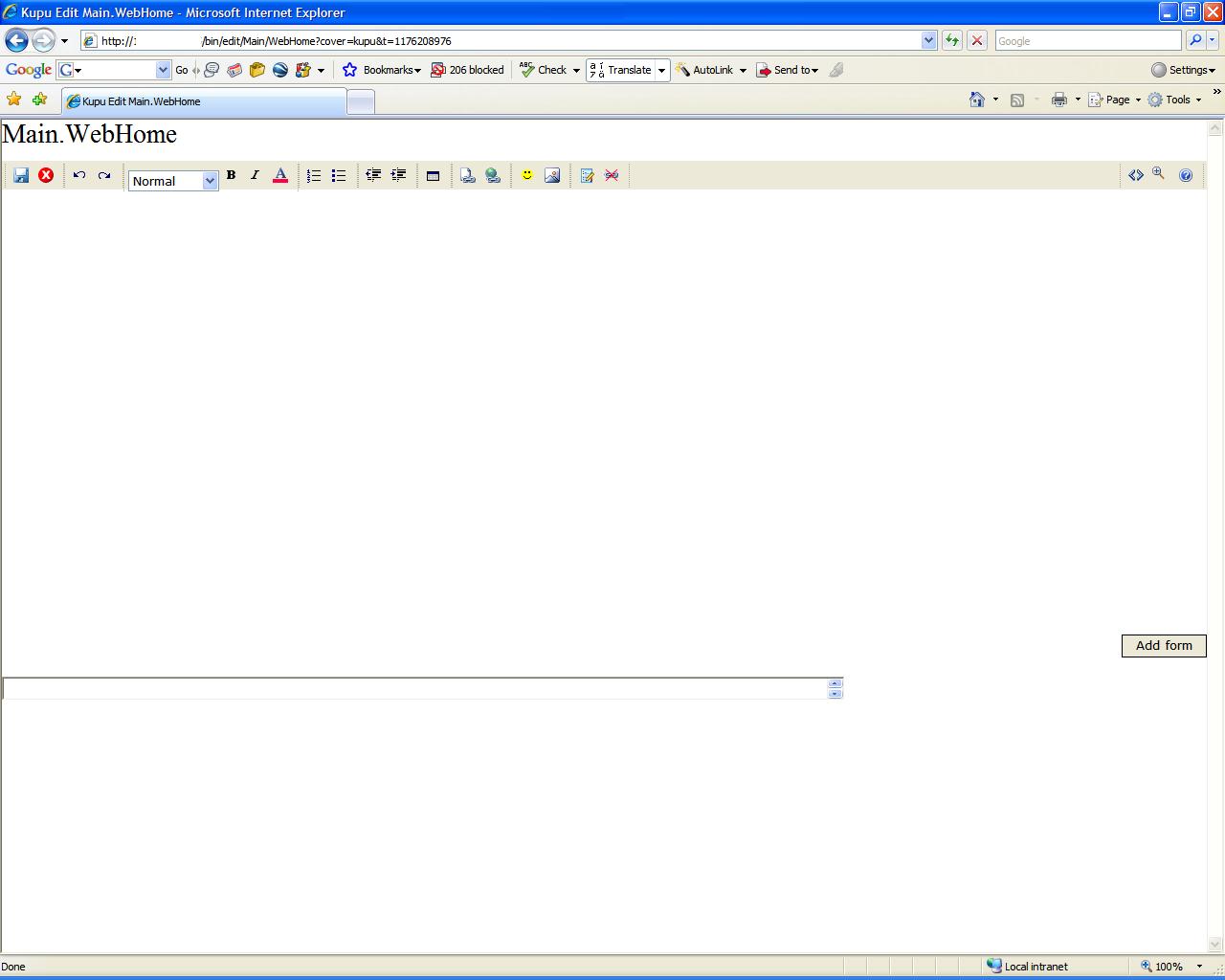
Hi Peter, thanks for the prompt reply. I should be a bit more specific with the WYSIWYG error, when I click on the WYSIWYG link the WYSIWYG edit page loads up but with no content, and I am unable to edit or perform any other actions e.g. save etc I have attached a screenshot.
With regards to the configure, thats not much of an issue as I have been using the workaround you suggested.
-- TWikiGuest - 10 Apr 2007
-- TWikiGuest - 10 Apr 2007
I have created a new post for the WYSIWYG error
-- TWikiGuest - 11 Apr 2007
http://tig.csail.mit.edu/twiki/bin/view/TWiki/WindowsInstallSummary -- DoraiswamyArun - 16 May 2007
- WYSIWYG error:


| I | Attachment | History | Action | Size | Date | Who | Comment |
|---|---|---|---|---|---|---|---|
 jpg jpg |
WYSIWYG_error.JPG | r1 | manage | 77.2 K | 2007-04-10 - 12:48 | TWikiGuest | WYSIWYG error |

Topic revision: r9 - 2007-05-16 - DoraiswamyArun


 Site map
 Blog web

 Search
 Changes
 RSS Feed
 Notifications
 Statistics
 Preferences
 Register new user
 Support Forum
  Ask a question
 Open questions
  My recent questions
 Get quick help in #twiki IRC channel





 Ideas, requests, problems regarding TWiki? Send feedback. Ask community in the support forum.
Copyright © 1999-2026 by the contributing authors. All material on this collaboration platform is the property of the contributing authors.