• This web contains the official documentation of the TWiki Release 4.0.2, code named DakarRelease. It is a read-only web for reference.
• This is an older release, see TWiki-6.1 for the latest release documentation.
• This is an older release, see TWiki-6.1 for the latest release documentation.
TWiki Reference Manual (TWiki-6.1.1-branch, Sun, 02 Jul 2023, build 31079)
This page contains all documentation topics as one long, complete reference sheet.Doubleclick anywhere to return to the top of the page.
- TWiki System Requirements
- TWiki Installation Guide
- TWiki Upgrade Guide
- TWiki User Authentication
- TWiki Access Control
- TWiki Text Formatting
- TWiki Variables
- TWiki Formatted Search
- File Attachments
- TWiki Forms
- TWiki Templates
- TWiki Skins
- TWiki Meta Data
- TWiki Plugins
- Overview
- Installing Plugins
- Managing Installed Plugins
- The TWiki Plugin API
- Creating Plugins
- Recommended Storage of Plugin Specific Data
- Maintaining Plugins
- Environment
- Preferences
- User Handling and Access Control
- Webs, Topics and Attachments
- Assembling Pages
- Creating New Topics
- Special handlers
- Searching
- Plugin-specific file handling
- General Utilities
- Deprecated functions
- TWiki CGI and Command Line Scripts
- TWiki Site Tools
- Managing Topics
- Managing Webs
- Manage Users
- Appendix A: TWiki Development Timeline
- Appendix B: Encode URLs With UTF8
- Appendix C: TWiki CSS
TWiki System Requirements
Server and client requirements Low client and server base requirements are core features that keep TWiki widely deployable, particularly across a range of browser platforms and versions. Many Plugins and contrib modules exist which enhance and expand TWiki's capabilities; they may have additional requirements.
Server Requirements
TWiki is written in Perl 5, uses a number of shell commands, and requires RCS (Revision Control System), a GNU Free Software package. TWiki is developed in a basic Linux/Apache environment. It also works with Microsoft Windows, and should have no problem on any other platform that meets the requirements.
| Resource | Required Server Environment * |
|---|---|
| Perl | 5.005_03 or higher (5.8.4 or higher is recommended) |
| RCS | 5.7 or higher (including GNU diff) Optional, TWiki includes a pure perl implementation of RCS that can be used instead (although it's slower) |
GNU diff |
GNU diff 2.7 or higher is required when not using the all-Perl RcsLite. Install on PATH if not included with RCS (check version with diff -v) Must be the version used by RCS, to avoid problems with binary attachments - RCS may have hard-coded path to diff |
GNU patch |
For upgrades only: GNU patch is required when using the TWiki:Codev.UpgradeTWiki script |
GNU fgrep, egrep |
Modify command line parameters in configure if you use non-GNU grep programs |
| Cron/scheduler | • Unix: cron • Windows: cron equivalents |
| Web server | Apache is well supported; see TWiki:TWiki.InstallingTWiki#OtherWebServers for other servers |
Required CPAN Modules
The following Perl modules are used by TWiki:| Module | Preferred version |
|---|---|
| Algorithm::Diff (included) | |
| CGI::Carp | >=1.26 |
| Config | >=0 |
| Cwd | >=3.05 |
| Data::Dumper | >=2.121 |
| Error (included) | |
| File::Copy | >=2.06 |
| File::Find | >=1.05 |
| File::Spec | >=3.05 |
| FileHandle | >=2.01 |
| IO::File | >=1.10 |
| Text::Diff (included) | |
| Time::Local | >=1.11 |
Optional CPAN Modules
The following Perl modules may be used by TWiki:| Module | Preferred version | Description |
|---|---|---|
| CGI::Cookie | >=1.24 | Used for session support |
| CGI::Session | >=3.95 | Used for session support |
| Digest::base | ||
| Digest::SHA1 | ||
| Jcode | Used for I18N support with perl 5.6 | |
| Locale::Maketext::Lexicon | >=0 | Used for I18N support |
| Net::SMTP | >=2.29 | Used for sending mail |
| Unicode::Map | Used for I18N support with perl 5.6 | |
| Unicode::Map8 | Used for I18N support with perl 5.6 | |
| Unicode::MapUTF8 | Used for I18N support with perl 5.6 | |
| Unicode::String | Used for I18N support with perl 5.6 | |
| URI | Used for configure |
configure script, or if you're still trying to get to that point, check from the command line like this:
perl -e 'use FileHandle; print $FileHandle::VERSION."\n"'
Client Requirements
The TWiki standard installation has relatively low browser requirements:- HTML 3.2 compliant
- Cookies, if persistent sessions are required
.
Important note about TWiki Plugins
- Plugins can require just about anything - browser-specific functions, stylesheets (CSS), Java applets, cookies, specific Perl modules,... - check the individual Plugin specs.
-
 Note: Plugins included in the TWiki distribution do not add requirements, except for the CommentPlugin which requires Perl 5.6.1.
-
TWiki Installation Guide
Installation instructions for the TWiki 4.0 production release. TWiki should be fine with any web server and OS that meet the system requirements. The following installation instructions are written for experienced system administrators; please review the AdminSkillsAssumptions before you install TWiki. If you need help, ask a question in the TWiki:Support web or on TWiki:Codev.TWikiIRC (irc.freenode.net, channel #twiki)
 Hint: TWiki:TWiki.InstallingTWiki on TWiki.org has supplemental documentation that help you install TWiki on different platforms, environments and web hosting sites.
Basic Installation
- Download the TWiki distribution from http://TWiki.org/download.html.
- Make a directory for the installation and unpack the distribution in it.
- Make sure the user that runs CGI scripts on your system can read and write all files in the distribution.
Detailed instructions on file permissions are beyond the scope of this guide, but in general:- During installation and configuration, the CGI user needs to be able to read and write everything in the distribution,
- Once installation and configuration is complete, the CGI user needs write access to everything under the
dataandpubdirectories and tolib/LocalSite.cfg. Everything else should be read-only. - Everybody else should be denied access to everything, always.
- Make sure Perl 5 and the Perl CGI library are installed on your system.
The default location of Perl is/usr/bin/perl. If it's somewhere else, change the path to Perl in the first line of each script in thetwiki/bindirectory.
Some systems require a special extension on perl scripts (e.g. .cgior.pl). If necessary, rename all files intwiki/bin(i.e. renameviewtoview.pletc). If you do this, make sure you set theScriptSuffixoption inconfigure(Step 6). - Create the file
/twiki/bin/LocalLib.cfg.
There is a template for this file in/twiki/bin/LocalLib.cfg.txt.
The file must contain a setting for$twikiLibPath, which must point to the absolute file path of yourtwiki/libe.g./home/httpd/twiki/lib.
If you need to install additional CPAN modules, but can't update the main Perl installation files on the server, you can set $CPANBASEto point to your personal CPAN install. Don't forget that the webserver user has to be able to read those files as well. - Configure the webserver so you can execute the
bin/configurescript from your browser.- Explicit instructions for doing this are beyond the scope of this document, though there is a lot of advice on TWiki.org covering different configurations of webserver. To help you out, there's an example Apache
httpd.conffile intwiki_httpd_conf.txtat the root of the package. This file also contains advice on securing your installation. There's also a script calledtools/rewriteshebang.plto help you in fixing up the shebang lines in your CGI scripts.
- Explicit instructions for doing this are beyond the scope of this document, though there is a lot of advice on TWiki.org covering different configurations of webserver. To help you out, there's an example Apache
- Run the
configurescript from your browser, and resolve any errors or warnings it tells you about.
http://yourdomain.com/twiki/bin/view and start TWiki-ing away!
Next Steps
Once you have your TWiki running, you can move on to customise it for your users.- Review TWikiPreferences settings - read through it and set any additional settings you think you might need (you can click the 'Edit' button near the top to edit the settings in place)
- It is recommended to copy any settings or variables that you want to customize from TWiki06x01.TWikiPreferences and paste them into Main.TWikiPreferences. This will protect your local customizations from being overwritten in later upgrades. See notes at top of TWiki06x01.TWikiPreferences for more information.
-
- Customize user home pages - read and change NewUserTemplate.
- Enable authentication - read TWikiUserAuthentication.
- Clear admin notes - some pages are meant to be customized after choice of authentication - check and update these topics (remove notice):
- ChangePassword
- ResetPassword
- ChangeEmailAddress
- TWikiRegistration fields can be customzied to the needs of your organization
- TWikiAdminGroup
- Enable e-mail notification - read TWikiSiteTools to get WebChangesAlerts.
- Automate update of site statistics - read TWikiSiteTools
- Automate removal of expired sessions and lease files - read TWikiScripts.
- Install Plugins if needed - TWiki:Plugins is an extensive library of Plugins for TWiki, that enhance functionality in a huge number of ways. A few Plugins are pre-installed in the TWiki distribution. Installation instructions are included in Plugins you download from TWiki:Plugins.PluginPackage on TWiki.org.
- Review known issues - visit TWiki:Codev.KnownIssuesOfTWiki04x00x00 and fix issues that apply to you.
Troubleshooting
- The first step is to re-run the
configurescript and make sure you have resolved all errors, and are happy that you understand any warnings. - TWiki:TWiki.InstallingTWiki on TWiki.org has supplemental documentation that help you install TWiki on different platforms, environments and web hosting sites.
- If you need help, ask a question in the TWiki:Support web or on TWiki:Codev.TWikiIRC (irc.freenode.net, channel #twiki)
TWiki Upgrade Guide
Upgrade from the previous TWiki 01-Sep-2004 Prodcution Release to TWiki-4.0.0Overview
TWiki-4.0.0 is a major new release. You can chose between an automated upgrade using a script or a manual update.Upgrade Requirements
- Please review the AdminSkillsAssumptions before you upgrade TWiki
- Review TWiki:TWiki.TWikiUpgradeTo04x00x00 for latest information and experience notes.
- To upgrade from a release prior to TWiki Release 01-Sep-2004, start with TWiki:TWiki.UpgradingTWiki on TWiki.org
- To upgrade from a standard TWiki Release 01-Sep-2004 to the latest TWiki-4.0.0 Production Release, follow the instructions below
- Once the upgrade has been applied, an existing earlier installation will still be able to read all the topics, but should not be used to write. Make sure you take a backup!
- Not all Plugins written for TWiki Release 01-Sep-2004 are fully supported with Dakar. Make sure the Plugins you use can be upgraded as well!
Major Changes Compared to TWiki Release 01-Sep-2004
See TWikiReleaseNotes04x00x00.Automated Upgrade Procedure
If you would prefer to do things manually, or if you made custom modifications to distributed files (except topics), then skip to the manual upgrade procedure below. The upgrade script is called"UpgradeTwiki", and is found in the root of the distribution. It can be run by any user, though you will need to make sure you correct the permissions so that the webserver user can write all files in the new installation when you have finished. The upgrade script does not write to your existing installation.
The upgrade script will upgrade the TWiki core only. Plugins will need to be upgraded separately.
Note: To upgrade from a Beta, do not use UpgradeTWiki. Instead follow the steps outlined in Upgrading a Beta, below.
It will:
- Create a new TWiki installation, placing the files from the distribution there as appropriate
- Where possible, merge the changes you've made in your existing topics and attachments into the new twiki
- Where not possible, it will tell you, and you can inspect those differences manually
- Create new configuration files for the new TWiki based on your existing configuation information
- Set the permissions in the new TWiki so that it should work straight away
- Attempt to setup authentication for your new TWiki, if you are using .htaccess in the old one
- Tell you what else you need to do
- Check first if there is a newer
UpgradeTwikiscript available, see TWiki:Codev.UpgradeTWiki
- Create a new directory for your new installation: Let's call this
distro/ - Put the distribution zip file in
distro/ - Unzip it
- Choose a directory for the new installation. I will call this
new_twiki. This directory must not already exist. - Change directory to
distro/and run:
./UpgradeTwiki <full path to existing_twiki's setlib.cfg> <full path to new_twiki> - confirm your system settings by pointing your browser to the
configurescript
UpgradeTwiki will give you the final instructions.
Visit TWiki:Codev.KnownIssuesOfTWiki04x00x00 and fix known issues that apply to you.
There are a few points worth noting:
-
UpgradeTwikimay not be able to merge all the changes you made in your existing TWiki into the new installation, but it will tell you which ones it couldn't deal with -
UpgradeTwikicreates the new installation in a new directory tree. It makes a complete copy of all your existing data, so:- Clearly you need to point it to a location where there is enough space
- If you have symlinks under your
data/directory in your existing installation, these are reproduced as actual directories in the new structure. It is up to you to pull these sub-directories out again and re-symlink as needed
-
UpgradeTwikidoesn't deal with custom templates or Plugins, you will have to reinstall these in the new installation. - If you are using the Htpasswd login manager, then note that email addresses for users have moved out of user topics and into the password database. There is a script that performs this extra upgrade step for you - see
tools/upgrade_emails.pl.
Manual Upgrade Procedure
The following steps are a rough guide to upgrading only. It is impossible to give detailed instructions, as what you have to do may depend on whether you can configure the webserver or not, and how much you have changed distributed files in your current TWiki release.- Follow the installation instructions, and install the new release in a new directory.
- Copy your local webs over to the data and pub directories of the new install
- You could also use softlinks to link the web directories in data and pub to the old installation area
- Unlock the rcs files in data and pub directories from the old installation using the following shell commands:
-
find data -name '*,v' -exec rcs -u -M '{}' \; -
find pub -name '*,v' -exec rcs -u -M '{}' \;
-
- Examine your old TWiki.cfg, and for each local setting, set the corresponding value in the
configureinterface for the new install.- If you can't use
configure, then copy the newTWiki.cfgtoLocalSite.cfg, and editLocalSite.cfg. Remove all the settings that you didn't change in your previous install, and change the remaining settings to the values from your old TWiki.cfg.
- If you can't use
- Transfer any customized and local settings from TWiki06x01.TWikiPreferences to the topic pointed at by {LocalSitePreferences} (Main.TWikiPreferences). This avoids having to write over files in the distribution.
- If you changed any of the topics in the original TWiki distribution, you will have to transfer your changes to the new install manually. There is no simple way to do this, though the following procedure may help:
- Install a copy of the original TWiki release you were using in a temporary directory
- Use 'diff' to find changed files, and transfer the changes into the new Dakar install.
- Install updated plugins into your new area.
- Point your webserver at the new install.
- Visit TWiki:Codev.KnownIssuesOfTWiki04x00x00 and fix known issues that apply to you.
- If you are using the Htpasswd login manager, then note that email addresses for users have moved out of user topics and into the password database. There is a script that performs this extra upgrade step for you - see
tools/upgrade_emails.pl.
Upgrading a Beta
If you followed the recommendations and avoided modifying any distributed files, then this is quite straightforward:- Follow the installation instructions, and install the new release in a new directory.
- Copy your local webs over to the data and pub directories of the new install
- Be careful to copy over the user topics and TWikiUsers.txt in the Main web
- Copy over your
bin/LocalLib.cfgandlib/LocalSite.cfgfiles - Copy over any local files you created (such as .htpasswd and .htaccess files)
- Point your webserver at the new install.
TWiki User Authentication
TWiki site access control and user activity tracking optionsOverview
Authentication, or "login", is the process by which a user lets TWiki know who they are. Authentication isn't just to do with access control. TWiki uses authentication to identify users, so it can keep track of who made changes, and manage a wide range of personal settings. With authentication enabled, users can personalise TWiki and contribute as recognised individuals, instead of shadows. TWiki authentication is very flexible, and can either stand alone or integrate with existing authentication schemes. You can set up TWiki to require authentication for every access, or only for changes. Authentication is also essential for access control. Quick Authentication Test - Use the %WIKIUSERNAME% variable to return your current identity:- You are TWikiGuest
Tip: TWiki:TWiki.TWikiUserAuthenticationSupplement on TWiki.org has supplemental documentation on user authentication.
Password Management
As shipped, TWiki supports the Apache 'htpasswd' password manager. This manager supports the use of.htpasswd files on the server. These files can be unique to TWiki, or can be shared with other applications (such as an Apache webserver). A variety of password encodings are supported for flexibility when re-using existing files. See the descriptive comments in the Security Settings section of the configure interface for more details.
New User Registration
New user registration uses the password manager to set and change passwords. It is also responsible for the new user verification process. the registration process supports single user registration via the TWikiRegistration page, and bulk user registration via the BulkRegistration page (for admins only). The registration process is responsible for creating user topics.Login Management
Login management controls the way users have to log in. There are three basic options; no login, login via a TWiki login page, and login using the webserver authentication support. You can select your chosen login through the Security Settings pane in theconfigure interface.
No Login
Does exactly what it says on the tin. Forget about authentication to make your site completely public - anyone can browse and edit freely, in classic Wiki style. All visitors are given the TWikiGuest default identity, so you can't track individual user activity. Note: This setup is not recommended on public websites for security reasons; anyone would be able to change system settings and perform tasks usually restricted to the TWikiAdminGroup.
Template Login
Template Login asks for a username and password in a web page, and processes them using whatever Password Manager you choose. Users can log in and log out.Enabling Template Login
- Use the
configureinterface to- enable the
TemplateLoginlogin manager (on the Security Settings pane). - select the appropriate password manager for your system, or provide your own.
- enable the
- Register yourself in the TWikiRegistration topic.
Check that the password manager recongises the new user. If you are using .htpasswdfiles, check that a new line with the username and encrypted password is added to the.htpasswdfile. If not, you probably got a path wrong, or the permissions may not allow the webserver user to write to that file. - Create a new topic to check if authentication works.
- Edit the TWikiAdminGroup topic in the Main web to include users with system administrator status.
This is a very important step, as users in this group can access all topics, independent of TWiki access controls.
At this time TWikiAccessControls cannot control access to files in the pub area, unless they are only accessed through the viewfile script. If your pub directory is set up in the webserver to allow open access you may want to add .htaccess files in there to restrict access.
You can create a custom version of the TWikiRegistration form by deleting or adding input tags. The name="" parameter of the input tags must start with: "Twk0..." (if this is an optional entry), or "Twk1..." (if this is a required entry). This ensures that the fields are carried over into the user home page correctly.
You can customize the default user home page in NewUserTemplate. The same variables get expanded as in the template topics
Apache Login
Using this method TWiki does not authenticate users internally. Instead it depends on theREMOTE_USER environment variable, which is set when you enable authentication in the webserver.
The advantage of this scheme is that if you have an existing website authentication scheme using Apache modules such as mod_auth_ldap or mod_auth_mysql you can just plug in directly to them.
The disadvantage is that because the user identity is cached in the browser, you can log in, but you can't log out again unless you restart the browser.
TWiki maps the REMOTE_USER that was used to log in to the webserver to a WikiName using the table in TWikiUsers. This table is updated whenever a user registers, so users can choose not to register (in which case their webserver login name is used for their signature) or register (in which case that login name is mapped to their WikiName).
The same private .htpasswd file used in TWiki Template Login can be used to authenticate Apache users, using the Apache Basic Authentication support. This allows the TWiki registration support to maintain usernames and passwords.
Enabling Apache Login using mod_auth
You can use any other Apache authentication module that sets REMOTE_USER. - Use configure to select the
ApacheLoginlogin manager. - Use configure to set up TWiki to create the right kind of
.htpasswdentries. - Create a
.htaccessfile in thetwiki/bindirectory. There is an template for this file in twiki/bin/.htaccess.txtthat you can copy and change. The comments in the file explain what need to be done. If you got it right, the browser should now ask for login name and password when you click on the Edit. If .htaccessdoes not have the desired effect, you may need to "AllowOverride All" for the directory inhttpd.conf(if you have root access; otherwise, e-mail web server support)
At this time TWikiAccessControls do not control access to files in the pubarea, unless they are only accessed through theviewfilescript. If yourpubdirectory is set up to allow open access you may want to add.htaccessfiles in there as well to restrict access - You can create a custom version of TWikiRegistration by deleting or adding input tags. The
name=""parameter of the input tags must start with:"Twk0..."(if this is an optional entry), or"Twk1..."(if this is a required entry). This ensures that the fields are carried over into the user home page correctly.
You can customize the default user home page in NewUserTemplate. The same variables get expanded as in the template topics - Register yourself in the TWikiRegistration topic.
Check that a new line with the username and encrypted password is added to the .htpasswdfile. If not, you may have got a path wrong, or the permissions may not allow the webserver user to write to that file. - Create a new topic to check if authentication works.
- Edit the TWikiAdminGroup topic in the Main web to include users with system administrator status.
This is a very important step, as users in this group can access all topics, independent of TWiki access controls.
Logons via bin/logon
Any time a user enters a page that needs authentication, they will be forced to log on. It may be convenient to have a "logon" as well, to give the system a chance to identify the user and retrieve their personal settings. It may be convenient to force them to log on. Thebin/logon script accomplishes this. The bin/logon script must be setup in the bin/.htaccess file to be a script which requires a valid user. However, once authenticated, it will simply redirect the user to the view URL for the page from which the logon script was linked.
Sessions
TWiki uses the CPAN:CGI::Session and CPAN:CGI::Cookie modules to track sessions using cookies. These modules are de facto standards for session management among Perl programmers. If you can't use Cookies for any reason, CPAN:CGI::Session also supports session tracking using the client IP address. See How to choose an authentication method for a discussion of the pros and cons of the various authentication methods.
There are a number of TWikiVariables available that you can use to interrogate your current session. You can even add your own session variables to the TWiki cookie. Session variables are referred to as "sticky" variables.
Getting, Setting, and Clearing Session Variables
You can get, set, and clear session variables from within TWiki web pages or by using script parameters. This allows you to use the session as a personal "persistent memory space" that is not lost until the web browser is closed. Also note that if a session variable has the same name as a TWiki preference, the session variables value takes precedence over the TWiki preference. This allows for per-session preferences. To make use of these features, use the tags:
%SESSION_VARIABLE{ "varName" }%
%SESSION_VARIABLE{ "varName" set="varValue" }%
%SESSION_VARIABLE{ "varName" clear="" }%
Cookies and Transparent Session IDs
TWiki normally uses cookies to store session information on a client computer. Cookies are a common way to pass session information from client to server. TWiki cookies simply hold a unique session identifier that is used to look up a database of session information on the TWiki server. For a number of reasons, it may not be possible to use cookies. In this case, TWiki has a fallback mechanism; it will automatically rewrite every internal URL it sees on pages being generated to one that also passes session information.TWiki Username vs. Login Username
This section applies only if you are using authentication with existing login names (i.e. mapping from login names to WikiNames). TWiki internally manages two usernames: Login Username and TWiki Username.- Login Username: When you login to the intranet, you use your existing login username, ex:
pthoeny. This name is normally passed to TWiki by theREMOTE_USERenvironment variable, and used internally. Login Usernames are maintained by your system administrator.
- TWiki Username: Your name in WikiNotation, ex:
PeterThoeny, is recorded when you register using TWikiRegistration; doing so also generates a personal home page in the Main web.
configure. The default is to use your WikiName as a login name.
NOTE: To correctly enter a WikiName - your own or someone else's - be sure to include the Main web name in front of the Wiki username, followed by a period, and no spaces, for exampleMain.WikiUsernameor%MAINWEB%.WikiUsername. This pointsWikiUsernameto the Main web, where user home pages are located, no matter which web it's entered in. Without the web prefix, the name appears as a NewTopic everywhere but in the Main web.
Changing Passwords
If your {PasswordManager} supports password changing, you can change and reset passwords using forms on regular pages.- The ChangePassword form (
TWiki/ChangePassword) - The ResetPassword form (
TWiki/ResetPassword)
Changing E-mail Addresses
If the active {PasswordManager} supports storage and retrieval of user e-mail addresses, you can change your e-mail using a regular page. As shipped, this is true only for the Apache 'htpasswd' password manager.- The ChangeEmailAddress form (
TWiki/ChangeEmailAddress)
Controlling access to individual scripts
You may want to add or remove scripts from the list of scripts that require authentication. The method for doing this is different for each of Template Login and Apache Login.- For Template Login, update the {AuthScripts} list using
configure - For Apache Login, add/remove the script from
.htaccess
How to choose an authentication method
One of the key features of TWiki is that it is possible to add HTML to topics. No authentication method is 100% secure on a website where end users can add HTML, as there is always a risk that a malicious user can add code to a topic that gathers user information, such as session IDs. The TWiki developers have been forced to make certain tradeoffs, in the pursuit of efficiency, that may be exploited by a hacker. This section discusses some of the known risks. You can be sure that any potential hackers have read this section as well! Firstly, the most secure method is without doubt to use the webserver authentication support, with Sessions turned off. The second most secure method is to use TWiki's internal authentication with Sessions turned off. This method is less secure than using the webserver because passwords are sent in plain text and can therefore be intercepted in transit. As soon as you allow the server to maintain information about a logged-in user, you open a door to potential attacks. There are a variety of ways a malicious user can pervert TWiki to obtain another users session ID, the most common of which is known as a cross-site scripting attack. Once a hacker has an SID they can pretend to be that user.
To help prevent these sorts of attacks, TWiki supports IP matching, which ensures that the IP address of the user requesting a specific session is the same as the IP address of the user who created the session. This works well as long as IP addresses are unique to each client, and as long as the IP address of the client can't be faked.
The third most secure method is to use sessions with IP matching ({UseIPMatching} switched on). Shorter session expiry times are more secure ({Sessions}{ExpireAfter}). The default session lifetime is 6 hours, which is quite a long lifetime for a session.
Session IDs are usually stored by TWiki in cookies, which are stored in the client browser. Cookies work well, but not all environments or users permit cookies to be stored in browsers. So TWiki also supports two other methods of determining the session ID. The first method uses the client IP address to determine the session ID. The second uses a rewriting method that rewrites local URLs in TWiki pages to include the session ID in the URL.
The first method works well as long as IP addresses are unique to each individual client, and client IP addresses can't be faked by a hacker. If IP addresses are unique and can't be faked, it is almost as secure as cookies + IP matching, so it ranks as the fourth most secure method.
If you have to turn IP matching off, and cookies can't be relied on, then you may have to rely on the second method, URL rewriting. This method exposes the session IDs very publicly, so should be regarded as the least secure method.
See TWiki:TWiki.SecuringTWikiSite for more information.
TWiki Access Control
Restricting read and write access to topics and webs, by Users and groups TWiki Access Control allows you restrict access to single topics and entire webs, by individual user and by user Groups. Access control, combined with TWikiUserAuthentication, lets you easily create and manage an extremely flexible, fine-grained privilege system. Tip: TWiki:TWiki.TWikiAccessControlSupplement on TWiki.org has additional documentation on access control.
An Important Control Consideration
Open, freeform editing is the essence of WikiCulture - what makes TWiki different and often more effective than other collaboration tools. For that reason, it is strongly recommended that decisions to restrict read or write access to a web or a topic are made with great care - the more restrictions, the less Wiki in the mix. Experience shows that unrestricted write access works very well because:- Peer influence is enough to ensure that only relevant content is posted.
- Peer editing - the ability for anyone to rearrange all content on a page - keeps topics focused.
- In TWiki, content is transparently preserved under revision control:
- Edits can be undone by the TWikiAdminGroup (the default administrators group; see #ManagingGroups).
- Users are encouraged to edit and refactor (condense a long topic), since there's a safety net.
- Create broad-based Groups (for more and varied input), and...
- Avoid creating view-only Users (if you can read it, you should be able to contribute to it).
Permissions settings of the webs on this TWiki site
| Web | Sitemap | VIEW | CHANGE | RENAME | |||
|---|---|---|---|---|---|---|---|
| Listed | DENY | ALLOW | DENY | ALLOW | DENY | ALLOW | |
| Main ... | on | TWikiCommunityGroup | |||||
| TWiki06x01 ... | on | TWikiAdminGroup | TWikiAdminGroup | ||||
| Blog ... | on | TWikiGuest | TWikiAdminGroup, VickiBrown | ||||
| Codev ... | on | TWikiGuest | TWikiCommunityGroup | ||||
| Plugins ... | on | TWikiCommunityGroup | |||||
| Sandbox ... | on | TWikiCommunityGroup | |||||
| Support ... | on | TWikiCommunityGroup | |||||
| TWiki ... | on | TWikiGuest | TWikiAdminGroup | ||||
| TWiki01 ... | on | TWikiAdminGroup | TWikiAdminGroup | ||||
| TWiki02 ... | on | TWikiAdminGroup | TWikiAdminGroup | ||||
| TWiki03 ... | on | TWikiAdminGroup | TWikiAdminGroup | ||||
| TWiki04 ... | on | TWikiAdminGroup, CrawfordCurrie | TWikiAdminGroup | ||||
| TWiki04x01 ... | on | TWikiAdminGroup | |||||
| TWiki04x02 ... | on | TWikiAdminGroup | TWikiAdminGroup | ||||
| TWiki04x03 ... | on | TWikiAdminGroup | TWikiAdminGroup | ||||
| TWiki05x00 ... | on | TWikiAdminGroup | TWikiAdminGroup | ||||
| TWiki05x01 ... | on | TWikiAdminGroup | TWikiAdminGroup | ||||
| TWiki06x00 ... | on | TWikiAdminGroup | TWikiAdminGroup | ||||
| WikiWed ... | on | ||||||
- A blank in the the above table may mean either the corresponding control is absent or commented out or that it has been set to a null value. The two conditions have dramatically different and possibly opposed semantics.
- TWikiGuest is the guest account - used by unauthenticated users.
- The TWiki web must not deny view to TWikiGuest; otherwise, people will not be able to register.
Authentication vs. Access Control
Authentication: Identifies who a user is based on a login procedure. See TWikiUserAuthentication. Access control: Restrict access to content based on users and groups once a user is identified.Users and Groups
Access control is based on the familiar concept of Users and Groups. Users are defined by their WikiNames. They can then be organized in unlimited combinations by inclusion in one or more user Groups. For convenience, Groups can also be included in other Groups.Managing Users
A user can create an account in TWikiRegistration. The following actions are performed:- WikiName and encrypted password are recorded using the password manager if authentication is enabled.
- A confirmation e-mail is sent to the user.
- A user home page with the WikiName of the user is created in the Main web.
- The user is added to the TWikiUsers topic.
Managing Groups
Groups are defined by group topics located in theMain web, such as the TWikiAdminGroup. To create a new group, visit TWikiGroups and enter the name of the new group ending in Group into the "new group" form field. This will create a new group topic with two important settings: -
Set GROUP = < list of Users and/or Groups > -
Set ALLOWTOPICCHANGE = < list of Users and/or Groups >
-
Set GROUP = Main.SomeUser, Main.OtherUser, Main.SomeGroup
-
Set ALLOWTOPICCHANGE = Main.TWikiAdminGroup
Note: TWiki has strict formatting rules. Make sure you have three spaces, an asterisk, and an extra space in front of any access control rule.
The Super Admin Group
By mistyping a user or group name in the settings, it's possible to lock a topic so that no-one can edit it from a browser. To avoid this, add the WikiNames of registered administrators to the super admin group topic calledTWikiAdminGroup. The name of this topic is defined by the {SuperAdminGroup} configure setting. Example group setting: -
Set GROUP= Main.ElizabethWindsor, Main.TonyBlair
Restricting Access
You can define who is allowed to read or write to a web or a topic. Note that some plugins may not respect access permissions.- Restricting VIEW blocks viewing and searching of content.
- Restricting CHANGE blocks creating new topics, changing topics or attaching files.
- Restricting RENAME controls who is allowed to rename, move or delete a topic.
- To rename, move or delete a topic, the user also also needs VIEW and CHANGE permission. They also need CHANGE access to change references in any referring topics (though the rename can proceed without this access), and CHANGE access to the target topic.
- Restricting MANAGE controls access to certain management functions, such as 'create web'. It must be set in the TWiki06x01 web.
Controlling access to a Web
You can define restrictions of who is allowed to view a TWiki web. You can restrict access to certain webs to selected Users and Groups, by:- authenticating all webs and restricting selected webs: Topic access in all webs is authenticated, and selected webs have restricted access.
- authenticating and restricting selected webs only: Provide unrestricted viewing access to open webs, with authentication and restriction only on selected webs.
- You can define these settings in the WebPreferences topic, preferable towards the end of the topic:
-
Set DENYWEBVIEW = < comma-delimited list of Users and Groups > -
Set ALLOWWEBVIEW = < comma-delimited list of Users and Groups > -
Set DENYWEBCHANGE = < comma-delimited list of Users and Groups > -
Set ALLOWWEBCHANGE = < comma-delimited list of Users and Groups > -
Set DENYWEBRENAME = < comma-delimited list of Users and Groups > -
Set ALLOWWEBRENAME = < comma-delimited list of Users and Groups >
-
-
Set ALLOWWEBVIEW =
-
Set DENYWEBVIEW =
Controlling access to a Topic
- You can define these settings in any topic, preferable towards the end of the topic:
-
Set DENYTOPICVIEW = < comma-delimited list of Users and Groups > -
Set ALLOWTOPICVIEW = < comma-delimited list of Users and Groups > -
Set DENYTOPICCHANGE = < comma-delimited list of Users and Groups > -
Set ALLOWTOPICCHANGE = < comma-delimited list of Users and Groups > -
Set DENYTOPICRENAME = < comma-delimited list of Users and Groups > -
Set ALLOWTOPICRENAME = < comma-delimited list of Users and Groups >
-
-
Set ALLOWTOPICVIEW =
-
Set DENYTOPICVIEW =
Controlling access to Attachments
Attachments are referred to directly, and are not normally indirected via TWiki scripts. This means that the above instructions for access control will not apply to attachments. It is possible that someone may inadvertently publicise a URL that they expected to be access-controlled. The easiest way to apply the same access control rules for attachments as apply to topics is to use the Apachemod_rewrite module, and configure your webserver to redirect accesses to attachments to the TWiki viewfile script. For example,
    ScriptAlias /twiki/bin/ /filesystem/path/to/twiki/bin/
    Alias /twiki/pub/       /filesystem/path/to/twiki/pub/

    RewriteEngine on
    RewriteCond %{REQUEST_URI} !^/+twiki/+pub/+TWiki/+.+
    RewriteRule ^/+twiki/+pub/+([^/]+)/+((([^/]+)/+)+)(.+) /twiki/bin/viewfile/$1/$4?filename=$5 [L,PT]
That way all the controls that apply to the topic also apply to attachments to the topic. Other types of webserver have similar support.
Note: Images embedded in topics will load much slower since each image will be delivered by the viewfile script.
How TWiki evaluates ALLOW/DENY settings
When deciding whether to grant access, TWiki evaluates the following rules in order (read from the top of the list; if the logic arrives at PERMITTED or DENIED that applies immediately and no more rules are applied). You need to read the rules bearing in mind that VIEW, CHANGE and RENAME access may be granted/denied separately.- If the user is a super-user
- access is PERMITTED.
- If DENYTOPIC is set to a list of wikinames
- people in the list will be DENIED.
- If DENYTOPIC is set to empty ( i.e. Set DENYTOPIC = )
- access is PERMITTED i.e no-one is denied access to this topic
- If ALLOWTOPIC is set
- people in the list are PERMITTED
- everyone else is DENIED
- Note that this means that setting ALLOWTOPIC to empty denies access to everyone except admins (unless DENYTOPIC is also set to empty, as described above)
- If DENYWEB is set to a list of wikiname
- people in the list are DENIED access
- If ALLOWWEB is set to a list of wikinames
- people in the list will be PERMITTED
- everyone else will be DENIED
- Note that setting ALLOWWEB to empty denies access to everyone except admins
- If you got this far, access is PERMITTED
Access Control quick recipes
Obfuscating Webs
Another way of hiding webs is to keep them hidden by not publishing the URL and by preventing theall webs search option from accessing obfuscated webs. Do so by enabling the NOSEARCHALL variable in WebPreferences: -
Set NOSEARCHALL = on
Note: Obfuscating a web without view access control is very insecure, as anyone who knows the URL can access the web.
Authenticate all Webs and Restrict Selected Webs
Use the following setup to authenticate users for topic viewing in all webs and to restrict access to selected webs. Requires TWikiUserAuthentication to be enabled.- Restrict view access to selected Users and Groups. Set one or both of these variables in its WebPreferences topic:
-
Set DENYWEBVIEW = < list of Users and Groups > -
Set ALLOWWEBVIEW = < list of Users and Groups > - Note:
DENYWEBVIEWis evaluated beforeALLOWWEBVIEW. Access is denied if the authenticated person is in theDENYWEBVIEWlist, or not in theALLOWWEBVIEWlist. Access is granted in caseDENYWEBVIEWandALLOWWEBVIEWis not defined.
-
Authenticate and Restrict Selected Webs Only
Use the following setup to provide unrestricted viewing access to open webs, with authentication only on selected webs. Requires TWikiUserAuthentication to be enabled.- Restrict view access to selected Users and Groups. Set one or both of these variables in its WebPreferences topic:
-
Set DENYWEBVIEW = < list of Users and Groups > -
Set ALLOWWEBVIEW = < list of Users and Groups > - Note:
DENYWEBVIEWis evaluated beforeALLOWWEBVIEW. Access is denied if the authenticated person is in theDENYWEBVIEWlist, or not in theALLOWWEBVIEWlist. Access is granted in caseDENYWEBVIEWandALLOWWEBVIEWis not defined.
-
Hide Control Settings
Tip: To hide access control settings from normal browser viewing, place them in HTML comment markers.
<!--
* Set DENYTOPICCHANGE = Main.SomeGroup
-->
TWiki Text Formatting
Working in TWiki is as easy as typing in text. You don't need to know HTML, though you can use it if you prefer. Links to topics are created automatically when you enter WikiWords. And TWiki shorthand gives you all the power of HTML with a simple coding system that takes no time to learn. It's all laid out below.TWiki Editing Shorthand
| Formatting Command: | You write: | You get: | |||||||||||||||||||||||||
|---|---|---|---|---|---|---|---|---|---|---|---|---|---|---|---|---|---|---|---|---|---|---|---|---|---|---|---|
|
Paragraphs: Blank lines will create new paragraphs. |
1st paragraph 2nd paragraph | 1st paragraph 2nd paragraph | |||||||||||||||||||||||||
|
Headings: Three or more dashes at the beginning of a line, followed by plus signs and the heading text. One plus creates a top level heading, two pluses a second level heading, etc. The maximum heading depth is 6. You can create a table of contents with the %TOC% variable. If you want to exclude a heading from the TOC, put !! after the ---+.
Empty headings are allowed, but won't appear in the table of contents.
|
---++ Sushi ---+++ Maguro ---+++!! Not in TOC |
SushiMaguroNot in TOC |
|||||||||||||||||||||||||
|
Bold Text: Words get shown in bold by enclosing them in * asterisks.
|
*Bold* | Bold | |||||||||||||||||||||||||
|
Italic Text: Words get shown in italic by enclosing them in _ underscores.
|
_Italic_ | Italic | |||||||||||||||||||||||||
|
Bold Italic: Words get shown in bold italic by enclosing them in __ double-underscores.
|
__Bold italic__ | Bold italic | |||||||||||||||||||||||||
|
Fixed Font: Words get shown in fixed font by enclosing them in = equal signs.
|
=Fixed font= |
Fixed font
|
|||||||||||||||||||||||||
|
Bold Fixed Font: Words get shown in bold fixed font by enclosing them in |
==Bold fixed== |
Bold fixed
|
|||||||||||||||||||||||||
You can follow the closing bold, italic, or other (* _ __ = ==) indicator
with normal punctuation, such as commas and full stops.
Make sure there is no space between the text and the indicators.
|
_This works_, _this does not _ |
This works, _this does not _ |
|||||||||||||||||||||||||
|
Verbatim (Literal) Text: Surround code excerpts and other formatted text with <verbatim> and </verbatim> tags. verbatim tags disable HTML code. Use <pre> and </pre> tags instead if you want the HTML code within the tags to be interpreted. NOTE: Preferences variables (* Set NAME = value) are set within verbatim tags.
|
<verbatim>
class CatAnimal {
  void purr() {
    <code here>
  }
}
</verbatim>
|
class CatAnimal {
  void purr() {
    <code here>
  }
}
|
|||||||||||||||||||||||||
|
Separator (Horizontal Rule): Three or more three dashes at the beginning of a line.. |
------- |
|
|||||||||||||||||||||||||
|
Bulleted List: Multiple of three spaces, an asterisk, and another space. For all the list types, you can break a list item over several lines by indenting lines after the first one by at least 3 spaces.
|
   * level 1
      * level 2
   * back on 1
   * A bullet
     broken over
     three lines
   * last bullet
|
|
|||||||||||||||||||||||||
|
Numbered List: Multiple of three spaces, a type character, a dot, and another space. Several types are available besides a number:
|
1. Sushi 1. Dim Sum 1. Fondue A. Sushi A. Dim Sum A. Fondue i. Sushi i. Dim Sum i. Fondue |
|
|||||||||||||||||||||||||
|
Definition List: Three spaces, a dollar sign, the term, a colon, a space, followed by the definition. |
$ Sushi: Japan $ Dim Sum: S.F. |
|
|||||||||||||||||||||||||
|
Table: Each row of the table is a line containing of one or more cells. Each cell starts and ends with a vertical bar '|'. Any spaces at the beginning of a line are ignored.
The TablePlugin provides the |^| multiple-span row functionality and additional rendering features
|
| *L* | *C* | *R* | | A2 | B2 | C2 | | A3 | B3 | C3 | | multi span ||| | A5-7 | 5 | 5 | |^| six | six | |^| seven | seven | | split\ | over\ | 3 lines | | A9 | B9 | C9 | |
|
|||||||||||||||||||||||||
|
WikiWord Links: CapitalizedWordsStuckTogether (or WikiWords) will produce a link automatically if preceded by whitespace or parenthesis. If you want to link to a topic in a different web write Otherweb.TopicName. The link label excludes the name of the web, e.g. only the topic name is shown. As an exception, the name of the web is shown for the WebHome topic.
It's generally a good idea to use the TWikiVariables %TWIKIWEB% and %MAINWEB% instead of TWiki and Main.
|
WebStatistics Sandbox.WebNotify Sandbox.WebHome | WebStatistics WebNotify Sandbox | |||||||||||||||||||||||||
|
Anchors: You can define a reference inside a TWiki topic (called an anchor name) and link to that. To define an anchor write #AnchorName at the beginning of a line. The anchor name must be a WikiWord. To link to an anchor name use the [[MyTopic#MyAnchor]] syntax. You can omit the topic name if you want to link within the same topic.
|
[[WikiWord#NotThere]] [[#MyAnchor][Jump]] #MyAnchor To here | WikiWord#NotThere Jump To here | |||||||||||||||||||||||||
|
Forced Links: You can create a forced internal link by enclosing words in double square brackets. Text within the brackets may contain optional spaces; the topic name is formed by capitalizing the initial letter and by removing the spaces; for example, [[text formatting FAQ]] links to topic TextFormattingFAQ. You can also refer to a different web and use anchors.
To "escape" double square brackets that would otherwise make a link, prefix the leading left square bracket with an exclamation point.
|
[[wiki syntax]] [[Main.TWiki users]] escaped: ![[wiki syntax]] | wiki syntax Main.TWiki users escaped: [[wiki syntax]] | |||||||||||||||||||||||||
|
Specific Links: You can create a link where you specify the link text and the URL separately using nested square brackets [[reference][text]]. Internal link references (e.g. WikiSyntax) and URLs (e.g. http://TWiki.org/) are both supported.
The rules described under Forced Links apply for internal link references.
Anchor names can be added as well, to create a link to a specific place in a topic.
|
[[WikiSyntax][wiki syntax]] [[http://gnu.org][GNU]] |
wiki syntax
GNU
|
|||||||||||||||||||||||||
|
Prevent a Link: Prevent a WikiWord from being linked by prepending it with an exclamation point. |
!SunOS | SunOS | |||||||||||||||||||||||||
|
Disable Links: You can disable automatic linking of WikiWords by surrounding text with <noautolink> and </noautolink> tags. It is possible to turn off all auto-linking with a NOAUTOLINK preferences setting.
|
<noautolink> RedHat & SuSE </noautolink> | RedHat & SuSE | |||||||||||||||||||||||||
|
Mailto Links: E-mail addresses are linked automatically. To create e-mail links that have more descriptive link text, specify subject lines or message bodies, or omit the e-mail address, you can write [[mailto:user@domain][descriptive text]].
|
a@b.com [[mailto:a@b.com]\ [Mail]] [[mailto:?subject=\ Hi][Hi]] | a@bPLEASENOSPAM.com Mail Hi | |||||||||||||||||||||||||
Using HTML
You can use just about any HTML tag without a problem. You can add HTML if there is no TWiki equivalent, for example, write<strike>deleted text</strike> to get There are a few usability and technical considerations to keep in mind: - On collaboration pages, it's better not to use HTML, but to use TWiki shorthand instead - this keeps the text uncluttered and easy to edit.
- If you use HTML use XHTML 1.0 Transitional syntax.
- Script tags may be filtered out, at the discretion of your TWiki administrator.
- Copy only text between
<body>and</body>tags. - Remove all empty lines. TWiki inserts
<p />paragraph tags on empty lines, which causes problems if done between HTML tags that do not allow paragraph tags, like for example between table tags. - Remove leading spaces. TWiki might interpret some text as lists.
- Do not span a tag over more than one line. TWiki requires that the opening and closing angle brackets -
<...>- of an HTML tag are on the same line, or the tag will be broken. - In your HTML editing program, save without hard line breaks on text wrap.
TWiki converts shorthand notation to HTML for display. To copy a fully marked-up page, simply view the source in your browser and save the contents. If you need to save HTML frequently, you may want to check out TWiki:Plugins/PublishAddOn.
Script tags
You can use HTML<script> tags for your TWiki applications. However note that your TWiki administrator can disable <script> in topics, and may have chosen to do so for security considerations. TWiki markup and TWikiVariables are not expanded inside script tags.
Hyperlinks
Being able to create links without any special formatting is a core TWiki feature, made possible with WikiWords and inline URLs.Internal Links
- NotExistingYet is a topic waiting to be written. Create the topic by clicking on the ?. (Try clicking, but then, Cancel - creating the topic would wreck this example!)
External Links
-
http://...,https://...,ftp://...,gopher://...,news://...,file://...,telnet://...andmailto:...@...are linked automatically.
- E-mail addresses like
name@domain.comare linked automatically.
-
[[Square bracket rules]]let you easily create non-WikiWord links.- You can also write
[[http://yahoo.com Yahoo home page]]as an easier way of doing external links with descriptive text for the link, such as Yahoo home page.
- You can also write
TWiki Variables
TWiki Variables are names that are enclosed in percent signs% that are expanded on the fly. Some variables take arguments, such as %INCLUDE%. For those variables, the arguments are included in curly braces ({ and }).
| Variable | In brief | Full documentation |
|---|---|---|
%TOC% |
Automatically generates a table of contents based on headings in a topic - see the top of this page for an example. | VarTOC |
%WEB% |
The current web, is TWiki04. | VarWEB |
%TOPIC% |
The current topic name, is TWikiDocumentation. | VarTOPIC |
%ATTACHURL% |
The attachment URL of the current topic. Example usage: If you attach a file to a topic you can refer to it as %ATTACHURL%/image.gif to show the URL of the file or the image in your text. |
VarATTACHURL |
%INCLUDE{"SomeTopic"}% |
Server side include, includes another topic. The current web is the default web. Example: %INCLUDE{"TWiki06x01.SiteMap"}% |
VarINCLUDE |
%SEARCH{"sushi"}% |
Inline search showing the search result embedded in a topic. FormattedSearch gives you control over formatting, useful for creating web-based applications. | VarSEARCH |
- Line break: Write
%BR%to start a new line. - Colored text: Write:
%RED% Red %ENDCOLOR% and %BLUE% blue %ENDCOLOR% colorsto get: Red and blue colors.
%ICON{"help"}%, %ICON{"tip"|%, and %icon{"warning"}% to get: , , and . To see all of the graphics available, see TWikiDocGraphics.
To "escape" a variable, prefix it with an exclamation mark. Write: !%SOMEVARIABLE% to get: %SOMEVARIABLE%.
TWikiPlugin Formatting Extensions
Plugins can extend the functionality of TWiki into many other areas. There are a huge number of TWiki plugins available from the Plugins web on TWiki.org.
Currently enabled plugins on this TWiki installation, as listed by %PLUGINDESCRIPTIONS%:
- SpreadSheetPlugin (2018-07-05, $Rev: 30478 (2018-07-16) $): Add spreadsheet calculation like
"$SUM( $ABOVE() )"to TWiki tables or anywhere in topic text - AutoSectionsPlugin (2016-10-25, $Rev: 30269 (2016-10-25) $): Automatically make editable sections based on headings
- BackupRestorePlugin (2018-07-10, $Rev: 30551 (2018-07-16) $): Administrator utility to backup, restore and upgrade a TWiki site
- BlackListPlugin (2013-03-22, $Rev: 25492 (2013-03-22) $): Utility to keep malicious users away from a public TWiki site
- CalendarPlugin (2012-12-03, $Rev: 24315 (2012-12-04) $): Show a monthly calendar with highlighted events
- ChartPlugin (2013-05-23, $Rev: 25974 (2013-05-23) $): Visualize TWiki tables with area charts, bar charts, line graphs, scatter charts and sparklines
- ColorPickerPlugin (2018-07-05, $Rev: 30442 (2018-07-16) $): Color picker, packaged for use in TWiki forms and TWiki applications
- CommentPlugin (2018-07-05, $Rev: 30530 (2018-07-16) $): Quickly post comments to a page without an edit/preview/save cycle
- DatePickerPlugin (2018-07-05, $Rev: 30446 (2018-07-16) $): Pop-up calendar with date picker, for use in TWiki forms, HTML forms and TWiki plugins
- EditTablePlugin (2018-07-05, $Rev: 30448 (2018-07-16) $): Edit TWiki tables using edit fields, date pickers and drop down boxes
- GaugePlugin (2013-05-16, $Rev: 25944 (2013-05-16) $): Create gauges (graphical or not), typically used for dashboards
- GeoLookupPlugin (2019-02-19, $Rev$): Lookup geolocation by IP address or domain name
- HeadlinesPlugin (2018-07-13, $Rev: 30560 (2018-07-16) $): Show headline news in TWiki pages based on RSS and ATOM news feeds from external sites
- IfThenActionPlugin (2017-11-15, $Rev: 30405 (2017-11-15) $): Execute if-then actions on topic view, save, file upload, and user registration, with rules defined in a topic
- InterwikiPlugin (2018-07-05, $Rev: 30454 (2018-07-16) $): Write
ExternalSite:Pageto link to a page on an external site based on aliases defined in a rules topic - JQueryPlugin (2018-07-05, $Rev: 30456 (2018-07-16) $): jQuery JavaScript library for TWiki
- LocalCityTimePlugin (2013-04-22, $Rev: 25817 (2013-04-23) $): Shows the local time of a city embedded in a TWiki topic
- PercentCompletePlugin (2015-05-29, $Rev: 29248 (2015-05-29) $): Percent complete selector, for use in TWiki forms and TWiki applications
- PerlDocPlugin (2011-07-13, $Rev: 29704 (2015-12-20) $): Extract the Perl documentation (POD) from a Perl module and display it in a topic
- PreferencesPlugin (2018-07-05, $Rev: 30528 (2018-07-16) $): Allows editing of preferences using fields predefined in a form
- QRCodePlugin (2018-07-17, $Rev: 30621 (2018-07-17) $): Create QR Code (a matrix barcode) in TWiki pages, useful for mobile applications
- RecentVisitorPlugin (2012-12-22, $Rev: 24176 (2012-11-22) $): Show recent visitors to a TWiki site
- RenderListPlugin (2018-07-05, $Rev: 30468 (2018-07-16) $): Render bullet lists in a variety of formats
- SetGetPlugin (2018-07-05, $Rev: 30472 (2018-07-16) $): Set and get variables and JSON objects in topics, optionally persistently across topic views
- ShareMePlugin (2012-12-01, $Rev: 24254 (2012-12-01) $): Icon bar to share a TWiki page on popular social media sites such as Facebook, StumbleUpon, Twitter
- SlideShowPlugin (2018-07-05, $Rev: 30474 (2018-07-16) $): Create web based presentations based on topics with headings.
- SmiliesPlugin (2018-07-05, $Rev: 30476 (2018-07-16) $): Render smilies as icons, like
:-)as or
or :eek:as
- SyntaxHighlightingPlugin (2016-01-22, $Rev): Highlight source code fragments for many languages
- TWikiDrawPlugin (2013-05-17, $Rev: 25952 (2013-05-17) $): Vector drawing editor and clickable maps for diagrams and workflows
- TWikiOrgPlugin (1.001): TWiki.org specific extensions
- TWikiSheetPlugin (2018-07-15, $Rev: 30604 (2018-07-16) $): Add TWiki Sheet spreadsheet functionality to TWiki tables
- TablePlugin (2018-07-05, $Rev: 30480 (2018-07-16) $): Control attributes of tables and sorting of table columns
- TagMePlugin (2018-07-05, $Rev: 30482 (2018-07-16) $): Tag wiki content collectively or authoritatively to find content by keywords
- TinyMCEPlugin (2018-07-10, $Rev: 30541 (2018-07-16) $): Integration of the Tiny MCE WYSIWYG Editor
- TwistyPlugin (2018-07-06, $Rev: 30497 (2018-07-16) $): Twisty section JavaScript library to open/close content dynamically
- VarCachePlugin (2018-07-08, $Rev: 30524 (2018-07-08) $): Cache TWiki variables in selected topics for faster page rendering
- WatchlistPlugin (2018-07-10, $Rev: 30536 (2018-07-16) $): Watch topics of interest and get notified of changes by e-mail
- WysiwygPlugin (2018-07-06, $Rev: 30528 (2018-07-16) $): Translator framework for WYSIWYG editors
Common Editing Errors
TWiki formatting rules are fairly simple to use and quick to type. However, there are some things to watch out for, taken from the TextFormattingFAQ:- Q: Text enclosed in angle brackets like
<filename>is not displayed. How can I show it as it is?- A: The
'<'and'>'characters have a special meaning in HTML, they define HTML tags. You need to escape them, so write'<'instead of'<', and'>'instead of'>'.
Example: Type'prog <filename>'to get'prog <filename>'.
- A: The
- Q: Why is the
'&'character sometimes not displayed?- A: The
'&'character has a special meaning in HTML, it starts a so called character entity, i.e.'©'is the©copyright character. You need to escape'&'to see it as it is, so write'&'instead of'&'.
Example: Type'This & that'to get'This & that'.
- A: The
TWiki Variables
Special text strings expand on the fly to display user data or system info TWikiVariables are text strings -%VARIABLE% or %VARIABLE{ parameter="value" }% - that expand into content whenever a topic is rendered for viewing. There are two types of variables: - Preferences variables: Can be defined and changed by the user
- Predefined variables: Defined by the TWiki system or by Plugins (for example, the SpreadSheetPlugin introduces a
%CALC{}%variable)
Using Variables
To use a variable type its name. For example,- type
%T%to get (a preferences variable)
- type
%TOPIC%to getTWikiVariables(a predefined variable) - type
%CALC{ "$UPPER(Text)" }%to getTEXT(a variable defined by Plugin)
- To leave a variable unexpanded, precede it with an exclamation point, e.g. type
!%TOPIC%to get%TOPIC% - Variables are expanded relative to the topic they are used in, not the topic they are defined in
- Type
%ALLVARIABLES%to get a full listing of all variables defined for a particular topic
Variable Names
Variable names must start with a letter. The following characters can be letters, numbers and the underscore '_'. You can use both upper-case and lower-case letters and you can mix the characteres. E.g.%MYVAR%, %MyVar%, %My2ndVar%, and %My_Var% are all valid variable names. Variables are case sensitive. %MyVAR% and %MYVAR% are not the same variable.
By convention all settings, predefined variables and variables used by plugins are always UPPER-CASE.
Preferences Variables
Unlike predefined variables, preferences variables can be defined by the user in various places.Setting Preferences Variables
You can set variables in all the following places:- local site level in TWikiPreferences
- user level in individual user topics in Main web
- web level in WebPreferences of each web
- topic level in topics in webs
- plugin topics (see TWikiPlugins)
- session variables (if sessions are enabled)
[multiple of 3 spaces] * [space] Set [space] VARIABLENAME [space] = [space] value
Examples:Spaces between the = sign and the value will be ignored. You can split a value over several lines by indenting following lines with spaces - as long as you don't try to use * as the first character on the following line.
Set VARIABLENAME = value
Set VARIABLENAME = value
Example:
   * Set VARIABLENAME = value starts here
     and continues here
Whatever you include in your Variable will be expanded on display, exactly as if it had been entered directly.
Example: Create a custom logo variableYou can also set preferences variables on a topic by clicking the link
- To place a logo anywhere in a web by typing
%MYLOGO%, define the Variable on the web's WebPreferences topic, and upload a logo file, ex:mylogo.gif. You can upload by attaching the file to WebPreferences, or, to avoid clutter, to any other topic in the same web, e.g.LogoTopic. Sample variable setting in WebPreferences:
Set MYLOGO = %PUBURL%/%WEB%/LogoTopic/mylogo.gif
Edit topic preference settings under More topic actions. Preferences set in this manner are not visible in the topic text, but take effect nevertheless.
Access Control Variables
These are special types of preferences variables to control access to content. TWikiAccessControl explains these security settings in detail.Local values for variables
Certain topics (a users home topic, web site and default preferences topics) have a problem; variables defined in those topics can have two meanings. For example, consider a user topic. A user may want to use a double-height edit box when they are editing their home topic - but only when editing their home topic. The rest of the time, they want to have a normal edit box. This separation is achieved usingLocal in place of Set in the variable definition. For example, if the user sets the following in their home topic:
   * Set EDITBOXHEIGHT = 10
   * Local EDITBOXHEIGHT = 20
Then when they are editing any other topic, they will get a 10 high edit box. However when they are editing their home topic, they will get a 20 high edit box.
Local can be used wherever a preference needs to take a different value depending on where the current operation is being performed.
Use this powerful feature with great care! %ALLVARIABLES% can be used to get a listing of the values of all variables in their evaluation order, so you can see variable scope if you get confused.
Frequently Used Preferences Variables
The following preferences variables are frequently used. They are defined in TWikiPreferences:-
%BR%- line break -
%BULLET%- bullet sign -
%BB%- line break and bullet combined -
%BB2%- indented line break and bullet -
%RED% text %ENDCOLOR%- colored text (also%YELLOW%,%ORANGE%,%PINK%,%PURPLE%,%TEAL%,%NAVY%,%BLUE%,%AQUA%,%LIME%,%GREEN%,%OLIVE%,%MAROON%,%BROWN%,%BLACK%,%GRAY%,%SILVER%,%WHITE%) -
%H%- Help icon
-
%I%- Idea icon
-
%M%- Moved to icon
-
%N%- New icon
-
%P%- Refactor icon
-
%Q%- Question icon
-
%S%- Pick icon
-
%T%- Tip icon
-
%U%- Updated icon
-
%X%- Alert icon
-
%Y%- Done icon
Predefined Variables
Most predefined variables return values that were either set in the configuration when TWiki was installed, or taken from server info (such as current username, or date and time). Some, like%SEARCH%, are powerful and general tools.
- Predefined variables can be overridden by preferences variables
- Plugins may extend the set of predefined variables (see individual Plugins topics for details)
- Take the time to thoroughly read through ALL preference variables. If you actively configure your site, review variables periodically. They cover a wide range of functions, and it can be easy to miss the one perfect variable for something you have in mind. For example, see
%INCLUDINGTOPIC%,%INCLUDE%, and the mighty%SEARCH%.
ACTIVATEDPLUGINS -- list of currently activated plugins
- Syntax:
%ACTIVATEDPLUGINS% - Expands to: SpreadSheetPlugin, AutoSectionsPlugin, BackupRestorePlugin, BlackListPlugin, CalendarPlugin, ChartPlugin, ColorPickerPlugin, CommentPlugin, DatePickerPlugin, EditTablePlugin, GaugePlugin, GeoLookupPlugin, HeadlinesPlugin, IfThenActionPlugin, InterwikiPlugin, JQueryPlugin, LocalCityTimePlugin, PercentCompletePlugin, PerlDocPlugin, PreferencesPlugin, QRCodePlugin, RecentVisitorPlugin, RenderListPlugin, SetGetPlugin, ShareMePlugin, SlideShowPlugin, SmiliesPlugin, SyntaxHighlightingPlugin, TWikiDrawPlugin, TWikiOrgPlugin, TWikiSheetPlugin, TablePlugin, TagMePlugin, TinyMCEPlugin, TwistyPlugin, VarCachePlugin, WatchlistPlugin, WysiwygPlugin
- Related: PLUGINDESCRIPTIONS, FAILEDPLUGINS, PLUGINVERSION
ALLVARIABLES -- list of currently defined TWikiVariables
- Syntax:
%ALLVARIABLES% - Expands to: a table showing all defined TWikiVariables in the current context
ATTACHURL -- full URL for attachments in the current topic
- Syntax:
%ATTACHURL% - Expands to:
https://twiki.org/p/pub/TWiki04/VarATTACHURL - Example: If you attach a file you can refer to it as
%ATTACHURL%/image.gif - Related: ATTACHURLPATH, PUBURLPATH, SCRIPTURL, FileAttachments
ATTACHURLPATH -- path of the attachment URL of the current topic
- Syntax:
%ATTACHURLPATH% - Expands to:
/p/pub/TWiki04/VarATTACHURLPATH - Related: ATTACHURL, PUBURL, FileAttachments
AUTHREALM -- authentication realm
- String defined as {AuthRealm} in
configure. This is used in certain password encodings, and in login templates as part of the login prompt. - Syntax:
%AUTHREALM% - Expands to: Enter your LoginName. (Typically first name and last name, no space, no dots, capitalized, such as JohnSmith). Visit TWikiRegistration if you do not have one, or login anonymously as "TWikiGuest" with password "guest".
- Related: TWikiUserAuthentication, SESSIONID, SESSIONVAR, LOGIN, LOGOUT, SESSION_VARIABLE
BASETOPIC -- base topic where an INCLUDE started
- The name of the topic where a single or nested INCLUDE started - same as
%TOPIC%if there is no INCLUDE - Syntax:
%BASETOPIC% - Related: BASEWEB, INCLUDINGTOPIC, INCLUDE, TOPIC
BASEWEB -- base web where an INCLUDE started
- The web name where the includes started, e.g. the web of the first topic of nested includes. Same as
%WEB%in case there is no include. - Syntax:
%BASEWEB% - Related: BASETOPIC, INCLUDINGWEB, INCLUDE, WEB
DATE -- signature format date
- Syntax:
%DATE% - Expands to:
2026-09-11 - Note: When used in a template topic, this variable will be expanded when the template is used to create a new topic. See TWikiTemplates for details.
- Related: DISPLAYTIME, GMTIME{"format"}, SERVERTIME
DISPLAYTIME -- display time
- Syntax:
%DISPLAYTIME% - Expands to:
2026-09-11 - 08:13 - Related: DISPLAYTIME{"format"}, GMTIME, SERVERTIME
DISPLAYTIME{"format"} -- formatted display time
- Formatted time - either GMT or Local server time, depending on setting in configure. Same format qualifiers as
%GMTIME% - Syntax:
%DISPLAYTIME{"format"}% - Example:
%DISPLAYTIME{"$hou:$min"}%expands to08:13 - Related: DISPLAYTIME, GMTIME, SERVERTIME
ENCODE{"string"} -- encodes a string to HTML entities
- Encode "special" characters to HTML numeric entities. Encoded characters are:
- all non-printable ASCII characters below space, except newline (
"\n") and linefeed ("\r") - HTML special characters
"<",">","&", single quote (') and double quote (") - TWiki special characters
"%","[","]","@","_","*","="and"|"
- all non-printable ASCII characters below space, except newline (
- Syntax:
%ENCODE{"string"}% - Supported parameters:
Parameter: Description: Default: "string"String to encode required (can be empty) type="entity"Encode special characters into HTML entities, like a double quote into "URL encoding type="url"Encode special characters for URL parameter use, like a double quote into %22(this is the default) - Example:
%ENCODE{"spaced name"}%expands tospaced%20name - Note: Values of HTML input fields must be entity encoded, for example:
<input type="text" name="address" value="%ENCODE{ "any text" type="entity" }%" /> - Related: URLPARAM
ENDSECTION{"name"} -- marks the end of a named section within a topic
- Syntax:
%ENDSECTION{"name"}% - Syntax:
%ENDSECTION{type="include"}% - Supported parameter:
Parameter: Description: "name"Name of the section. type="..."Type of the section being terminated; supported types "section","include","templateonly". - If the
STARTSECTIONis named, the correspondingENDSECTIONmust also be named with the same name. If theSTARTSECTIONspecifies a type, then the correspondingENDSECTIONmust also specify the same type. If the section is unnamed,ENDSECTIONwill match with the nearest unnamed%STARTSECTION%of the same type above it. - Related: STARTSECTION
FAILEDPLUGINS -- debugging for plugins that failed to load, and handler list
- Syntax:
%FAILEDPLUGINS% - Expands to: See TWikiPlugins
- Related: PLUGINDESCRIPTIONS, ACTIVATEDPLUGINS, PLUGINVERSION
FORMFIELD{"fieldname"} -- renders a field in the form attached to some topic
- Syntax:
%FORMFIELD{"fieldname"}% - Supported parameters:
Parameter: Description: Default: "fieldname"The name of a TWiki form field required topic="..."Topic where form data is located. May be of the form Web.TopicNameCurrent topic format="..."Format string. $valueexpands to the field value, and$titleexpands to the field title"$value"default="..."Text shown when no value is defined for the field ""alttext="..."Text shown when field is not found in the form "" - Example:
%FORMFIELD{"ProjectName" topic="Projects.SushiProject" default="(not set)" alttext="ProjectName field found"}% - Related: SEARCH
GMTIME -- GM time
- Syntax:
%GMTIME% - Expands to:
2026-09-11 - 08:13 - Note: When used in a template topic, this variable will be expanded when the template is used to create a new topic. See TWikiTemplates for details.
- Related: DISPLAYTIME, GMTIME{"format"}, SERVERTIME
GMTIME{"format"} -- formatted GM time
- Syntax:
%GMTIME{"format"}% - Supported variables:
Variable: Unit: Example $secondsseconds 59 $minutesminutes 59 $hourshours 23 $dayday of month 31 $wdayday of the Week (Sun, Mon, Tue, Wed, Thu, Fri, Sat) Thu $dowday of the week (Sun = 0) 2 $weeknumber of week in year (ISO 8601) 34 $monthmonth in ISO format Dec $mo2 digit month 12 $year4 digit year 1999 $ye2 digit year 99 $tzeither "GMT" (if set to gmtime), or "Local" (if set to servertime) GMT $isoISO format timestamp 2026-09-11T08:13:27Z $rcsRCS format timestamp 2026/09/11 08:13:27 $httpE-mail & http format timestamp Fri, 11 Sep 2026 08:13:27 GMT $epochNumber of seconds since 00:00 on 1st January, 1970 1789114407 - Variables can be shortened to 3 characters
- Example:
%GMTIME{"$day $month, $year - $hour:$min:$sec"}%expands to11 Sep, 2026 - 08:13:27 - Note: When used in a template topic, this variable will be expanded when the template is used to create a new topic. See TWikiTemplates for details.
- Related: DISPLAYTIME, GMTIME, SERVERTIME
HOMETOPIC -- home topic in each web
- Syntax:
%HOMETOPIC% - Expands to:
WebHome, renders as WebHome - Related: NOTIFYTOPIC, STATISTICSTOPIC, TOPIC
HTTP -- get HTTP headers
- Called with the name of an HTTP header field, returns its value. Capitalization and the use of hyphens versus underscores are not significant.
- Syntax:
%HTTP% - Syntax:
%HTTP{"Header-name"}% - Examples:
%HTTP%%HTTP{"Accept-language"}%zh-CN %HTTP{"User-Agent"}%YisouSpider - Note: You can see the HTTP headers your browser sends to the server on a number of sites e.g. http://www.ericgiguere.com/tools/http-header-viewer.html
- Related: HTTPS, REMOTE_ADDR, REMOTE_PORT, REMOTE_USER
HTTP_HOST -- environment variable
- Syntax:
%HTTP_HOST% - Expands to:
twiki.org - Related: REMOTE_ADDR, REMOTE_PORT, REMOTE_USER
HTTPS -- get HTTPS headers
- The same as
%HTTP%but operates on the HTTPS environment variables present when the SSL protocol is in effect. Can be used to determine whether SSL is turned on. - Syntax:
%HTTPS% - Syntax:
%HTTPS{"Header-name"}% - Related: HTTP, REMOTE_ADDR, REMOTE_PORT, REMOTE_USER
ICON{"name"} -- small documentation graphic or icon of common attachment types
- Generates the HTML img tag of a small graphic image attached to TWikiDocGraphics. Images typically have a 16x16 pixel size. You can select a specific image by name, or you can give a full filename, in which case the type of the file will be used to select one of a collection of common file type icons.
- Syntax:
%ICON{"name"}% - Examples:
-
%ICON{"flag-gray"}%returns
-
%ICON{"pdf"}%returns
-
%ICON{"smile.pdf"}%returns
-
%ICON{"/dont/you/dare/smile.pdf"}%returns
-
%ICON{"http://twiki.org/doc/xhtml.xsl"}%returns
-
- Graphic samples:

arrowbright,
bubble, choice-yes,
hand - File type samples:

bmp,
doc,
gif,
hlp,
html,
mp3, pdf,
ppt,
txt,
xls,
xml,
zip - Related: ICONURL, ICONURLPATH, TWikiPreferences, FileAttachments, TWikiDocGraphics
ICONURL{"name"} -- URL of small documentation graphic or icon
- Generates the full URL of a TWikiDocGraphics image, which TWiki renders as an image. The related
%ICON{"name"}%generates the full HTML img tag. Specify image name or full filename (see ICON for details on filenames.) - Syntax:
%ICONURL{"name"}% - Examples:
-
%ICONURL{"arrowbright"}%returns https://twiki.org/p/pub/TWiki06x01/TWikiDocGraphics/arrowbright.gif -
%ICONURL{"novel.pdf"}%returns https://twiki.org/p/pub/TWiki06x01/TWikiDocGraphics/pdf.gif -
%ICONURL{"/queen/boheme.mp3"}%returns https://twiki.org/p/pub/TWiki06x01/TWikiDocGraphics/wav.gif
-
- Related: ICONURLPATH, ICON, TWikiPreferences, FileAttachments, TWikiDocGraphics
ICONURLPATH{"name"} -- URL path of small documentation graphic or icon
- Generates the URL path of a TWikiDocGraphics image, typically used in an HTML img tag. Specify image name or full filename (see ICON for details on filenames.)
- Syntax:
%ICONURLPATH{"name"}% - Examples:
-
%ICONURLPATH{"locktopic"}%returns /p/pub/TWiki06x01/TWikiDocGraphics/locktopic.gif -
%ICONURLPATH{"eggysmell.xml"}%returns /p/pub/TWiki06x01/TWikiDocGraphics/xml.gif -
%ICONURLPATH{"/doc/xhtml.xsl"}%returns /p/pub/TWiki06x01/TWikiDocGraphics/xsl.gif
-
- Related: ICONURL, ICON, TWikiPreferences, FileAttachments, TWikiDocGraphics
IF{"condition" ...} -- simple conditionals
- Evaluate a condition and show one text or another based on the result. See details in IfStatements
- Syntax:
%IF{"CONDITION" then="THEN" else="ELSE"}%shows"THEN"if"CONDITION"evaluates toTRUE, otherwise"ELSE"will be shown - Example:
%IF{"defined FUNFACTOR" then="FUNFACTOR is defined" else=" is not defined"}%renders as == - Related: $IF() of SpreadSheetPlugin
INCLUDE{"page"} -- include other topic or web page
- Syntax:
%INCLUDE{"page" ...}% - Supported parameters:
Parameter: Description: Default: "SomeTopic"The name of a topic located in the current web, i.e. %INCLUDE{"WebNotify"}%"Web.Topic"A topic in another web, i.e. %INCLUDE{"TWiki06x01.SiteMap"}%"http://..."A full qualified URL, i.e. %INCLUDE{"http://twiki.org:80/index.html"}%. Supported content types aretext/htmlandtext/plain.
if the URL resolves to an attachment file on the server this will automatically translate to a server-side include. pattern="..."A RegularExpression pattern to include a subset of a topic or page none rev="2"Include a previous topic revision; N/A for URLs top revision raw="on"When a page is included, normally TWiki will process it, doing the following: 1) Alter relative links to point back to originating host, 2) Remove some basic HTML tags (html, head, body, script) and finally 3) Remove newlines from tags spanning multiple lines. If you prefer to include exactly what is in the source of the originating page set this to on.disabled warn="off"Warn if topic include fails: Fail silently (if off); output default warning (if set toon); else, output specific text (use$topicfor topic name)%INCLUDEWARNING%preferences settingsection="name"Includes only the specified named section, as defined in the included topic by the STARTSECTION and ENDSECTION variables PARONE="val 1"
PARTWO="val 2"Any other parameter will be defined as a variable within the scope of the included topic. The example parameters on the left will result in %PARONE%and%PARTWO%being defined within the included topic. - Note: JavaScript in included webpages is filtered out as a security precaution per default (disable filter with
rawparameter) - Examples: See IncludeTopicsAndWebPages
- Related: BASETOPIC, BASEWEB, INCLUDINGTOPIC, INCLUDINGWEB, STARTINCLUDE, STOPINCLUDE, STARTSECTION, ENDSECTION
INCLUDINGTOPIC -- name of topic that includes current topic
- The name of the topic that includes the current topic - same as
%TOPIC%in case there is no include - Syntax:
%INCLUDINGTOPIC% - Related: BASETOPIC, INCLUDINGWEB, INCLUDE, TOPIC
INCLUDINGWEB -- web that includes current topic
- The web name of the topic that includes the current topic - same as
%WEB%if there is no INCLUDE. - Syntax:
%INCLUDINGWEB% - Related: BASEWEB, INCLUDINGTOPIC, INCLUDE, WEB
LANGUAGE -- current user's language
- Returns the language code for the language used as the current user. This is the language actually used by TWiki Internationalization (e.g. in user interface).
- The language is detected from the user's browser, unless some site/web/user/session-defined setting overrides it:
- If the
LANGUAGEpreference is set, it's used as user's language instead of any language detected from the browser. - Avoid defining
LANGUAGEat a non per-user way, so each user can choose his/her preferred language.
- If the
- Related: LANGUAGES
LANGUAGES -- list available TWiki languages
- List the languages available (as
POfiles) to TWiki. Those are the languages in which TWiki's user interface is available. - Syntax:
%LANGUAGES{...}% - Supported parameters:
Parameter: Description: Default: formatformat for each item. See below for variables available in the format string. " * $langname"separatorseparator between items. "\n"(newline)marker="selected"Text for $markerif the item matchesselection"selected"selection="%LANGUAGE%"Current language to be selected in list (none) -
formatvariables:Variable Meaning $langnamelanguage's name, as informed by the translators $langtaglanguage's tag. Ex: en,pt-br, etc. - Example:
<select>%LANGUAGES{format="<option $marker value='$langtag'>$langname</option>" selection="%LANGUAGE%"}%</select>creates an option list of the available languages with the current language selected
LOCALSITEPREFS -- web.topicname of site preferences topic
- The full name of the local site preferences topic. This topic is read for preferences before TWiki06x01.%TWIKIPREFSTOPIC% is read.
- Syntax:
%LOCALSITEPREFS% - Expands to:
Main.TWikiPreferences, renders as TWikiPreferences
LOGIN -- present a full login link
- Syntax:
%LOGIN% - Expand to: Log In
- Related: TWikiUserAuthentication, SESSIONID, SESSIONVAR, LOGOUT, SESSION_VARIABLE
LOGOUT -- present a full logout link
- Syntax:
%LOGOUT% - Expand to:
- Related: TWikiUserAuthentication, SESSIONID, SESSIONVAR, LOGIN, SESSION_VARIABLE
MAINWEB -- name of Main web
- The web containing TWikiUsers, individual user topics and TWikiGroups
- Syntax:
%MAINWEB% - Expands to:
Main - Related: TWIKIWEB
MAKETEXT -- creates text using TWiki's I18N infrastructure
- Syntax:
%MAKETEXT{"string" args="..."} - Supported parameters:
Parameter Description Default "text"orstring="text"The text to be displayed. none args="param1, param2"a comma-separated list of arguments to be interpolated in the string, replacing the [_N]placeholders in it.none - Examples:
-
%MAKETEXT{string="Notes:"}%
expands to
Notes: -
%MAKETEXT{"If you have any questions, please contact [_1]." args="%WIKIWEBMASTER%"}%
expands to
If you have any questions, please contact info@twikiPLEASENOSPAM.org. -
%MAKETEXT{"Did you want to [[[_1]][reset [_2]'s password]]?" args="%TWIKIWEB%.ResetPassword,%WIKIUSERNAME%"}%
expands to
Did you want to reset Main.TWikiGuest's password?
-
- Notes:
- TWiki will translate the
stringto the current user's language only if it has such string in its translation table for that language. - Amperstands (
&) followed by one letter (one of a...z, A...Z) (say,X) in the translatable string will be translated to<span class='twikiAccessKey'>X</span>. This is used to implement access keys. If you want to write an actual amperstand that stays just before a letter, write two consecutive amperstands (&&): they will be transformed in just one. - translatable string starting with underscores (
_) are reserved. You cannot use translatable phrases starting with an underscore. - Make sure that the translatable string is constant. Specially, do not include
%VARIABLES%inside the translatable strings (since they will get expanded before the%MAKETEXT{...}%itself is handled).
- TWiki will translate the
META -- displays meta-data
- Provided mainly for use in templates, this variable generates the parts of the topic view that relate to meta-data (attachments, forms etc.) The
formfielditem is the most likely to be useful to casual users. - Syntax:
%META{ "item" ...}% - Parameters:
Item Options Description "formfield"name="..."- name of the field. The field value can be shortened as described in FormattedSearch for$formfieldShow a single form field "form"none Generates the table showing the form fields. See Form Templates "attachments"all="on"to show hidden attachmentsGenerates the table showing the attachments "moved"none Details of any topic moves "parent"dontrecurse="on": By default recurses up tree, this has some cost.
nowebhome="on": Suppress WebHome.
prefix="...": Prefix that goes before parents, but only if there are parents, default"".
suffix="...": Suffix, only appears if there are parents, default"".
separator="...": Separator between parents, default is" > ".Generates the parent link - Related: METASEARCH
METASEARCH -- special search of meta data
- Syntax:
%METASEARCH{...}% - Supported parameters:
Parameter: Description: Default: type="topicmoved"What sort of search is required?
"topicmoved"if search for a topic that may have been moved
"parent"if searching for topics that have a specific parent i.e. its children
"field"if searching for topics that have a particular form field value (use thenameandvalueparameters to specify which field to search)required web="%WEB%"Wiki web to search: A web, a list of webs separated by whitespace, or allwebs.current web topic="%TOPIC%"The topic the search relates to, for topicmovedandparentsearchescurrent topic nameform field to search, for fieldtype searches. May be a regular expression (see SEARCH).valueform field value, for fieldtype searches. May be a regular expression (see SEARCH).title="Title"Text that is prefixed to any search results empty default="none"Default text shown if no search hit empty - Example:
%METASEARCH{type="topicmoved" web="%WEB%" topic="%TOPIC%" title="This topic used to exist and was moved to: "}% - Example: You may want to use this in WebTopicViewTemplate and WebTopicNonWikiTemplate:
%METASEARCH{type="parent" web="%WEB%" topic="%TOPIC%" title="Children: "}% - Example:
%METASEARCH{type="field" name="Country" value="China"}% - Related: SEARCH, META
NOP -- template text not to be expanded in instantiated topics
- Syntax:
%NOP%- In normal topic text, expands to <nop>, which prevents expansion of adjacent variables and wikiwords
- When the topic containing this is used as a template for another topic, it is removed.
- Syntax:
%NOP{...}%deprecated- In normal topic text, expands to whatever is in the curly braces (if anything).
- Note: This is deprecated. Do not use it. Use
%STARTSECTION{type="templateonly"}%..%ENDSECTION{type="templateonly"}%instead (see TWikiTemplates for more details).
- Related: STARTSECTION, TWikiTemplates
NOTIFYTOPIC -- name of the notify topic
- Syntax:
%NOTIFYTOPIC% - Expands to:
WebNotify, renders as WebNotify - Related: HOMETOPIC, STATISTICSTOPIC, TOPIC
PLUGINDESCRIPTIONS -- list of plugin descriptions
- Syntax:
%PLUGINDESCRIPTIONS% - Expands to:
- SpreadSheetPlugin (2018-07-05, $Rev: 30478 (2018-07-16) $): Add spreadsheet calculation like
"$SUM( $ABOVE() )"to TWiki tables or anywhere in topic text - AutoSectionsPlugin (2016-10-25, $Rev: 30269 (2016-10-25) $): Automatically make editable sections based on headings
- BackupRestorePlugin (2018-07-10, $Rev: 30551 (2018-07-16) $): Administrator utility to backup, restore and upgrade a TWiki site
- BlackListPlugin (2013-03-22, $Rev: 25492 (2013-03-22) $): Utility to keep malicious users away from a public TWiki site
- CalendarPlugin (2012-12-03, $Rev: 24315 (2012-12-04) $): Show a monthly calendar with highlighted events
- ChartPlugin (2013-05-23, $Rev: 25974 (2013-05-23) $): Visualize TWiki tables with area charts, bar charts, line graphs, scatter charts and sparklines
- ColorPickerPlugin (2018-07-05, $Rev: 30442 (2018-07-16) $): Color picker, packaged for use in TWiki forms and TWiki applications
- CommentPlugin (2018-07-05, $Rev: 30530 (2018-07-16) $): Quickly post comments to a page without an edit/preview/save cycle
- DatePickerPlugin (2018-07-05, $Rev: 30446 (2018-07-16) $): Pop-up calendar with date picker, for use in TWiki forms, HTML forms and TWiki plugins
- EditTablePlugin (2018-07-05, $Rev: 30448 (2018-07-16) $): Edit TWiki tables using edit fields, date pickers and drop down boxes
- GaugePlugin (2013-05-16, $Rev: 25944 (2013-05-16) $): Create gauges (graphical or not), typically used for dashboards
- GeoLookupPlugin (2019-02-19, $Rev$): Lookup geolocation by IP address or domain name
- HeadlinesPlugin (2018-07-13, $Rev: 30560 (2018-07-16) $): Show headline news in TWiki pages based on RSS and ATOM news feeds from external sites
- IfThenActionPlugin (2017-11-15, $Rev: 30405 (2017-11-15) $): Execute if-then actions on topic view, save, file upload, and user registration, with rules defined in a topic
- InterwikiPlugin (2018-07-05, $Rev: 30454 (2018-07-16) $): Write
ExternalSite:Pageto link to a page on an external site based on aliases defined in a rules topic - JQueryPlugin (2018-07-05, $Rev: 30456 (2018-07-16) $): jQuery JavaScript library for TWiki
- LocalCityTimePlugin (2013-04-22, $Rev: 25817 (2013-04-23) $): Shows the local time of a city embedded in a TWiki topic
- PercentCompletePlugin (2015-05-29, $Rev: 29248 (2015-05-29) $): Percent complete selector, for use in TWiki forms and TWiki applications
- PerlDocPlugin (2011-07-13, $Rev: 29704 (2015-12-20) $): Extract the Perl documentation (POD) from a Perl module and display it in a topic
- PreferencesPlugin (2018-07-05, $Rev: 30528 (2018-07-16) $): Allows editing of preferences using fields predefined in a form
- QRCodePlugin (2018-07-17, $Rev: 30621 (2018-07-17) $): Create QR Code (a matrix barcode) in TWiki pages, useful for mobile applications
- RecentVisitorPlugin (2012-12-22, $Rev: 24176 (2012-11-22) $): Show recent visitors to a TWiki site
- RenderListPlugin (2018-07-05, $Rev: 30468 (2018-07-16) $): Render bullet lists in a variety of formats
- SetGetPlugin (2018-07-05, $Rev: 30472 (2018-07-16) $): Set and get variables and JSON objects in topics, optionally persistently across topic views
- ShareMePlugin (2012-12-01, $Rev: 24254 (2012-12-01) $): Icon bar to share a TWiki page on popular social media sites such as Facebook, StumbleUpon, Twitter
- SlideShowPlugin (2018-07-05, $Rev: 30474 (2018-07-16) $): Create web based presentations based on topics with headings.
- SmiliesPlugin (2018-07-05, $Rev: 30476 (2018-07-16) $): Render smilies as icons, like
:-)as or :eek:as - SyntaxHighlightingPlugin (2016-01-22, $Rev): Highlight source code fragments for many languages
- TWikiDrawPlugin (2013-05-17, $Rev: 25952 (2013-05-17) $): Vector drawing editor and clickable maps for diagrams and workflows
- TWikiOrgPlugin (1.001): TWiki.org specific extensions
- TWikiSheetPlugin (2018-07-15, $Rev: 30604 (2018-07-16) $): Add TWiki Sheet spreadsheet functionality to TWiki tables
- TablePlugin (2018-07-05, $Rev: 30480 (2018-07-16) $): Control attributes of tables and sorting of table columns
- TagMePlugin (2018-07-05, $Rev: 30482 (2018-07-16) $): Tag wiki content collectively or authoritatively to find content by keywords
- TinyMCEPlugin (2018-07-10, $Rev: 30541 (2018-07-16) $): Integration of the Tiny MCE WYSIWYG Editor
- TwistyPlugin (2018-07-06, $Rev: 30497 (2018-07-16) $): Twisty section JavaScript library to open/close content dynamically
- VarCachePlugin (2018-07-08, $Rev: 30524 (2018-07-08) $): Cache TWiki variables in selected topics for faster page rendering
- WatchlistPlugin (2018-07-10, $Rev: 30536 (2018-07-16) $): Watch topics of interest and get notified of changes by e-mail
- WysiwygPlugin (2018-07-06, $Rev: 30528 (2018-07-16) $): Translator framework for WYSIWYG editors
- SpreadSheetPlugin (2018-07-05, $Rev: 30478 (2018-07-16) $): Add spreadsheet calculation like
- Related: ACTIVATEDPLUGINS, FAILEDPLUGINS, PLUGINVERSION
PLUGINVERSION -- the version of a TWiki Plugin, or the TWiki Plugins API
- Syntax:
%PLUGINVERSION{"name"}%to get the version of a specific plugin - Example:
%PLUGINVERSION{"InterwikiPlugin"}%expands to$Rev: 30454 (2018-07-16) $ - Syntax:
%PLUGINVERSION%to get the version of the API - Expands to:
6.10 - Related: WIKIVERSION, ACTIVATEDPLUGINS, FAILEDPLUGINS, PLUGINDESCRIPTIONS
PUBURL -- the base URL of attachments
- Syntax:
%PUBURL% - Expands to:
https://twiki.org/p/pub - Example: You can refer to a file attached to another topic with
%PUBURL%/%WEB%/OtherTopic/image.gif - Related: ATTACHURL, PUBURLPATH, SCRIPTURL, SCRIPTURLPATH, FileAttachments
PUBURLPATH -- the base URL path of attachments
- Syntax:
%PUBURLPATH% - Expands to:
/p/pub - Related: ATTACHURL, PUBURL, SCRIPTURL, SCRIPTURLPATH, FileAttachments
QUERYSTRING -- full, unprocessed string of parameters to this URL
- String of all the URL parameters that were on the URL used to get to the current page. For example, if you add ?name=Samantha;age=24;eyes=blue to this URL you can see this in action. This string can be appended to a URL to pass parameter values on to another page.
- Note: URLs built this way are typically restricted in length, typically to 2048 characters. If you need more space than this, you will need to use an HTML form and
%URLPARAM{}%. - Syntax:
%QUERYSTRING% - Expands to:
extralog=-%20caching%20topic - Related: URLPARAM
REMOTE_ADDR -- environment variable
- Syntax:
%REMOTE_ADDR% - Expands to:
106.8.139.70 - Related: HTTP_HOST, REMOTE_PORT, REMOTE_USER
REMOTE_PORT -- environment variable
- Syntax:
%REMOTE_PORT% - Expands to:
- Related: HTTP_HOST, REMOTE_ADDR, REMOTE_USER
REMOTE_USER -- environment variable
- Syntax:
%REMOTE_USER% - Expands to:
- Related: HTTP_HOST, REMOTE_ADDR, REMOTE_PORT, USERNAME, WIKINAME, WIKIUSERNAME
REVINFO -- revision information of current topic
- Syntax:
%REVINFO% - Expands to:
r1 - 2005-03-27 - 13:14:15 - TWikiContributor - Related: REVINFO{"format"}
REVINFO{"format"} -- formatted revision information of topic
- Syntax:
%REVINFO{"format"}% - Supported parameters:
Parameter: Description: Default: "format"Format of revision information, see supported variables below "r1.$rev - $date - $wikiusername"web="..."Name of web Current web topic="..."Topic name Current topic rev="1.5"Specific revison number Latest revision - Supported variables in format:
Variable: Unit: Example $webName of web Current web $topicTopic name Current topic $revRevison number. Prefix r1.to get the usualr1.5format5$dateRevision date 11 Jul 2004$timeRevision time 23:24:25$usernameLogin username of revision jsmith$wikinameWikiName of revision JohnSmith$wikiusernameWikiName with Main web prefix Main.JohnSmith - Example:
%REVINFO{"$date - $wikiusername" rev="1.1"}%returns revision info of first revision - Related: REVINFO
SCRIPTNAME -- name of current script
- The name of the current script is shown, including script suffix, if any (for example
viewauth.cgi) - Syntax:
%SCRIPTNAME% - Expands to:
view - Related: SCRIPTSUFFIX, SCRIPTURL, SCRIPTURLPATH
SCRIPTSUFFIX -- script suffix
- Some TWiki installations require a file extension for CGI scripts, such as
.plor.cgi - Syntax:
%SCRIPTSUFFIX% - Expands to:
- Related: SCRIPTNAME, SCRIPTURL, SCRIPTURLPATH
SCRIPTURL -- base URL of TWiki scripts
- Syntax:
%SCRIPTURL% - Expands to:
https://twiki.org/cgi-bin - Related: PUBURL, SCRIPTNAME, SCRIPTSUFFIX, SCRIPTURL{"script"}, SCRIPTURLPATH
SCRIPTURL{"script"} -- URL of TWiki script
- Syntax:
%SCRIPTURL{"script"}% - Expands to:
https://twiki.org/cgi-bin/script - Example: To get the authenticated version of the current topic you can write
%SCRIPTURL{"viewauth"}%/%WEB%/%TOPIC%which expands tohttps://twiki.org/cgi-bin/viewauth/TWiki04/TWikiVariables - Note: In most cases you should use
%SCRIPTURLPATH{"script"}%instead, as it works with URL rewriting much better - Related: PUBURL, SCRIPTNAME, SCRIPTSUFFIX, SCRIPTURL, SCRIPTURLPATH, SCRIPTURLPATH{"script"}
SCRIPTURLPATH -- base URL path of TWiki scripts
- As
%SCRIPTURL%, but doesn't include the protocol and host part of the URL - Syntax:
%SCRIPTURLPATH% - Expands to:
/cgi-bin - Related: PUBURLPATH, SCRIPTNAME, SCRIPTSUFFIX, SCRIPTURL, SCRIPTURLPATH{"script"}
SCRIPTURLPATH{"script"} -- URL path of TWiki script
- As
%SCRIPTURL{"script"}%, but doesn't include the protocol and host part of the URL - Syntax:
%SCRIPTURLPATH{"script"}% - Expands to:
/cgi-bin/script - Related: PUBURLPATH, SCRIPTNAME, SCRIPTSUFFIX, SCRIPTURL, SCRIPTURL{"script"}, SCRIPTURLPATH
SEARCH{"text"} -- search content
- Inline search, shows a search result embedded in a topic
- Syntax:
%SEARCH{"text" ...}% - Supported parameters:
Parameter: Description: Default: "text"Search term. Is a keyword search, literal search or regular expression search, depending on the typeparameter. SearchHelp has morerequired search="text"(Alternative to above) N/A web="Name"
web="Main, Know"
web="all"Comma-separated list of webs to search. You can specifically exclude webs from an allsearch using a minus sign - for example,web="all,-Secretweb". The special wordallmeans all webs that do not have theNOSEARCHALLvariable set toonin their WebPreferences. Note that TWikiAccessControls are respected when searching webs; it is much better to use them thanNOSEARCHALL.Current web topic="WebPreferences"
topic="*Bug"Limit search to topics: A topic, a topic with asterisk wildcards, or a list of topics separated by comma. Note this is a list of topic names and must not include web names. All topics in a web excludetopic="Web*"
excludetopic="WebHome, WebChanges"Exclude topics from search: A topic, a topic with asterisk wildcards, or a list of topics separated by comma. Note this is a list of topic names and must not include web names. None type="keyword"
type="literal"
type="regex"Do a keyword search like soap "web service" -shampoo; a literal search likeweb service; or RegularExpression search likesoap;web service;!shampoo%SEARCHVAR- DEFAULTTYPE%preferences setting (literal)scope="topic"
scope="text"
scope="all"Search topic name (title); the text (body) of topic; or all (both) "text"order="topic"
order="created"
order="modified"
order="editby"
order=
 "formfield(name)"
Sort the results of search by the topic names, topic creation time, last modified time, last editor, or named field of TWikiForms. The sorting is done web by web; if you want to sort across webs, create a formatted table and sort it with TablePlugin's initsort. Note that dates are sorted most recent date last (i.e at the bottom of the table). Sort by topic name limit="all"
limit="16"Limit the number of results returned. This is done after sorting if orderis specifiedAll results date="..."limits the results to those pages with latest edit time in the given TimeInterval. All results reverse="on"Reverse the direction of the search Ascending search casesensitive="on"Case sensitive search Ignore case bookview="on"BookView search, e.g. show complete topic text Show topic summary nonoise="on"Shorthand for nosummary="on" nosearch="on" nototal="on" zeroresults="off" noheader="on" noempty="on"Off nosummary="on"Show topic title only Show topic summary nosearch="on"Suppress search string Show search string noheader="on"Suppress search header
Topics: Changed: By:Show search header, unless seach is inline and a format is specified (Cairo compatibility) nototal="on"Do not show number of topics found Show number zeroresults="off"Suppress all output if there are no hits zeroresults="on", displays: "Number of topics: 0"noempty="on"Suppress results for webs that have no hits. Show webs with no hits header="..."
format="..."Custom format results: see FormattedSearch for usage, variables & examples Results in table expandvariables="on"Expand variables before applying a FormattedSearch on a search hit. Useful to show the expanded text, e.g. to show the result of a SpreadSheetPlugin %CALC{}%instead of the formulaRaw text multiple="on"Multiple hits per topic. Each hit can be formatted. The last token is used in case of a regular expression ";" and search Only one hit per topic nofinalnewline="on"If on, the search variable does not end in a line by itself. Any text continuing immediately after the search variable on the same line will be rendered as part of the table generated by the search, if appropriate.offrecurse="on"Recurse into subwebs, if subwebs are enabled. offseparator=", "Line separator between hits Newline "$n"newline="%BR%"Line separator within a search hit. Useful if the format="" parameter contains a $pattern() that captures more than one line, i.e. contents of a textfield in a form. "$n"(Newline) - Example:
%SEARCH{"wiki" web="Main" scope="topic"}% - Example with format:
%SEARCH{"FAQ" scope="topic" nosearch="on" nototal="on" header="| *Topic: * | *Summary: * |" format="| $topic | $summary |"%(displays results in a table with header - details) - Hint: If the TWiki:Plugins.TablePlugin is installed, you may set a
%TABLE{}%variable just before the%SEARCH{}%to alter the output of a search. Example:%TABLE{ tablewidth="90%" }% - Related: METASEARCH, TOPICLIST, WEBLIST, FormattedSearch
SERVERTIME -- server time
- Syntax:
%SERVERTIME% - Expands to:
2026-09-11 - 01:13 - Note: When used in a template topic, this variable will be expanded when the template is used to create a new topic. See TWikiTemplates for details.
- Related: DISPLAYTIME, GMTIME, SERVERTIME{"format"}
SERVERTIME{"format"} -- formatted server time
- Same format qualifiers as
%GMTIME% - Syntax:
%SERVERTIME{"format"}% - Example:
%SERVERTIME{"$hou:$min"}%expands to01:13 - Note: When used in a template topic, this variable will be expanded when the template is used to create a new topic. See TWikiTemplates for details.
- Related: DISPLAYTIME, GMTIME, SERVERTIME
SESSIONID -- unique ID for this session
- Syntax:
%SESSIONID% - Expand to: 6b95a4957a1308adeae0dab06f9942b0
- Related: TWikiUserAuthentication, AUTHREALM, SESSIONVAR, LOGIN, LOGOUT, SESSION_VARIABLE
SESSIONVAR -- name of CGI and session variable that stores the session ID
- Syntax:
%SESSIONVAR% - Expand to: TWIKISID
- Related: TWikiUserAuthentication, AUTHREALM, SESSIONID, LOGIN, LOGOUT, SESSION_VARIABLE
SESSION_VARIABLE -- get, set or clear a session variable
- Syntax:
%SESSION_VARIABLE{"name"}% - Syntax:
%SESSION_VARIABLE{"name" set="value"}% - Syntax:
%SESSION_VARIABLE{"name" clear=""}% - Hint: The users ID is in the
AUTHUSERsession variable, and is read-only - Related: TWikiUserAuthentication, AUTHREALM, SESSIONID, SESSIONVAR, LOGIN, LOGOUT
SPACEDTOPIC -- topic name, spaced and URL-encoded deprecated
- The current topic name with added URL-encoded spaces, for use in regular expressions that search for backlinks to the current topic
- Syntax:
%SPACEDTOPIC% - Expands to:
Var%20*SPACEDTOPIC - Note: This is a deprecated variable. It can be duplicated with
%ENCODE{%SPACEOUT{"%TOPIC%" separator=" *"}%}% - Related: SPACEOUT, TOPIC, ENCODE
SPACEOUT{"string"} -- renders string with spaces inserted in sensible places
- Inserts spaces after lower case letters that are followed by a digit or a capital letter, and after digits that are followed by a capital letter.
- Useful for spacing out WikiWords
- Syntax:
%SPACEOUT{ "%TOPIC%" }% - Expands to:
TWiki Variables - Supported parameters:
Parameter: Description: Default: separatorThe separator to put between words e.g. %SPACEOUT{"DogsCatsBudgies" separator=", "}% -> Dogs, Cats, Budgies ' ' - Hint: Spaced out WikiWords are not automatically linked. To SPACEOUT a WikiWord but preserve the link use "double bracket" format. For example,
[[WebHome][%SPACEOUT{"WebHome"}%]]expands to Web Home - Related: SPACEDTOPIC, $PROPERSPACE() of SpreadSheetPlugin
STARTINCLUDE -- start position of topic text if included
- If present in included topic, start to include text from this location up to the end, or up to the location of the
%STOPINCLUDE%variable. A normal view of the topic shows everything exept the%STARTINCLUDE%variable itself. - Note: If you want more than one part of the topic included, use
%STARTSECTION{type="include"}%instead - Syntax:
%STARTINCLUDE% - Related: INCLUDE, STARTSECTION, STOPINCLUDE
STARTSECTION -- marks the start of a section within a topic
- Section boundaries are defined with
%STARTSECTION{}%and%ENDSECTION{}%. - Sections may be given a name to help identify them, and/or a type, which changes how they are used.
-
type="section"- the default, used for a generic section, such as a named section used by INCLUDE. -
type="include"- like%STARTINCLUDE%...%STOPINCLUDE%except that you can have as many include blocks as you want (%STARTINCLUDE%is restricted to only one). -
type="templateonly"- start position of text to be removed when a template topic is used. This is used to embed text that you do not want expanded when a new topic based on the template topic is created. See TWikiTemplates for more information.
-
- Syntax:
%STARTSECTION{"name"}% ................ %ENDSECTION{"name"}% - Syntax:
%STARTSECTION{type="include"}% ........ %ENDSECTION{type="include"}% - Syntax:
%STARTSECTION{type="templateonly"}% ... %ENDSECTION{type="templateonly"}% - Supported parameters:
Parameter: Description: Default "name"Name of the section. Must be unique inside a topic. Generated name type="..."Type of the section; type "section","include"or"templateonly""section" - Note: If a section is not given a name, it will be assigned one. Unnamed sections are assigned names starting with
_SECTION0for the first unnamed section in the topic,_SECTION1for the second, etc.. - Note: You can define nested sections. It is not recommended to overlap sections, although it is valid in TWiki. Use named sections to make sure that the correct START and ENDs are matched. Section markers are not displayed when a topic is viewed.
- Related: ENDSECTION, INCLUDE, NOP, STARTINCLUDE, STOPINCLUDE
STATISTICSTOPIC -- name of statistics topic
- Syntax:
%STATISTICSTOPIC% - Expands to:
WebStatistics, renders as WebStatistics - Related: HOMETOPIC, NOTIFYTOPIC, TOPIC
STOPINCLUDE -- end position of topic text if included
- If present in included topic, stop to include text at this location and ignore the remaining text. A normal view of the topic shows everyting exept the
%STOPINCLUDE%variable itself. - Syntax:
%STOPINCLUDE% - Related: INCLUDE, STARTINCLUDE
TOC -- table of contents of current topic
- Syntax:
%TOC% - Related: TOC{"Topic"}
TOC{"Topic"} -- table of contents
- Table of Contents. Shows a TOC that is generated automatically based on headings of a topic. Headings in WikiSyntax (
"---++ text") and HTML ("<h2>text</h2>") are taken into account. Any heading text after"!!"is excluded from the TOC; for example, write"---+!! text"if you do not want to list a header in the TOC - Syntax:
%TOC{"SomeTopic" ...}% - Supported parameters:
Parameter: Description: Default: "TopicName"topic name Current topic web="Name"Name of web Current web depth="2"Limit depth of headings shown in TOC 6 title="Some text"Title to appear at top of TOC none - Example:
%TOC{depth="2"}% - Example:
%TOC{"TWikiDocumentation" web="TWiki06x01" title="Contents:"}% - Example: see TWiki:Sandbox.TestTopicInclude
- Hint: TOC will generate links to the headings, so when a reader clicks on a heading it will jump straight where that heading is anchored in the text. If you have two headings with exactly the same text, then their anchors will also be identical and they won't be able to jump to them. To make the anchors unique, you can add an invisible HTML comment to the text of the heading. This will be hidden in normal view, but will force the anchors to be different. For example, ---+ Heading <!--5-->.
- Related: TOC
TOPIC -- name of current topic
- Syntax:
%TOPIC% - Expands to:
TWikiVariables, renders as TWikiVariables - Related: BASETOPIC, INCLUDINGTOPIC, TOPICLIST, WEB
TOPICLIST{"format"} -- topic index of a web
- List of all topics in a web. The "format" defines the format of one topic item. It may include variables: The
$namevariable gets expanded to the topic name,$qnameto double quoted name,$markertomarkerparameter where topic matchesselection, and$webto the name of the web. - Syntax:
%TOPICLIST{"format" ...}% - Supported parameters:
Parameter: Description: Default: "format"Format of one line, may include $web(name of web),$name(name of the topic),$qname(name of topic in double quotes),$marker(which expands tomarkerfor the item matchingselectiononly)"$name"format="format"(Alternative to above) "$name"separator=", "line separator "$n"(new line)marker="selected"Text for $markerif the item matchesselection"selected"selection="TopicA, TopicB"Current value to be selected in list (none)web="Name"Name of web Current web - Example:
%TOPICLIST{" * $web.$name"}%creates a bullet list of all topics - Example:
%TOPICLIST{separator=", "}%creates a comma separated list of all topics - Example:
%TOPICLIST{" <option>$name</option>"}%creates an option list (for drop down menus) - Example:
<select>%TOPICLIST{" <option $marker value='$name'>$name</option>" separator=" " selection="%TOPIC%"}%</select>creates an option list of web topics with the current topic selected - Related: SEARCH, WEBLIST
TWIKIWEB -- name of TWiki documentation web
- The web containing all documentation and site-wide preference settings for TWiki
- Syntax:
%TWIKIWEB% - Expands to:
TWiki06x01 - Related: MAINWEB
URLPARAM{"name"} -- get value of a URL parameter
- Returns the value of a URL parameter.
- Syntax:
%URLPARAM{"name"}% - Supported parameters:
Parameter: Description: Default: "name"The name of a URL parameter required default="..."Default value in case parameter is empty or missing empty string newline="<br />"Convert newlines in textarea to other delimiters no conversion encode="entity"Encode special characters into HTML entities. See ENCODE for more details. no encoding encode="url"Encode special characters for URL parameter use, like a double quote into %22no encoding multiple="on"
multiple="[[$item]]"If set, gets all selected elements of a <select multiple="multiple">tag. A format can be specified, with$itemindicating the element, e.g.multiple="Option: $item"first element separator=", "Separator between multiple selections. Only relevant if multiple is specified "\n"(new line) - Example:
%URLPARAM{"skin"}%returnsprintfor a.../view/TWiki04/TWikiVariables?skin=printURL - Note: URL parameters passed into HTML form fields must be entity ENCODEd
- Note: When used in a template topic, this variable will be expanded when the template is used to create a new topic. See TWikiTemplates for details.
- Note: There is a risk that this variable could be misused for cross-site scripting.
- Related: ENCODE, SEARCH, FormattedSearch, QUERYSTRING
USERINFO - retrieve details about the logged in user
- By default, the retrieved info will be formatted as a comma-separated list comprising the username, wikiusername, and emails.
- Syntax:
%USERINFO% - Expands to: =guest, TWikiGuest, =
- you can also use the
formatparameter to get different formatted results: - Syntax:
%USERINFO{format="$username is really $wikiname"}% - Expands to
guest is really TWikiGuest - The tokens
$emails,$username,$wikiname,$wikiusername, and$groupsare available for use in the format string. - Related: USERNAME, WIKINAME, WIKIUSERNAME, TWikiUserAuthentication, ChangeEmailAddress
USERNAME -- your login username
- TWiki makes names available in three formats: USERNAME like
jsmith, WIKINAME likeJohnSmithand WIKIUSERNAME likeMain.JohnSmith. Un-authenticated users are all TWikiGuest. - Syntax:
%USERNAME% - Expands to:
guest - Note: When used in a template topic, this variable will be expanded when the template is used to create a new topic. See TWikiTemplates for details.
- Related: REMOTE_USER, USERINFO, WIKINAME, WIKIUSERNAME, TWikiUserAuthentication
VAR{"NAME" web="Web"} -- get a preference value from another web
- Syntax:
%VAR{"NAME" web="Web"}% - Example: To get
%WEBBGCOLOR%of the Main web write%VAR{"WEBBGCOLOR" web="Main"}%, which expands to#FFEFA6 - Related: WEBPREFSTOPIC
WEB -- name of current web
- Syntax:
%WEB% - Expands to:
TWiki04 - Related: BASEWEB, INCLUDINGWEB, TOPIC
WEBLIST{"format"} -- index of all webs
- List of all webs. Obfusticated webs are excluded, e.g. webs with a
NOSEARCHALL = onpreference variable. The"format"defines the format of one web item. The$namevariable gets expanded to the name of the web,$qnamegets expanded to double quoted name,$markertomarkerwhere web matchesselection. - Syntax:
%WEBLIST{"format" ...}% - Supported parameters:
Parameter: Description: Default: "format"Format of one line, may include $name(the name of the web), $qname (the name of the web in double quotes),$indentedname(the name of the web with parent web names replaced by indents, for use in indented lists), and$marker(which expands tomarkerfor the item matchingselectiononly)"$name"format="format"(Alternative to above) "$name"separator=", "line separator "$n"(new line)webs="public"comma separated list of webs, publicexpands to all non-hidden"public"marker="selected"Text for $markerif the item matchesselection"selected"selection="%WEB%"Current value to be selected in list section="%WEB%" - Example:
%WEBLIST{" * [[$name.WebHome]]"}%creates a bullet list of all webs. - Example:
%WEBLIST{"<option $marker value=$qname>$name</option>" webs="Trash, public" selection="TWiki04" separator=" "}%creates a dropdown of all public webs + Trash web, with the current web highlighted. - Related: TOPICLIST, SEARCH
WEBPREFSTOPIC -- name of web preferences topic
- Syntax:
%WEBPREFSTOPIC% - Expands to:
WebPreferences, renders as WebPreferences - Related: HOMETOPIC, WIKIPREFSTOPIC, VAR
WIKIHOMEURL -- site home URL deprecated
- Note: use
%WIKILOGOURL%defined in WebPreferences instead.
WIKINAME -- your Wiki username
- The WikiName is the same as
%USERNAME%if not defined in the TWikiUsers topic - Syntax:
%WIKINAME% - Expands to:
TWikiGuest - Note: When used in a template topic, this variable will be expanded when the template is used to create new topic. See TWikiTemplates for details.
- Related: REMOTE_USER, USERINFO, USERNAME, WIKIUSERNAME, WIKIUSERSTOPIC
WIKIPREFSTOPIC -- name of site-wide preferences topic
- Syntax:
%WIKIPREFSTOPIC% - Expands to:
TWikiPreferences, renders as TWikiPreferences - Related: HOMETOPIC, WEBPREFSTOPIC
WIKITOOLNAME -- name of your TWiki site
- Syntax:
%WIKITOOLNAME% - Expands to:
TWiki - Related: WIKIHOMEURL, WIKIVERSION
WIKIUSERNAME -- your Wiki username with web prefix
- Your %WIKINAME% with Main web prefix, useful to point to your TWiki home page
- Syntax:
%WIKIUSERNAME% - Expands to:
Main.TWikiGuest, renders as TWikiGuest - Note: When used in a template topic, this variable will be expanded when the template is used to create a new topic. See TWikiTemplates for details
- Related: REMOTE_USER, USERINFO, USERNAME, WIKINAME
WIKIUSERSTOPIC -- name of topic listing all registers users
- Syntax:
%WIKIUSERSTOPIC% - Expands to:
TWikiUsers, with Main prefix renders as TWikiUsers - Related: WIKIUSERNAME
WIKIVERSION -- the version of the installed TWiki engine
- Syntax:
%WIKIVERSION% - Expands to:
TWiki-6.1.1-branch, Sun, 02 Jul 2023, build 31079 - Related: PLUGINVERSION, WIKITOOLNAME
TWiki Formatted Search
Inline search feature allows flexible formatting of search result The default output format of a%SEARCH{...}% is a table consisting of topic names and topic summaries. Use the format="..." parameter to customize the search result. The format parameter typically defines a bullet or a table row containing variables, such as %SEARCH{ "food" format="| $topic | $summary |" }%. See %SEARCH{...}% for other search parameters, such as separator="".
Syntax
Two parameters can be used to specify a customized search result: 1.header="..." parameter
Use the header parameter to specify the header of a search result. It should correspond to the format of the format parameter. This parameter is optional. Example:
header="| *Topic:* | *Summary:* |"
2. format="..." parameter
Use the format parameter to specify the format of one search hit.
Example:
format="| $topic | $summary |"
Variables that can be used in the format string:
| Name: | Expands To: |
|---|---|
$web |
Name of the web |
$topic |
Topic name |
$topic(20) |
Topic name, "- " hyphenated each 20 characters |
$topic(30, -<br />) |
Topic name, hyphenated each 30 characters with separator "-<br />" |
$topic(40, ...) |
Topic name, shortended to 40 characters with "..." indication |
$parent |
Name of parent topic; empty if not set |
$parent(20) |
Name of parent topic, same hyphenation/shortening like $topic() |
$text |
Formatted topic text. In case of a multiple="on" search, it is the line found for each search hit. |
$locked |
LOCKED flag (if any) |
$date |
Time stamp of last topic update, e.g. 11 Sep 2026 - 08:13 |
$isodate |
Time stamp of last topic update, e.g. 2026-09-11T08:13Z |
$rev |
Number of last topic revision, e.g. 4 |
$username |
Login name of last topic update, e.g. jsmith |
$wikiname |
Wiki user name of last topic update, e.g. JohnSmith |
$wikiusername |
Wiki user name of last topic update, like Main.JohnSmith |
$createdate |
Time stamp of topic revision 1 |
$createusername |
Login name of topic revision 1, e.g. jsmith |
$createwikiname |
Wiki user name of topic revision 1, e.g. JohnSmith |
$createwikiusername |
Wiki user name of topic revision 1, e.g. Main.JohnSmith |
$summary |
Topic summary, just the plain text, all formatting and line breaks removed; up to 162 characters |
$summary(50) |
Topic summary, up to 50 characters shown |
$summary(showvarnames) |
Topic summary, with %ALLTWIKI{...}% variables shown as ALLTWIKI{...} |
$summary(noheader) |
Topic summary, with leading ---+ headers removedNote: The tokens can be combined, for example $summary(100, showvarnames, noheader) |
$changes |
Summary of changes between latest rev and previous rev |
$changes(n) |
Summary of changes between latest rev and rev n |
$formname |
The name of the form attached to the topic; empty if none |
$formfield(name) |
The field value of a form field; for example, $formfield(TopicClassification) would get expanded to PublicFAQ. This applies only to topics that have a TWikiForm |
$formfield(name, 10) |
Form field value, "- " hyphenated each 10 characters |
$formfield(name, 20, -<br />) |
Form field value, hyphenated each 20 characters with separator "-<br />" |
$formfield(name, 30, ...) |
Form field value, shortended to 30 characters with "..." indication |
$pattern(reg-exp) |
A regular expression pattern to extract some text from a topic (does not search meta data; use $formfield instead). In case of a multiple="on" search, the pattern is applied to the line found in each search hit.• Specify a RegularExpression that covers the whole text (topic or line), which typically starts with .*, and must end in .* • Put text you want to keep in parenthesis, like $pattern(.*?(from here.*?to here).*) • Example: $pattern(.*?\*.*?Email\:\s*([^\n\r]+).*) extracts the e-mail address from a bullet of format * Email: ... • This example has non-greedy .*? patterns to scan for the first occurance of the Email bullet; use greedy .* patterns to scan for the last occurance • Limitation: Do not use .*) inside the pattern, e.g. $pattern(.*foo(.*)bar.*) does not work, but $pattern(.*foo(.*?)bar.*) does • Note: Make sure that the integrity of a web page is not compromised; for example, if you include an HTML table make sure to include everything including the table end tag |
$count(reg-exp) |
Count of number of times a regular expression pattern appears in the text of a topic (does not search meta data). Follows guidelines for use and limitations outlined above under $pattern(reg-exp). Example: $count(.*?(---[+][+][+][+]) .*) counts the number of <H4> headers in a page. |
$n or $n() |
New line. Use $n() if followed by alphanumeric character, e.g. write Foo$n()Bar instead of Foo$nBar |
$nop or $nop() |
Is a "no operation". This variable gets removed; useful for nested search |
$quot |
Double quote ("). Alternatively write \" to escape it |
$percnt |
Percent sign (%) |
$dollar |
Dollar sign ($) |
Examples
Bullet list showing topic name and summary
Write this:%SEARCH{ "FAQ" scope="topic" nosearch="on" nototal="on" header=" * *Topic: Summary:*" format=" * [[$topic]]: $summary" }%
To get this:
- Topic: Summary:
- TWikiFAQ: Frequently Asked Questions About TWiki This is a real FAQ, and also a demo of one easily implemented knowledge base solution. See how it`s done, click Edit...
- TWikiFaqTemplate: FAQ: Answer: Back to: TWikiFAQ
- TextFormattingFAQ: Text Formatting FAQ The most frequently asked questions about text formatting are answered. Also, TextFormattingRules contains the complete TWiki shorthand system...
Table showing form field values of topics with a form
In a web where there is a form that contains aTopicClassification field, an OperatingSystem field and an OsVersion field we could write:
| *Topic:* | *OperatingSystem:* | *OsVersion:* | %SEARCH{ "[T]opicClassification.*?value=\"[P]ublicFAQ\"" scope="text" regex="on" nosearch="on" nototal="on" format="| [[$topic]] | $formfield(OperatingSystem) | $formfield(OsVersion) |" }%
To get this:
| Topic: | OperatingSystem: | OsVersion: |
|---|---|---|
| IncorrectDllVersionW32PTH10DLL | OsWin | 95/98 |
| WinDoze95Crash | OsWin | 95 |
Extract some text from a topic using regular expression
Write this:%SEARCH{ "__Back to\:__ TWikiFAQ" scope="text" regex="on" nosearch="on" nototal="on" header="TWiki FAQs:" format=" * $pattern(.*?FAQ\:[\n\r]*([^\n\r]+).*) [[$topic][Answer...]]" }%
To get this:
TWiki FAQs: - How can I create a simple TWiki Form based application? Answer...
- How do I delete or rename a topic? Answer...
- How do I delete or rename a file attachment? Answer...
- Why does the topic revision not increase when I edit a topic? Answer...
- TWiki has a GPL (GNU General Public License). What is GPL? Answer...
- I've problems with the WebSearch. There is no Search Result on any inquiry. By clicking the Index topic it's the same problem. Answer...
- What happens if two of us try to edit the same topic simultaneously? Answer...
- I would like to install TWiki on my server. Can I get the source? Answer...
- What does the "T" in TWiki stand for? Answer...
- So what is this WikiWiki thing exactly? Answer...
- Everybody can edit any page, this is scary. Doesn't that lead to chaos? Answer...
Nested Search
Search can be nested. For example, search for some topics, then form a new search for each topic found in the first search. The idea is to build the nested search string using a formatted search in the first search. Here is an example. Let's search for all topics that contain the word "culture" (first search), and let's find out where each topic found is linked from (second search).- First search:
-
%SEARCH{ "culture" format=" * $topic is referenced by: (list all references)" nosearch="on" nototal="on" }%
-
- Second search. For each hit we want this search:
-
%SEARCH{ "(topic found in first search)" format="$topic" nosearch="on" nototal="on" separator=", " }%
-
- Now let's nest the two. We need to escape the second search, e.g. the first search will build a valid second search string. Note that we escape the second search so that it does not get evaluated prematurely by the first search:
- Use
$percntto escape the leading percent of the second search - Use
\"to escape the double quotes - Use
$dollarto escape the$of$topic - Use
$nopto escape the}%sequence
- Use
%SEARCH{ "culture" format=" * $topic is referenced by:$n * $percntSEARCH{ \"$topic\" format=\"$dollartopic\" nosearch=\"on\" nototal=\"on\" separator=\", \" }$nop%" nosearch="on" nototal="on" }%
To get this:
- ATasteOfTWiki is referenced by:
- FormattedSearch is referenced by:
- BlackListPlugin, ChartPlugin, EditTablePlugin, EmptyPlugin, GaugePlugin, GlobalReplacePlugin, InterwikiPlugin, LocalCityTimePlugin, ManagingWebs, PreferencesPlugin, RenderListPlugin, SearchHelp, SearchPatternCookbook, SlideShowPlugin, SmiliesPlugin, SpreadSheetPlugin, TWikiDocumentation, TWikiForms, TWikiHistory, TWikiReferenceManual, TWikiReleaseNotes04x00x00, TWikiScripts, TWikiSearchDotPm, TWikiSiteTools, TWikiUISearchDotPm, TWikiVariablesQuickStart, TagMePlugin, VarCachePlugin, VarMETA, VarSEARCH, VarURLPARAM, WebLeftBar, WebLeftBar-orig, WebStatistics, WebTopMenu, WelcomeGuest
- TWikiAccessControl is referenced by:
- EditTablePlugin, FileAttachment, MainFeatures, ManagingTopics, ManagingUsers, SitePermissions, SourceCode, TWikiAccessControl, TWikiDocumentation, TWikiForms, TWikiFuncDotPm, TWikiHistory, TWikiPreferences, TWikiReferenceManual, TWikiScripts, TWikiSiteTools, TWikiTopics, TWikiTutorial, TWikiUserAuthentication, TWikiVariables, VarSEARCH, WebPreferences, WebPreferencesHelp, WebStatistics, WikiCulture, WikiWord
- TWikiSite is referenced by:
- AdminToolsCategory, BlackListPlugin, InstantEnhancements, InterwikiPlugin, ManagingWebs, StartingPoints, TWikiDocumentation, TWikiGlossary, TWikiI18NDotPm, TWikiInstallationGuide, TWikiPreferences, TWikiReferenceManual, TWikiRegistration, TWikiSite, TWikiTopics, TWikiTutorial, TWikiUserAuthentication, TWikiUsersGuide, WabiSabi, WebLeftBar, WebLeftBar-orig, WebSiteTools, WebStatistics, WebTopMenu, WelcomeGuest, WhatDoesTWikiStandFor, WhatIsWikiWiki, WikiCulture, WikiReferences
- VarCachePluginTest is referenced by:
- WabiSabi is referenced by:
- WhatIsWikiWiki is referenced by:
- WikiCulture is referenced by:
$dollarpercntSEARCH{ for level three, $dollardollarpercntSEARCH{ for level four, etc.
Most recently changed pages
Write this:%SEARCH{ "\.*" scope="topic" regex="on" nosearch="on" nototal="on" order="modified" reverse="on" format="| [[$topic]] | $wikiusername | $date |" limit="7" }%
To get this:
| WebStatistics | TWikiAdminGroup | 2023-10-03 - 07:00 |
| TWikiSkins | PeterThoeny | 2020-04-26 - 03:59 |
| WebPreferences | PeterThoeny | 2013-04-29 - 23:15 |
| WebTopMenu | PeterThoeny | 2011-11-16 - 22:27 |
| PatternSkinCustomization | ArthurClemens | 2007-04-15 - 21:34 |
| TWikiReleaseNotes04x01 | PeterThoeny | 2007-01-25 - 22:34 |
| TablePlugin | ArthurClemens | 2007-01-25 - 08:57 |
Search with conditional output
A regular expression search is flexible, but there are limitations. For example, you cannot show all topics that are up to exactly one week old, or create a report that shows all records with invalid form fields or fields within a certain range, etc. You need some additional logic to format output based on a condition:- Specify a search which returns more hits then you need
- For each search hit apply a spreadsheet formula to determine if the hit is needed
- If needed, format and output the result
- Else supress the search hit
. The following example shows all topics that are up to exactly one week old.
Write this:
%CALC{$SET(weekold, $TIMEADD($TIME(), -7, day))}% %SEARCH{ "." scope="topic" regex="on" nosearch="on" nototal="on" order="modified" reverse="on" format="$percntCALC{$IF($TIME($date) < $GET(weekold), <nop>, | [[$topic]] | $wikiusername | $date | $rev |)}$percnt" limit="100" }%
- The first line sets the
weekoldvariable to the serialized date of exactly one week ago - The SEARCH has a deferred CALC. The
$percntmakes sure that the CALC gets executed once for each search hit - The CALC compares the date of the topic with the
weekolddate - If topic is older, a
<nop>is returned, which gets removed at the end of the TWiki rendering process - Otherwise, the search hit is formatted and returned
Embedding search forms to return a formatted result
Use an HTML form and an embedded formatted search on the same topic. You can link them together with an%URLPARAM{"..."}% variable. Example:
Write this:
<form action="%SCRIPTURLPATH{"view"}%/%WEB%/%TOPIC%">
Find Topics:
<input type="text" name="q" size="32" value="%URLPARAM{"q"}%" /> <input type="submit" class="twikiSubmit" value="Search" />
</form>
Result:
%SEARCH{ search="%URLPARAM{"q"}%" format=" * $web.$topic: %BR% $summary" nosearch="on" }%
To get this:
Result:
Related Topics: UserDocumentationCategory
File Attachments
Each topic can have one or more files of any type attached to it by using the Attach screen to upload (or download) files from your local PC. Attachments are stored under revision control: uploads are automatically backed up; all previous versions of a modified file can be retrieved.What Are Attachments Good For?
File Attachments can be used to archive data, or to create powerful customized groupware solutions, like file sharing and document management systems, and quick Web page authoring.Document Management System
- You can use Attachments to store and retrieve documents (in any format, with associated graphics, and other media files); attach documents to specific TWiki topics; collaborate on documents with full revision control; distribute documents on a need-to-know basis using web and topic-level access control; create a central reference library that's easy to share with an user group spread around the world.
File Sharing
- For file sharing, FileAttachments on a series of topics can be used to quickly create a well-documented, categorized digital download center for all types of files: documents; graphics and other media; drivers and patches; applications; anything you can safely upload!
Web Authoring
- Through your Web browser, you can easily upload graphics (or sound files, or anything else you want to link to on a page) and place them on a single page, or use them across a web, or site-wide.
- NOTE: You can also add graphics - any files - directly, typically by FTP upload. This requires FTP access, and may be more convenient if you have a large number of files to load. FTP-ed files can't be managed using browser-based Attachment controls. You can use your browser to create TWikiVariables shortcuts, like this %H% = .
- NOTE: You can also add graphics - any files - directly, typically by FTP upload. This requires FTP access, and may be more convenient if you have a large number of files to load. FTP-ed files can't be managed using browser-based Attachment controls. You can use your browser to create TWikiVariables shortcuts, like this %H% =
Uploading Files
- Click on the
Attachlink at the bottom of the page. TheAttachscreen lets you browse for a file, add a comment, and upload it. The uploaded file will show up in the File Attachment table.- NOTE: The topic must already exist. It is a two step process if you want to attach a file to a non-existing topic; first create the topic, then add the file attachment.
- Any type of file can be uploaded. Some files that might pose a security risk are renamed, ex:
*.phpfiles are renamed to*.php.txtso that no one can place code that would be read in a .php file. - The previous upload path is retained for convenience. In case you make some changes to the local file and want to upload it, again you can copy the previous upload path into the Local file field.
- TWiki can limit the file size. This is defined by the
%ATTACHFILESIZELIMIT%variable of the TWikiPreferences, currently set at 500 KB.- It's not recommended to upload files greater than a few hundred K through a browser. Large files can be extremely slow-loading, and often time out. Use an FTP site for large file uploads.
-
- Automatic attachments:
- When enabled, all files in a topic's attachment directory are shown as attachments to the topic - even if they were directly copied to the directory and never attached by using an 'Attach' link. This is a convenient way to quickly "attach" files to a topic without uploading them one by one; although at the cost of losing audit trail and version control.
- To enable this feature, set the {AutoAttachPubDir} configuration option.
- NOTE: The automatic attachment feature can only be used by an administrator who has access to the server's file system.
Downloading Files
- Click on the file in the File Attachment table.
- NOTE: There is no access control on individual attachments. If you need control over single files, create a separate topic per file and set topic-level access restrictions for each.
Moving Attachment Files
An attachment can be moved between topics.- Click
Manageon the Attachment to be moved. - On the control screen, select the new web and/or topic.
- Click
Move. The attachment and its version history are moved. The original location is stored as topic Meta Data.
Deleting Attachments
Move unwanted Attachments to webTrash, topic TrashAttachment.
Linking to Attached Files
- Once a file is attached it can be referenced in the topic. Example:
-
Attachfile:Sample.txt -
Edittopic and enter:%ATTACHURL%/Sample.txt -
Preview:%ATTACHURL%/Sample.txttext appears as: /p/pub/TWiki04/FileAttachment/Sample.txt, a link to the text file.
-
- To reference an attachment located in another topic, enter:
-
%PUBURLPATH%/%WEB%/OtherTopic/Sample.txt(if it's within the same web) -
%PUBURLPATH%/Otherweb/OtherTopic/Sample.txt(if it's in a different web)
-
- Attached HTML files and text files can be inlined in a topic. Example:
-
Attachfile:Sample.txt -
Edittopic and write text:%INCLUDE{"%ATTACHURL%/Sample.txt"}%- Content of attached file is shown inlined.
- Read more about INCLUDE in TWikiVariables
-
- GIF, JPG and PNG images can be attached and shown embedded in a topic. Example:
-
Attachfile:Smile.gif -
Edittopic and write text:%ATTACHURL%/Smile.gif -
Preview: text appears as /p/pub/TWiki04/FileAttachment/Smile.gif, an image.
-
File Attachment Contents Table
Files attached to a topic are displayed in a directory table, displayed at the bottom of the page, or optionally, hidden and accessed when you click Attach.
I Attachment Action Size Date Who Comment Sample.txt manage 0.1 K 22 Jul 2000 - 19:37 UploadingUser Just a sample Smile.gif manage 0.1 K 22 Jul 2000 - 19:38 UploadingUser Smiley face
File Attachment Controls
Clicking on aManage link takes you to a new page that looks a bit like this (depending on what skin is selected):
- The first table is a list of all attachments, including their attributes. An
hmeans the attachment is hidden, it isn't listed when viewing a topic.
- The second table is all the versions of the attachment. Click on View to see that version. If it's the most recent version, you'll be taken to an URL that always displays the latest version, which is usually what you want.
- To change the comment on an attachment, enter a new comment and then click Change properties. Note that the comment listed against the specific version will not change, however the comment displayed when viewing the topic does change.
- To hide/unhide an attachment, enable the
Hide filecheckbox, then clickChange properties.
Known Issues
- Unlike topics, attachments are not locked during editing. As a workaround, you can change the comment to indicate an attachment file is being worked on - the comment on the specific version isn't lost, it's there when you list all versions of the attachment.
- Attachments are not secured. Anyone can read them if they know the name of the web, topic and attachment.
TWiki Forms
Add structure to content with forms attached to twiki topics. TWiki forms (with form fields) and formatted search are the base for building database applications.Overview
By adding form-based input to freeform content, you can structure topics with unlimited, easily searchable categories. A form is enabled for a web and can be added to a topic. The form data is shown in tabular format when the topic is viewed, and can be changed in edit mode using edit fields, radio buttons, check boxes and list boxes. Many different form types can be defined in a web, though a topic can only have only form attached to it at a time. Typical steps to build an application based on TWiki forms:- Define a form template
- Enable the form for a web
- Add the form to a template topic
- Build an HTML form to create new topics based on that template topic
- Build a FormattedSearch to list topics that share the same form
Defining a Form Template
A Form Template specifies the fields in a form. A Form Template is simply a page containing a TWiki table, where each row of the table is one form field.Form Template Elements
- form template - a set of fields defining a form
- A web can use one or more form templates
- form - additional meta data (besides the freeform TEXTAREA) attached to a topic
- Within a form-enabled web, individual topics can have a form or no form
- form field - a named item in a form (also known as a key)
- field type - selects the field type:
Input type Type field Size field Value field One or more checkboxes checkboxnumber of items per line comma list of item labels One or more checkboxes, plus Set and Clear buttons checkbox+buttons(same) (same) One or more radio buttons (radio buttons are mutually exclusive; only one can be selected) radio(same) (same) Read-only label text labelignored text Drop-down menu or scrollable box select1for drop down,2and up for scrollable boxcomma-separated list of options A one-line text field texttext box width in number of characters initial text, if a new topic is created with a form template A text box textareacolumns x rows, e.g. 80x6; default size is 40x5initial text, if a new topic is created with a form template - field value - one or more values from a fixed set (select, checkbox, radio type) or free-form (label, text, text area).
Defining a Form
- Create a new topic with your form name:
YourForm,ExpenseReportForm,InfoCategoryForm,RecordReviewForm, whatever you need. - Create a TWiki table, with each column head representing one element of an entry field:
Name,Type,Size,Values,Tooltip message, andAttributes(see sample below). - For each field, fill in a new line; for the type of field, select from the list.
- Save the topic (you can later choose to enable/disable individual forms).
Example: WebFormYou can also retrieve possible values for select, checkbox or radio types from other topics:
| *Name* | *Type* | *Size* | *Values* | *Tooltip message* | *Attributes* |
| TopicClassification | select | 1 | NoDisclosure, PublicSupported, PublicFAQ | blah blah... | |
| OperatingSystem | checkbox | 3 | OsHPUX, OsLinux, OsSolaris, OsWin | blah blah... | |
| OsVersion | text | 16 | | blah blah... | |
Name Type Size Values Tooltip message Attributes TopicClassification select 1 NoDisclosure, PublicSupported, PublicFAQ blah blah... OperatingSystem checkbox 3 OsHPUX, OsLinux, OsSolaris, OsWin blah blah... OsVersion text 16 blah blah...
Example: WebFormField values can also be obtained as the result of a FormattedSearch. For example,
- In the WebForm topic, define the form:
Name Type Size Values Tooltip message Attributes TopicClassification select 1 blah blah... OperatingSystem checkbox 3 blah blah... OsVersion text 16 blah blah...
Valuesfield blank.
- Then in the TopicClassification topic, define the possible values:
Name Type Tooltip message NoDisclosure option blah blah... Public Supported option blah blah... Public FAQ option blah blah...
%SEARCH{"Office$" scope="topic" web="%MAINWEB%" nototal="on" nosummary="on" nosearch="on" regex="on" format="$web.$topic" separator=", " }%
when used in the value field of the form definition, will take the set of field values to be all topic names in the Main web which end in "Office".
Notes: - A very few field names are reserved. If you try to use one of these names, TWiki will automatically append an underscore to the name when the form is used.
- The field value will be used to initialize a field when a form is created, unless specific values are given by the topic template or query parameters. The first item in the list for a select or radio type is the default item. For
label,text, andtextareafields the value may also contain commas.checkboxfields cannot be initialized through the form template. - If a
labelfield has no name (blank first column in the form definition) it will not be shown when the form is viewed, only when it is edited. - The topic definition is not read when a topic is viewed.
- Field names can include any text, but you should stick to alphanumeric characters. If you want to use a non-wikiname for a
select,checkboxorradiofield, and want to get the values from another topic, you can use[[...]]links. This notation can also be used when referencing another topic to obtain field values, but a name other than the topic name is required as the name of the field. - Field names have to be unique. If the same name is necessary (as when the field values for several fields are obtained from the same topic), an alternative name must be assigned using the
[[...]]notation. - The topic defining field values can also be generated through a FormattedSearch, which must yield a suitable table as the result.
- Form definition topics can be protected in the usual manner, using TWikiAccessControl, to limit who can change the form template and/or individual value lists. Note that view access is required to be able to edit topics that use the form definition, though view access to the form definition is not required to view a topic where the form has been used.
- The
Tooltip messagecolumn is used as a tooltip for the field name (only if field name is a WikiName) - you only see the tooltip in edit view. - The
Attributescolumn is used to define special behavior for that form field (multiple attributes can be entered, with or without separators):- An attribute
Hindicates that this field should not be shown in view mode. However, the field is available for editing and storing information. - An attribute
Mindicates that this field is mandatory. The topic cannot be saved unless a value is provided for this field. If the field is found empty during topic save, an error is raised and the user is redirected to anoopspage. Mandatory fields are indicated by an asterisks next to the field name.
- An attribute
Enabling Forms by Web
Forms have to be enabled for each individual web. TheWEBFORMS variable in WebPreferences is optional and defines a list of possible form templates.
Example:
- Set WEBFORMS = BugForm, FeatureForm, Books.BookLoanForm
- With
WEBFORMSenabled, an extra button is added to the edit view. If the topic doesn't have a Form, an Add Form button appears at the end of the topic. If a Form is present, a Change button appears in the top row of the Form. The buttons open a screen that enables selection of a form specified inWEBFORMS, or the No form option.
Add a form to a topic
- Edit a topic and follow the "Add form" button to add a Form to the topic. This is typically done to a template topic, either to the
WebTopicEditTemplatetopic in a web, or a new topic that serves as an application specific template topic. Initial Form values can be set there.
- Additionally a new topic can be given a Form using the
formtemplateparameter in the (edit or save) URL. Initial values can then be provided in the URLs or as form values:- other than checkboxes:
name, ex:?BugPriority=1 - checkbox:
namevalue=1, ex:?ColorRed=1.
Boxes with a tick must be specified. - Example: This will add a textfield for the new topic name and a "Create"-Button to your topic. When the button is pressed, the topic editor will open with the form "MyForm" already attached to the new topic.
    <form name="newtopic" action="%SCRIPTURLPATH{"edit"}%/%WEB%/">
       <input type="hidden" name="formtemplate" value="MyForm" />
       New topic name <input type="text" name="topic" size="40" />
       <input type="submit" value="Create" />
    </form>
- other than checkboxes:
- Tip: For TWiki applications you can automatically generate unique topicnames.
- Note: Initial values will not be submitted to the form of a new topic if you only use the formtemplate parameter.
Build an HTML form to create new Form-based topics
- New topics with a form are created by simple HTML forms asking for a topic name. For example, you can have a
SubmitExpenseReporttopic where you can create new expense reports, aSubmitVacationRequesttopic, and so on. These can specify the required template topic with its associated form. Template topics has more.
Changing a form
- You can change a form definition, and TWiki will try to make sure you don't lose any data from the topics that use that form.
- If you change the form definition, the changes will not take affect in a topic that uses that form until you edit and save it.
- If you add a new field to the form, then it will appear next time you edit a topic that uses the form.
- If you delete a field from the form, or change a field name, then the data will not be visible when you edit the topic (the changed form definition will be used). If you save the topic, the old data will be lost (though thanks to revision control, you can always see it in older versions of the topic)
Searching for Form Data
TWiki Forms accept user-input data, stored as TWikiMetaData. Meta data also contains program-generated info about changes, attachments, etc. To find, format and display form and other meta data, see TWikiMetaData,FORMFIELD, SEARCH and METASEARCH variables in TWikiVariables, and TWiki Formatted Search.
Example
TWiki users often want to have an overview of topics they contributed to. With the$formfieldparameter it is easy to display the value of a classification field next to the topic link:| *Topic* | *Classification* | %SEARCH{"%MAINWEB%.UserName" scope="text" regex="off" nosearch="on" nototal="on" order="modified" reverse="on" format="|<b>[[$web.$topic][$topic]]</b> |<nop>$formfield(TopicClassification) |" web="Sandbox"}%
Extending the range of form data types
Several Plugins allow you to extend the range of data types accepted by forms. For example, the TWiki:Plugins.DateFieldPlugin lets you add a 'date' type to the available data types. All data types are single-valued (can only have one value) with the following exceptions: - any type name starting with
checkbox - any type name with
+multianywhere in the name
Gotcha!
- Some browsers may strip linefeeds from
textfields when a topic is saved. If you need linefeeds in a field, make sure it is atextarea.
Importing Category Table Data
Very, very old TWiki releases used a system called the "TWikiCategoryTable". Later releases support automatic import of this data. On upgrading from the previous TWiki, a Form Template topic has to be built for each web that used a Category Table, recreating the fields and values from the oldtwikicatitems.tmpl. The replacement Form Template must be set as the first item in the WebPreferences variable WEBFORMS. If missing, pages will display, but attempting to edit results in an error message.
The new Form Template system should work with old Category Table data with no special conversion. Data is assigned to Meta variables the first time an imported topic is edited and saved in the new system.
If things aren't working correctly, there may be useful entries in data/warning.txt.
TWiki Templates
Definition of the templates used to render all HTML pages displayed in TWikiOverview
There are three types of template:- Master Templates: Define blocks of text for use in other templates
- HTML Page Templates: Define the layout of TWiki pages
- Template Topics: Define default text when you create a new topic
The TWiki Template System
Templates are plain text with embedded template directives that tell TWiki how to compose blocks of text together to create something new.How Template Directives Work
- Template directives are embedded in templates.
- Directives are of the form
%TMPL:<key>%and%TMPL:<key>{"attr"}%. - Directives:
-
%TMPL:INCLUDE{"file"}%: Includes a template file. The file is found as described below. -
%TMPL:DEF{"block"}%: Define a block. Text between this and the%TMPL:END%directive is not used in-place, but is saved for later use with%TMPL:P. Leading and trailing whitespace is ignored. -
%TMPL:END%: Ends a block definition. -
%TMPL:P{"var"}%: Includes a previously defined block. -
%{...}%: is a comment.
-
- Two-pass processing lets you use a variable before or after declaring it.
- Templates and TWikiSkins work transparently and interchangeably. For example, you can create a skin that overloads only the
twiki.tmplmaster template, liketwiki.print.tmpl, that redefines the header and footer. - Use of template directives is optional: templates work without them.
- NOTE: Template directives work only for templates: they do not get processed in normal topic text.
%TMPL:DEF{"x"}% x%P%z%TMPL:END% then %TMPL:P{"x" P="y"}% will expand to xyz.
Note that parameters can simply be ignored; for example=%TMPL:P{"x"}%= will expand to x%P%z.
Any alphanumeric characters can be used in parameter names. You are highly recommended to use parameter names that cannot be confused with TWikiVariables.
Note that three parameter names, context, then and else are reserved. They are used to support a limited form of "if" condition that you can use to select which of two templates to use, based on a context identifier:
%TMPL:DEF{"link_inactive"}%<input type="button" disabled value="Link>%TMPL:END%
%TMPL:DEF{"link_active"}%<input type="button" onclick="link()" value="Link" />%TMPL:END%
%TMPL:P{context="inactive" then="inactive_link" else="active_link"}% for %CONTEXT%
When the "inactive" context is set, then this will expand the "link_inactive" template; otherwise it will expand the "link_active" template.
See IfStatements for details of supported context identifiers.
Finding Templates
Templates are stored either in thetwiki/templates directory, or can also be read from user topics. As an example, twiki/templates/view.tmpl is the default template file for the twiki/bin/view script.
Templates that are included using %TMPL:INCLUDE% are also found using the same search algorithm, unless you explicitly put '.tmpl' at the end of the template name. In this case, the string is assumed to be the full name of a template in the templates directory, and the algorithm isn't used.
TWiki uses the following search order to determine which template file or topic to use for a particular script. The skin path is set as described in TWikiSkins.
For example, theLegend:
- templates/web/script.skin.tmpl for each skin on the skin path
- templates/script.skin.tmpl for each skin on the skin path
- templates/web/script.tmpl
- templates/script.tmpl
- The TWiki topic web.topic if the template name can be parsed into web.topic
- The TWiki topic web.SkinSkinScriptTemplate for each skin on the skin path
- The TWiki topic web.ScriptTemplate
- The TWiki topic TWiki06x01.SkinSkinScriptTemplate for each skin on the skin path
- The TWiki topic TWiki06x01.ScriptTemplate
- script refers to the script name, e.g
view,edit- Script refers to the same, but with the first character capitalized, e.g
View- skin refers to a skin name, e.g
dragon,pattern. All skins are checked at each stage, in the order they appear in the skin path.- Skin refers to the same, but with the first character capitalized, e.g
Dragon- web refers to the current web
example template file will be searched for in the following places, when the current web is Thisweb and the skin path is print,pattern: -
templates/Thisweb/example.print.tmpldeprecated; don't rely on it -
templates/Thisweb/example.pattern.tmpldeprecated; don't rely on it -
templates/example.print.tmpl -
templates/example.pattern.tmpl -
templates/Thisweb/example.tmpldeprecated; don't rely on it -
templates/example.tmpl -
Thisweb.PrintSkinExampleTemplate -
Thisweb.PatternSkinExampleTemplate -
Thisweb.ExampleTemplate -
TWiki06x01.PrintSkinExampleTemplate -
TWiki06x01.PatternSkinExampleTemplate -
TWiki06x01.ExampleTemplate
view and edit scripts, for example when a topic-specific template is required. Two preference variables can be user to override the templates used: -
VIEW_TEMPLATEsets the template to be used for viewing a topic -
EDIT_TEMPLATEsets the template for editing a topic.
view and edit respectively. The template search order is as specified above.
Master Templates
Master templates use the block definition directives (%TMPL:DEF and %TMPL:END%) to define common sections that appear in two or more other templates. twiki.tmpl is the default master template.
Template variable: Defines: %TMPL:DEF{"sep"}% "|" separator %TMPL:DEF{"htmldoctype"}% Start of all HTML pages %TMPL:DEF{"standardheader"}% Standard header (ex: view, index, search) %TMPL:DEF{"simpleheader"}% Simple header with reduced links (ex: edit, attach, oops) %TMPL:DEF{"standardfooter"}% Footer, excluding revision and copyright parts %TMPL:DEF{"oops"}% Skeleton of oops dialog
HTML Page Templates
HTML page templates are files of HTML mixed with template directives that tell TWiki how to build up an HTML page. As described above, the template system supports the use of 'include' directives that let you re-use the same sections of HTML - such as headers and footers - in several different places. TWiki uses HTML page templates when composing the output from all actions, like topic view, edit, and preview. This allows you to change the look and feel of all pages by editing just a few template files. HTML page templates are also used in the definition of TWikiSkins.Template Topics
Template topics define the default text for new topics. There are three types of template topic:When you create a new topic, TWiki locates a topic to use as a content template according to the following search order:
Topic Name: What it is: WebTopicViewTemplate Error page shown when you try to view a nonexistent topic WebTopicNonWikiTemplate Alert page shown when you try to view a nonexistent topic with a non-WikiName WebTopicEditTemplate Default text shown when you create a new topic.
- A topic name specified by the
templatetopicCGI parameter- if no web is specified, the current web is searched first and then the TWiki06x01 web
- WebTopicEditTemplate in the current web
- WebTopicEditTemplate in the TWiki06x01 web
Edit Template Topics and Variable Expansion
The following variables get expanded when a user creates a new topic based on a template topic:
Variable: Description: %DATE%Signature format date. See VarDATE %GMTIME%Date/time. See VarGMTIME %GMTIME{...}%Formatted date/time. See VarGMTIME2 %NOP%A no-operation variable that gets removed. Useful to prevent a SEARCH from hitting an edit template topic; also useful to escape a variable like %URLPARAM%NOP%{...}%%STARTSECTION{type="templateonly"}%
...
%ENDSECTION{type="templateonly"}%Text that gets removed when a new topic based on the template is created. See notes below. %SERVERTIME%Date/time. See VarSERVERTIME %SERVERTIME{...}%Formatted date/time. See VarSERVERTIME2 %USERNAME%Login name of user who is instantiating the new topic, e.g. guest %URLPARAM{"name"}%Value of a named URL parameter %WIKINAME%WikiName of user who is instantiating the new topic, e.g. TWikiGuest %WIKIUSERNAME%User name of user who is instantiating the new tpoic, e.g. Main.TWikiGuest
%STARTSECTION{type="templateonly"}%
 ...
%ENDSECTION{type="templateonly"}% markers are used to embed text that you do not want expanded when a new topic based on the template topic is created. For example, you might want to write in the template topic:
This template can only be changed by:
   * Set ALLOWTOPICCHANGE = %MAINWEB%.TWikiAdminGroup
This will restrict who can edit the template topic, but will get removed when a new topic based on that template topic is created.
%NOP% can be used to prevent expansion of TWiki variables that would otherwise be expanded during topic creation e.g.i escape %nop>SERVERTIME% with %SER%NOP%VERTIME%.
All other variables are unchanged, e.g. are carried over "as is" into the new topic.
Template Topics in Action
Here is an example for creating new topics based on a specific template topic: The above form asks for a topic name. A hidden input tag namedtemplatetopic specifies ExampleTopicTemplate as the template topic to use. Here is the HTML source of the form:
<form name="new" action="%SCRIPTURLPATH{edit}%/%WEB%/">
   * New example topic:
     <input type="text" name="topic" value="ExampleTopic%SERVERTIME{$yearx$mox$day}%" size="26" />
     <input type="hidden" name="templatetopic" value="ExampleTopicTemplate" />
     <input type="hidden" name="topicparent" value="%TOPIC%" />
     <input type="hidden" name="onlywikiname" value="on" />
     <input type="hidden" name="onlynewtopic" value="on" />
     <input type="submit" class="twikiSubmit" value="Create" />
     (date format is <nop>YYYYxMMxDD)
</form>
See TWikiScripts for details of the parameters that the edit script understands.
TIP: You can use the %WIKIUSERNAME% and %DATE% variables in your topic templates to include the signature of the person creating a new topic. The variables are expanded into fixed text when a new topic is created. The standard signature is: -- %WIKIUSERNAME% - %DATE%
Automatically Generated Topicname
If you want to make a TWiki application where you need automatically generated unique topicnames, you can use 10 X's in the edit / save URL, and they will be replaced on topic save with a count value. For example, BugIDXXXXXXXXXX will result in topics named BugID0, BugID1, BugID2 etc. Example link to create a new topic:
[[%SCRIPTURLPATH{"edit"}%/%WEB%/BugIDXXXXXXXXXX?templatetopic=BugTemplate&topicparent=%TOPIC%&t=%SERVERTIME{"$day$hour$min$sec"}%][Create new item]]=
Master Templates by Example
Attached is an example of an oops based templateoopsbase.tmpl and an example oops dialog oopstest.tmpl based on the base template. NOTE: This isn't the release version, just a quick, simple demo.
Base template oopsbase.tmpl
The first line declares a delimiter variable called "sep", used to separate multiple link items. The variable can be called anywhere by writing%TMPL:P{"sep"}%
%TMPL:DEF{"sep"}% | %TMPL:END%
<html>
<head>
  <title> %WIKITOOLNAME% . %WEB% . %TOPIC% %.TMPL:P{"titleaction"}%</title>
  <base href="%SCRIPTURLPATH{"view"}%/%WEB%/%TOPIC%">
  <meta name="robots" content="noindex">
</head>
<body bgcolor="#FFFFFF">
<table width="100%" border="0" cellpadding="3" cellspacing="0">
  <tr>
    <td bgcolor="%WEBBGCOLOR%" rowspan="2" valign="top" width="1%">
      <a href="%WIKIHOMEURL%">
      <img src="%PUBURLPATH%/wikiHome.gif" border="0"></a>
    </td>
    <td>
      <b>%WIKITOOLNAME% . %WEB% . </b><font size="+2">
      <B>%TOPIC%</b> %TMPL:P{"titleaction"}%</font>
    </td>
  </tr>
  <tr bgcolor="%WEBBGCOLOR%">
    <td colspan="2">
      %TMPL:P{"webaction"}%
    </td>
  </tr>
</table>
--- ++ %TMPL:P{"heading"}%
%TMPL:P{"message"}%
<table width="100%" border="0" cellpadding="3" cellspacing="0">
  <tr bgcolor="%WEBBGCOLOR%">
    <td valign="top">
      Topic <b>%TOPIC%</b> . {
        %TMPL:P{"topicaction"}%
      }
    </td>
  </tr>
</table>
</body>
Test template oopstest.tmpl
Each oops template basically just defines some variables and includes the base template that does the layout work.
%TMPL:DEF{"titleaction"}% (test =titleaction=) %TMPL:END%
%TMPL:DEF{"webaction"}% test =webaction= %TMPL:END%
%TMPL:DEF{"heading"}%
Test heading %TMPL:END%
%TMPL:DEF{"message"}%
Test =message=. Blah blah blah blah blah blah blah blah blah blah blah...

   * Some more blah blah blah blah blah blah blah blah blah blah...
   * Param1: %PARAM1%
   * Param2: %PARAM2%
   * Param3: %PARAM3%
   * Param4: %PARAM4%
%TMPL:END%
%TMPL:DEF{"topicaction"}%
Test =topicaction=:
[[%WEB%.%TOPIC%][OK]] %TMPL:P{"sep"}%
[[%TWIKIWEB%.TWikiRegistration][Register]] %TMPL:END%
%TMPL:INCLUDE{"oopsbase"}%
Sample screen shot of oopstest.tmpl
With URL:.../bin/oops/Sandbox/TestTopic2?template=oopstest¶m1=WebHome¶m2=WebNotify
Related Topics: TWikiSkins, DeveloperDocumentationCategory, AdminDocumentationCategory
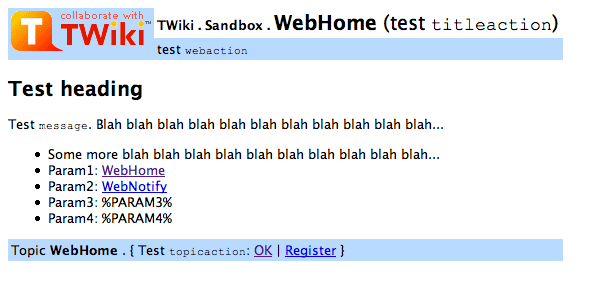
TWiki Skins
Skins overlay regular templates to give different looks and feels to TWiki screens.Overview
TWiki uses TWikiTemplates files as the basis of all the screens it uses to interact with users. Each screen has an associated template file that contains the basic layout of the screen. This is then filled in by the code to generate what you see in the browser. TWiki ships with a default set of template files that give a basic look-and-feel. TWiki also includes support for skins that can be selected to give different, more sophisticated, look and feels. A default TWiki installation will usually start up with the PatternSkin already selected. Skins may also be defined by third parties and loaded into a TWiki installation to give more options. To see how TWiki looks when no skin is selected, view this topic with a non-existant skin. Topic text is not affected by the choice of skin, though a skin can be defined to use a CSS (Cascading Style Sheet), which can sometimes give a radically different appearance to the text. Tip: TWiki:TWiki.TWikiSkinsSupplement on TWiki.org has supplemental documentation on TWiki Skins.
Changing the default TWiki skin
TWiki default ships with the skin PatternSkin activated. If you want to modify the layout, colors or even the templates to suit your own needs, have a look first at the topics PatternSkinCustomization and PatternSkinCssCookbook.Defining Skins
You may want to define your own skin, for example to comply with corporate web guidelines, or because you have a aesthetic vision that you want to share. The TWikiTemplates files used for skins are located in thetwiki/templates directory and are named according to the skin: <scriptname>.<skin>.tmpl. For example, the template used for pages generated by the view script with the print skin selected is view.print.tmpl (this is how the Printable control is implemented). Skin files may also be defined in TWiki topics - see TWikiTemplates for details.
To start creating a new skin, copy the default TWikiTemplates (like view.tmpl), or copy an existing skin to use as a base for your own skin. You should only need to copy the files you intend to customise, as TWiki can be configured to fall back to another skin if a template is not defined in your skin. Name the files as described above (for example view.myskin.tmpl.
Note: Two skin names have reserved meanings; text skin, and skin names starting with rss have hard-coded meanings.
The following template files are used for TWiki screens, and are referenced in the TWiki core code. If a skin doesn't define its own version of a template file, then TWiki will fall back to the next skin in the skin path, or finally, to the default version of the template file.
(Certain template files are expected to provide certain TMPL:DEFs - these are listed in sub-bullets) -
addform- used to select a new form for a topic -
attachagain- used when refreshing an existing attachment -
attachnew- used when attaching a new file to a topic -
attachtables- defines the format of attachments at the bottom of the standard topic view-
ATTACH:files:footer,ATTACH:files:header,ATTACH:files:row,ATTACH:versions:footer,ATTACH:versions:header,ATTACH:versions:row
-
-
changeform- used to change the form in a topic -
changes- used by thechangesscript -
edit- used for the edit screen -
form -
formtables- used to defined the format of forms-
FORM:display:footer,FORM:display:header,FORM:display:row
-
-
login- used for loggin in when using the TemplateLoginManager-
LOG_IN,LOG_IN_BANNER,LOG_OUT,LOGGED_IN_BANNER,NEW_USER_NOTE,UNRECOGNISED_USER
-
-
moveattachment- used when moving an attachment -
oopsaccessdenied- used to format Access Denied messages-
no_such_topic,no_such_web,only_group,topic_access
-
-
oopsattention- used to format Attention messages-
already_exists,bad_email,bad_ver_code,bad_wikiname,base_web_missing,confirm,created_web,delete_err,invalid_web_color,invalid_web_name,in_a_group,mandatory_field,merge_notice,missing_action,missing_fields,move_err,missing_action,no_form_def,no_users_to_reset,notwikiuser,oversized_upload,password_changed,password_mismatch,problem_adding,remove_user_done,rename_err,rename_not_wikiword,rename_topic_exists,rename_web_err,rename_web_exists,rename_web_prerequisites,reset_bad,reset_ok,save_error,send_mail_error,thanks,topic_exists,unrecognized_action,upload_name_changed,web_creation_error,web_exists,web_missing,wrong_password,zero_size_upload
-
-
oopschangelanguage- used to prompt for a new language when internationalisation is enabled -
oopslanguagechanged- used to confirm a new language when internationalisation is enabled -
oopsleaseconflict- used to format lease Conflict messages-
lease_active,lease_old
-
-
preview- used for previewing edited topics before saving -
rdiff- used for viewing topic differences -
registernotify- used by the user registration system -
registernotifyadmin- used by the user registration system -
rename- used when renaming a topic -
renameconfirm- used when renaming a topic -
renamedelete- used when renaming a topic -
renameweb- used when renaming a web -
renamewebconfirm- used when renaming a web -
renamewebdelete- used when renaming a web -
searchbookview- used to format inline search results in book view -
searchformat- used to format inline search results -
search- used by thesearchCGI script -
settings -
view- used by theviewCGI script
twiki.tmpl is a master template conventionally used by other templates, but not used directly by code.
Note: You are strongly recommended not to TMPL:INCLUDE the default templates, or templates from other skins, when you are defining your own skin. If you do, you run the risk that the included file might change and break your skin.
Variables in Skins
You can use template variables, TWikiVariables, and other predefined variables to compose your skins. Some commonly used variables in skins:| Variable: | Expanded to: |
|---|---|
%WEBLOGONAME% |
Filename of web logo |
%WEBLOGOIMG% |
Image URL of web logo |
%WEBLOGOURL% |
Link of web logo |
%WEBLOGOALT% |
Alt text of web logo |
%WIKILOGOURL% |
Link of page logo |
%WIKILOGOIMG% |
Image URL of page logo |
%WIKILOGOALT% |
Alt text of page logo |
%WEBBGCOLOR% |
Web-specific background color, defined in the WebPreferences |
%WIKITOOLNAME% |
The name of your TWiki site |
%SCRIPTURL% |
The script URL of TWiki |
%SCRIPTURLPATH% |
The script URL path |
%SCRIPTSUFFIX% |
The script suffix, ex: .pl, .cgi |
%WEB% |
The name of the current web. |
%TOPIC% |
The name of the current topic. |
%WEBTOPICLIST% |
Common links of current web, defined in the WebPreferences. It includes a Go box |
%TEXT% |
The topic text, e.g. the content that can be edited |
%META{"form"}% |
TWikiForm, if any |
%META{"attachments"}% |
FileAttachment table |
%META{"parent"}% |
The topic parent |
%EDITTOPIC% |
Edit link |
%REVTITLE% |
The revision title, if any, ex: (r1.6) |
%REVINFO% |
Revision info, ex: r1.6 - 24 Dec 2002 - 08:12 GMT - TWikiGuest |
%WEBCOPYRIGHT% |
Copyright notice, defined in the WebPreferences |
%BROADCASTMESSAGE% |
Broadcast message at the beginning of your view template, can be used to alert users of scheduled downtimes; can be set in TWikiPreferences |
The "Go" Box and Navigation Box
The default%WEBTOPICLIST% includes a "Go" box, also called "Jump" box, to jump to a topic. The box also understands URLs, e.g. you can type http://www.google.com/ to jump to an external web site. The feature is handy if you build a skin that has a select box of frequently used links, like Intranet home, employee database, sales database and such. A little JavaScript gets into action on the onSelect method of the select tag to fill the selected URL into the "Go" box field, then submits the form.
Here is an example form that has a select box and the "Go" box for illustration purposes. You need to have JavaScript enabled for this to work:
Using Cascading Style Sheets
CSS is used by PatternSkin, the TWiki skin that is selected in new installations. See that skin topic for information how CSS is used. CSS files are gererally attachments to the skin topic that are included in the the skin templates - in the case of PatternSkin in the templatecss.pattern.tmpl.
Write in your main template:
<style type='text/css' media='all'>@import url('%PUBURLPATH%/%TWIKIWEB%/MySkin/mystyle.css');</style>
Attachment Tables
Controlling the look and feel of attachment tables is a little bit more complex than for the rest of a skin. By default, the attachment table is a standard TWiki table, and the look is controlled in the same way as other tables. In a very few cases you may want to change the content of the table as well. The format of standard attachment tables is defined through the use of special TWiki template macros which by default, are defined in theattachtables.tmpl template using the %TMPL:DEF macro syntax described in TWikiTemplates. These macros are:
| Macro | Description |
|---|---|
ATTACH:files:header |
Standard title bar |
ATTACH:files:row |
Standard row |
ATTACH:files:footer |
Footer for all screens |
ATTACH:files:header:A |
Title bar for upload screens, with attributes column |
ATTACH:files:row:A |
Row for upload screen |
ATTACH:files:footer:A |
Footer for all screens |
| Macro | Description |
|---|---|
ATTACH:versions:header |
Header for versions table on upload screen |
ATTACH:versions:row |
Row format for versions table on upload screen |
ATTACH:versions:footer |
Footer for versions table on upload screen |
ATTACH:row macros are expanded for each file in the attachment table, using the following special tags:
| Tag | Description |
|---|---|
%A_URL% |
URL that will recover the file |
%A_REV% |
Revision of this file |
%A_ICON% |
A file icon suitable for representing the attachment content |
%A_FILE% |
The name of the file |
%A_SIZE% |
The size of the file |
%A_DATE% |
The date the file was uploaded |
%A_USER% |
The user who uploaded it |
%A_COMMENT% |
The comment they put in when uploading it |
%A_ATTRS% |
The attributes of the file as seen on the upload screen e.g "h" for a hidden file |
Packaging and Publishing Skins
See TWiki:Plugins/SkinPackagingHowTo and TWiki:Plugins/SkinDeveloperFAQ
Browsing Installed Skins
You can try out all installed skins in the TWikiSkinBrowser.Activating Skins
TWiki uses a skin search path, which lets you combine skins additively. The skin path is defined using a combination of TWikiVariables and URL parameters. TWiki works by asking for a template for a particular function - for example, 'view'. The detail of how templates are searched for is described in TWikiTemplates, but in summary, the templates directory is searched for a file calledview.skin.tmpl, where skin is the name of the skin e.g. pattern. If no template is found, then the fallback is to use view.tmpl. Each skin on the path is searched for in turn. For example, if you have set the skin path to local,pattern then view.local.tmpl will be searched for first, then view.pattern.tmpl and finally view.tmpl.
The basic skin is defined by a SKIN setting:
-
Set SKIN = catskin, bearskin
?skin=catskin, bearskin. Example activation of PrintSkin that generates a printable page:
Setting SKIN (or the ?skin parameter in the URL) replaces the existing skin path setting. You can also extend the existing skin path as well, using covers.
-
Set COVER = ruskin
ruskin, catskin, bearskin). There is also an equivalent cover URL parameter.
The full skin path is built up as follows: SKIN setting (or ?skin if it is set), then COVER setting is added, then ?cover.
Hard-Coded Skins
Thetext skin is reserved for TWiki internal use.
Skin names starting with rss also have a special meaning; if one or more of the skins in the skin path starts with 'rss' then 8-bit characters will be encoded as XML entities in the output, and the content-type header will be forced to text/xml.
Related Topics: TWikiSkinBrowser, AdminDocumentationCategory, DeveloperDocumentationCategory, TWiki:TWiki.TWikiSkinsSupplement
-- Contributors: TWiki:Main.PeterThoeny, TWiki:Main.MikeMannix, TWiki:Main.CrawfordCurrie
TWiki Meta Data
Additional topic data, program-generated or from TWikiForms, is stored inMETA variable name/value pairs
Overview
TWikiMetaData usesMETA variables to store topic data that's separate from the main free-form content. This includes program-generated info like FileAttachment and topic movement data, and user-defined TWikiForms info. Use META variables to format and display Meta Data.
Meta Data Syntax
- Format is the same as in TWikiVariables, except all fields have a key.
-
%META:<type>{key1="value1" key2="value2" ...}%
-
- Order of fields within the meta variables is not defined, except that if there is a field with key
name, this appears first for easier searching (note the order of the variables themselves is defined).
- Each meta variable is on one line.
-
\n(new line) is represented in values by%_N_and"(double-quotes) by%_Q_%.
Example of Format
%META:TOPICINFO{version="1.6" date="976762663" author="LastEditorWikiName" format="1.0"}%
   text of the topic
%META:TOPICMOVED{from="Codev.OldName" to="Codev.NewName"
   by="TopicMoverWikiName" date="976762680"}%
%META:TOPICPARENT{name="NavigationByTopicContext"}%
%META:FILEATTACHMENT{name="Sample.txt" version="1.3" ... }%
%META:FILEATTACHMENT{name="Smile.gif" version="1.1" ... }%
%META:FORM{name="WebFormTemplate"}%
%META:FIELD{name="OperatingSystem" value="OsWin"}%
%META:FIELD{name="TopicClassification" value="PublicFAQ"}%
Meta Data Specifications
The current version of Meta Data is 1.0, with support for the following variables.META:TOPICINFO
| Key | Comment |
|---|---|
| version | Same as RCS version |
| date | integer, unix time, seconds since start 1970 |
| author | last to change topic, is the REMOTE_USER |
| format | Format of this topic, will be used for automatic format conversion |
META:TOPICMOVED
This is optional, exists if topic has ever been moved. If a topic is moved more than once, only the most recent META:TOPICMOVED meta variable exists in the topic, older ones are to be found in the rcs history.%META:TOPICMOVED{from="Codev.OldName" to="Codev.NewName" by="talintj" date="976762680"}%
| Key | Comment |
|---|---|
| from | Full name, i.e., web.topic |
| to | Full name, i.e., web.topic |
| by | Who did it, is the REMOTE_USER, not WikiName |
| date | integer, unix time, seconds since start 1970 |
- at present version number is not supported directly, it can be inferred from the RCS history.
- there is only one META:TOPICMOVED in a topic, older move information can be found in the RCS history.
META:TOPICPARENT
| Key | Comment |
|---|---|
| name | The topic from which this was created, WebHome if done from Go, othewise topic where ? or form used. Normally just topic, but is full web.topic format if parent is in a different Web. Renaming a Web will then only break a few of these references or they can be scanned and fixed. |
META:FILEATTACHMENT
| Key | Comment |
|---|---|
| name | Name of file, no path. Must be unique within topic |
| version | Same as RCS revision |
| path | Full path file was loaded from |
| size | In bytes |
| date | integer, unix time, seconds since start 1970 |
| user | the REMOTE_USER, not WikiName |
| comment | As supplied when file uploaded |
| attr | h if hidden, optional |
| Key | Comment |
|---|---|
| movedfrom | full topic name - web.topic |
| movedby | the REMOTE_USER, not WikiName |
| movedto | full topic name - web.topic |
| moveddate | integer, unix time, seconds since start 1970 |
META:FORM
| Key | Comment |
|---|---|
| name | A topic name - the topic represents one of the TWikiForms. Can optionally include the web name (i.e., web.topic), but doesn't normally |
META:FIELD
Should only be present if there is a META:FORM entry. Note that this data is used when viewing a topic, the form template definition is not read.| Key | Name |
|---|---|
| name | Ties to entry in TWikiForms template, is title with all bar alphanumerics and . removed |
| title | Full text from TWikiForms template |
| value | Value user has supplied via form |
Recommended Sequence
There is no absolute need for Meta Data variables to be listed in a specific order within a topic, but it makes sense to do so a couple of good reasons:- form fields remain in the order they are defined
- the
difffunction output appears in a logical order
-
META:TOPICINFO -
META:TOPICPARENT(optional) - text of topic
-
META:TOPICMOVED(optional) -
META:FILEATTACHMENT(0 or more entries) -
META:FORM(optional) -
META:FIELD(0 or more entries; FORM required)
Viewing Meta Data in Page Source
When viewing a topic theRaw Text link can be clicked to show the text of a topic (i.e., as seen when editing). This is done by adding raw=on to URL. raw=debug shows the meta data as well as the topic data, ex: debug view for this topic
Rendering Meta Data
Meta Data is rendered with the %META% variable. This is mostly used in theview, preview and edit scripts.
You can render form fields in topic text by using the FORMFIELD variable. Example:%FORMFIELD{"TopicClassification"}% For details, see VarFORMFIELD. Current support covers:
| Variable usage: | Comment: |
|---|---|
%META{"form"}% |
Show form data, see TWikiForms. |
%META{"formfield"}% |
Show form field value. Parameter: name="field_name". Example:%META{ "formfield" name="TopicClassification" }% |
%META{"attachments"}% |
Show attachments, except for hidden ones. Options: all="on": Show all attachments, including hidden ones. |
%META{"moved"}% |
Details of any topic moves. |
%META{"parent"}% |
Show topic parent. Options: dontrecurse="on": By default recurses up tree, at some cost. nowebhome="on": Suppress WebHome. prefix="...": Prefix for parents, only if there are parents, default "". suffix="...": Suffix, only appears if there are parents, default "". separator="...": Separator between parents, default is " > ". |
Known Issues
At present, there is no Meta Data support for Plugins. However, the format is readily extendable and theMeta.pm code that supports the format needs only minor alteration.
Related Topics: DeveloperDocumentationCategory, UserDocumentationCategory
TWiki Plugins
Add functionality to TWiki with readily available Plugins; create Plugins based on APIsOverview
You can add Plugins to extend TWiki functionality, without altering the core code. A plug-in approach lets you:- add virtually unlimited features while keeping the main TWiki code compact and efficient;
- heavily customize an installation and still do clean updates to new versions of TWiki;
- rapidly develop new TWiki functions in Perl using the Plugin API.
web.
TWiki Plugins are developed and contributed by interested members of the community. Plugins are provided on an 'as is' basis; they are not a part of TWiki, but are independently developed and maintained.
Tip: TWiki:TWiki.TWikiPluginsSupplement on TWiki.org has supplemental documentation on TWiki Plugins.
Installing Plugins
Each TWiki Plugin comes with its own documentation: step-by-step installation instructions, a detailed description of any special requirements, version details, and a working example for testing. Many Plugins have an install script that automates these steps for you. Special Requirements: Some Plugins need certain Perl modules to be preinstalled on the host system. Plugins may also use other resources, like graphics, other modules, applications, and templates. You should be able to find detailed instructions in the Plugin's documentation. Each Plugin has a standard release topic, located in the TWiki:Plugins web at TWiki.org. There's usually a number of other related topics, such as a developers page, and an appraisal page.
On-Site Pretesting
The recommended approach to testing new Plugins before making them public is to create a second local TWiki installation, and test the Plugin there. You can allow selected users access to the test area. Once you are satisifed that it won't compromise your main installation, you can install it there as well. InstalledPlugins shows which Plugins are: 1) installed, 2) loading properly, and 3) what TWiki:Codev.PluginHandlers they invoke. Any failures are shown in the Errors section. The %FAILEDPLUGINS% variable can be used to debug failures. You may also want to check your webserver error log and the various TWiki log files.
Some Notes on Plugin Performance
The performance of the system depends to some extent on the number of Plugins installed and on the Plugin implementation. Some Plugins impose no measurable performance decrease, some do. For example, a Plugin might use many Perl libraries that need to be initialized with each page view (unless you run mod_perl). You can only really tell the performance impact by installing the Plugin and by measuring the performance with and without the new Plugin. Use the TWiki:Plugins.PluginBenchmarkAddOn, or test manually with the Apache ab utility. Example on Unix:time wget -qO /dev/null /cgi-bin/view/TWiki06x01/AbcPlugin
If you need to install an "expensive" Plugin, and you need its functionality only in one web, you can place the Plugin topic into that web. TWiki will initialize the Plugin only if the Plugin topic is found (which won't be the case for other webs.)
Managing Installed Plugins
Some Plugins require additional settings or offer extra options that you have to select. Also, you may want to make a Plugin available only in certain webs, or temporarily disable it. And may want to list all available Plugins in certain topics. You can handle all of these management tasks with simple procedures:Enabling Plugins
Plugins can be enabled and disabled with the configure script. An installed Plugin needs to be enabled before it can be used.Plugin Evaluation Order
By default, TWiki executes Plugins in alphabetical order on Plugin name. It is possible to change the order, for example to evaluate database variables before the speadsheet CALCs. This can be done with{PluginsOrder} in the Plugins section of configure.
Plugin-Specific Settings
Plugin-specific settings are done in individual Plugin topics. Two settings are standard for each Plugin:- One line description, used to form the bullets describing the Plugins in the TextFormattingRules topic:
-
Set SHORTDESCRIPTION = Create dynamic foo bar reports
-
- Debug Plugin, output can be seen in
data/debug.txt. Set to 0=off or 1=on:-
Set DEBUG = 0
-
- The settings can be retrieved as Preferences variables like
%<pluginname>_<var>%. For example,%DEFAULTPLUGIN_SHORTDESCRIPTION%shows the description of the DefaultPlugin.
Listing Active Plugins
Plugin status variables let you list all active Plugins wherever needed. %ACTIVATEDPLUGINS%
On this TWiki site, the enabled Plugins are: SpreadSheetPlugin, AutoSectionsPlugin, BackupRestorePlugin, BlackListPlugin, CalendarPlugin, ChartPlugin, ColorPickerPlugin, CommentPlugin, DatePickerPlugin, EditTablePlugin, GaugePlugin, GeoLookupPlugin, HeadlinesPlugin, IfThenActionPlugin, InterwikiPlugin, JQueryPlugin, LocalCityTimePlugin, PercentCompletePlugin, PerlDocPlugin, PreferencesPlugin, QRCodePlugin, RecentVisitorPlugin, RenderListPlugin, SetGetPlugin, ShareMePlugin, SlideShowPlugin, SmiliesPlugin, SyntaxHighlightingPlugin, TWikiDrawPlugin, TWikiOrgPlugin, TWikiSheetPlugin, TablePlugin, TagMePlugin, TinyMCEPlugin, TwistyPlugin, VarCachePlugin, WatchlistPlugin, WysiwygPlugin.
%PLUGINDESCRIPTIONS%
- SpreadSheetPlugin (2018-07-05, $Rev: 30478 (2018-07-16) $): Add spreadsheet calculation like
"$SUM( $ABOVE() )"to TWiki tables or anywhere in topic text - AutoSectionsPlugin (2016-10-25, $Rev: 30269 (2016-10-25) $): Automatically make editable sections based on headings
- BackupRestorePlugin (2018-07-10, $Rev: 30551 (2018-07-16) $): Administrator utility to backup, restore and upgrade a TWiki site
- BlackListPlugin (2013-03-22, $Rev: 25492 (2013-03-22) $): Utility to keep malicious users away from a public TWiki site
- CalendarPlugin (2012-12-03, $Rev: 24315 (2012-12-04) $): Show a monthly calendar with highlighted events
- ChartPlugin (2013-05-23, $Rev: 25974 (2013-05-23) $): Visualize TWiki tables with area charts, bar charts, line graphs, scatter charts and sparklines
- ColorPickerPlugin (2018-07-05, $Rev: 30442 (2018-07-16) $): Color picker, packaged for use in TWiki forms and TWiki applications
- CommentPlugin (2018-07-05, $Rev: 30530 (2018-07-16) $): Quickly post comments to a page without an edit/preview/save cycle
- DatePickerPlugin (2018-07-05, $Rev: 30446 (2018-07-16) $): Pop-up calendar with date picker, for use in TWiki forms, HTML forms and TWiki plugins
- EditTablePlugin (2018-07-05, $Rev: 30448 (2018-07-16) $): Edit TWiki tables using edit fields, date pickers and drop down boxes
- GaugePlugin (2013-05-16, $Rev: 25944 (2013-05-16) $): Create gauges (graphical or not), typically used for dashboards
- GeoLookupPlugin (2019-02-19, $Rev$): Lookup geolocation by IP address or domain name
- HeadlinesPlugin (2018-07-13, $Rev: 30560 (2018-07-16) $): Show headline news in TWiki pages based on RSS and ATOM news feeds from external sites
- IfThenActionPlugin (2017-11-15, $Rev: 30405 (2017-11-15) $): Execute if-then actions on topic view, save, file upload, and user registration, with rules defined in a topic
- InterwikiPlugin (2018-07-05, $Rev: 30454 (2018-07-16) $): Write
ExternalSite:Pageto link to a page on an external site based on aliases defined in a rules topic - JQueryPlugin (2018-07-05, $Rev: 30456 (2018-07-16) $): jQuery JavaScript library for TWiki
- LocalCityTimePlugin (2013-04-22, $Rev: 25817 (2013-04-23) $): Shows the local time of a city embedded in a TWiki topic
- PercentCompletePlugin (2015-05-29, $Rev: 29248 (2015-05-29) $): Percent complete selector, for use in TWiki forms and TWiki applications
- PerlDocPlugin (2011-07-13, $Rev: 29704 (2015-12-20) $): Extract the Perl documentation (POD) from a Perl module and display it in a topic
- PreferencesPlugin (2018-07-05, $Rev: 30528 (2018-07-16) $): Allows editing of preferences using fields predefined in a form
- QRCodePlugin (2018-07-17, $Rev: 30621 (2018-07-17) $): Create QR Code (a matrix barcode) in TWiki pages, useful for mobile applications
- RecentVisitorPlugin (2012-12-22, $Rev: 24176 (2012-11-22) $): Show recent visitors to a TWiki site
- RenderListPlugin (2018-07-05, $Rev: 30468 (2018-07-16) $): Render bullet lists in a variety of formats
- SetGetPlugin (2018-07-05, $Rev: 30472 (2018-07-16) $): Set and get variables and JSON objects in topics, optionally persistently across topic views
- ShareMePlugin (2012-12-01, $Rev: 24254 (2012-12-01) $): Icon bar to share a TWiki page on popular social media sites such as Facebook, StumbleUpon, Twitter
- SlideShowPlugin (2018-07-05, $Rev: 30474 (2018-07-16) $): Create web based presentations based on topics with headings.
- SmiliesPlugin (2018-07-05, $Rev: 30476 (2018-07-16) $): Render smilies as icons, like
:-)as or :eek:as - SyntaxHighlightingPlugin (2016-01-22, $Rev): Highlight source code fragments for many languages
- TWikiDrawPlugin (2013-05-17, $Rev: 25952 (2013-05-17) $): Vector drawing editor and clickable maps for diagrams and workflows
- TWikiOrgPlugin (1.001): TWiki.org specific extensions
- TWikiSheetPlugin (2018-07-15, $Rev: 30604 (2018-07-16) $): Add TWiki Sheet spreadsheet functionality to TWiki tables
- TablePlugin (2018-07-05, $Rev: 30480 (2018-07-16) $): Control attributes of tables and sorting of table columns
- TagMePlugin (2018-07-05, $Rev: 30482 (2018-07-16) $): Tag wiki content collectively or authoritatively to find content by keywords
- TinyMCEPlugin (2018-07-10, $Rev: 30541 (2018-07-16) $): Integration of the Tiny MCE WYSIWYG Editor
- TwistyPlugin (2018-07-06, $Rev: 30497 (2018-07-16) $): Twisty section JavaScript library to open/close content dynamically
- VarCachePlugin (2018-07-08, $Rev: 30524 (2018-07-08) $): Cache TWiki variables in selected topics for faster page rendering
- WatchlistPlugin (2018-07-10, $Rev: 30536 (2018-07-16) $): Watch topics of interest and get notified of changes by e-mail
- WysiwygPlugin (2018-07-06, $Rev: 30528 (2018-07-16) $): Translator framework for WYSIWYG editors
%FAILEDPLUGINS%
| Plugin | Errors |
|---|---|
| SpreadSheetPlugin | none |
| AutoSectionsPlugin | none |
| BackupRestorePlugin | none |
| BlackListPlugin | none |
| CalendarPlugin | none |
| ChartPlugin | none |
| ColorPickerPlugin | none |
| CommentPlugin | none |
| DatePickerPlugin | none |
| EditTablePlugin | none |
| GaugePlugin | none |
| GeoLookupPlugin | none |
| HeadlinesPlugin | none |
| IfThenActionPlugin | none |
| InterwikiPlugin | none |
| JQueryPlugin | none |
| LocalCityTimePlugin | none |
| PercentCompletePlugin | none |
| PerlDocPlugin | none |
| PreferencesPlugin | none |
| QRCodePlugin | none |
| RecentVisitorPlugin | none |
| RenderListPlugin | none |
| SetGetPlugin | none |
| ShareMePlugin | none |
| SlideShowPlugin | none |
| SmiliesPlugin | none |
| SyntaxHighlightingPlugin | none |
| TWikiDrawPlugin | none |
| TWikiOrgPlugin | none |
| TWikiSheetPlugin | none |
| TablePlugin | none |
| TagMePlugin | none |
| TinyMCEPlugin | none |
| TwistyPlugin | none |
| VarCachePlugin | none |
| WatchlistPlugin | none |
| WysiwygPlugin | none |
| Handler | Plugins |
|---|---|
| afterAttachmentSaveHandler | IfThenActionPlugin |
| afterCommonTagsHandler | VarCachePlugin |
| afterEditHandler | WysiwygPlugin |
| afterRenameHandler | TagMePlugin WatchlistPlugin |
| afterSaveHandler | IfThenActionPlugin TagMePlugin VarCachePlugin WatchlistPlugin |
| beforeAttachmentSaveHandler | BlackListPlugin |
| beforeCommonTagsHandler | AutoSectionsPlugin EditTablePlugin PreferencesPlugin TWikiSheetPlugin TwistyPlugin VarCachePlugin WysiwygPlugin |
| beforeEditHandler | AutoSectionsPlugin TinyMCEPlugin WysiwygPlugin |
| beforeMergeHandler | WysiwygPlugin |
| beforeSaveHandler | AutoSectionsPlugin BlackListPlugin CommentPlugin VarCachePlugin WatchlistPlugin WysiwygPlugin |
| commonTagsHandler | SpreadSheetPlugin BackupRestorePlugin BlackListPlugin CalendarPlugin ChartPlugin CommentPlugin EditTablePlugin JQueryPlugin LocalCityTimePlugin SlideShowPlugin SmiliesPlugin SyntaxHighlightingPlugin TWikiOrgPlugin TWikiSheetPlugin VarCachePlugin |
| completePageHandler | IfThenActionPlugin |
| endRenderingHandler | BlackListPlugin This handler is deprecated - please check for updated versions of the plugins that use it! |
| initPlugin | SpreadSheetPlugin AutoSectionsPlugin BackupRestorePlugin BlackListPlugin CalendarPlugin ChartPlugin ColorPickerPlugin CommentPlugin DatePickerPlugin EditTablePlugin GaugePlugin GeoLookupPlugin HeadlinesPlugin IfThenActionPlugin InterwikiPlugin JQueryPlugin LocalCityTimePlugin PercentCompletePlugin PerlDocPlugin PreferencesPlugin QRCodePlugin RecentVisitorPlugin RenderListPlugin SetGetPlugin ShareMePlugin SlideShowPlugin SmiliesPlugin SyntaxHighlightingPlugin TWikiDrawPlugin TWikiOrgPlugin TWikiSheetPlugin TablePlugin TagMePlugin TinyMCEPlugin TwistyPlugin VarCachePlugin WatchlistPlugin WysiwygPlugin |
| modifyHeaderHandler | WysiwygPlugin |
| postRenderingHandler | BlackListPlugin PreferencesPlugin WysiwygPlugin |
| preRenderingHandler | AutoSectionsPlugin InterwikiPlugin SmiliesPlugin TablePlugin |
| registrationHandler | IfThenActionPlugin |
| startRenderingHandler | RenderListPlugin This handler is deprecated - please check for updated versions of the plugins that use it! |
The TWiki Plugin API
The Application Programming Interface (API) for TWiki Plugins provides the specifications for hooking into the core TWiki code from your external Perl Plugin module.Available Core Functions
The TWikiFuncDotPm module (lib/TWiki/Func.pm) describes all the interfaces available to Plugins. Plugins should only use the interfaces described in this module.
Note: If you use other core functions not described in Func.pm, you run the risk of creating security holes. Also, your Plugin will likely break and require updating when you upgrade to a new version of TWiki.
Predefined Hooks
In addition to TWiki core functions, Plugins can use predefined hooks, or callbacks, as described in thelib/TWiki/Plugins/EmptyPlugin.pm module.
- All but the initPlugin are disabled. To enable a callback, remove
DISABLE_from the function name.
helps you decide which rendering handler to use.
Hints on Writing Fast Plugins
- Delay initialization as late as possible. For example, if your Plugin is a simple syntax processor, you might delay loading extra Perl modules until you actually see the syntax in the text.
- For example, use an
evalblock like this:
eval { require IPC::Run }
return "<font color=\"red\">SamplePlugin: Can't load required modules ($@)</font>" if $@; - You can use a flag to avoid running the initialization twice
- The TWiki:Plugins.PluginBenchmarkAddOn comes in handy to measure and fine-tune the performance of your Plugin
Plugin Version Detection
To eliminate the incompatibility problems bound to arise from active open Plugin development, a Plugin versioning system is provided for automatic compatibility checking.- All modules require a
$VERSION='0.000'variable, beginning at1.000.
- The
initPluginhandler should check all dependencies and return TRUE if the initialization is OK or FALSE if something went wrong.- The Plugin initialization code does not register a Plugin that returns FALSE (or that has no
initPluginhandler).
- The Plugin initialization code does not register a Plugin that returns FALSE (or that has no
-
$TWiki::Plugins::VERSIONin theTWiki::Pluginsmodule contains the TWiki Plugin API version, currently 6.10.- You can also use the
%PLUGINVERSION{}%variable to query the Plugin API version or the version of installed Plugins.
- You can also use the
Security
- Badly written Plugins can open huge security holes in TWiki. This is especially true if care isn't taken to prevent execution of arbitrary commands on the server.
- Don't allow sensitive configuration data to be edited by users. it is better to add sensitive configuration options to the
%TWiki::cfghash than adding it as preferences in the Plugin topic- See TWiki:Plugins.MailInContrib for an example of this
- TWiki:Plugins.BuildContrib can help you with this
- See TWiki:Plugins.MailInContrib
- Always use the TWiki::Sandbox to execute commands.
- Always audit the Plugins you install, and make sure you are happy with the level of security provided. While every effort is made to monitor Plugin authors activities, at the end of the day they are uncontrolled user contributions.
Creating Plugins
With a reasonable knowledge of the Perl scripting language, you can create new Plugins or modify and extend existing ones. Basic plug-in architecture uses an Application Programming Interface (API), a set of software instructions that allow external code to interact with the main program. The TWiki Plugin API Plugins by providing a programming interface for TWiki.Anatomy of a Plugin
A basic TWiki Plugin consists of two elements:- a Perl module, ex:
MyFirstPlugin.pm - a documentation topic, ex:
MyFirstPlugin.txt
MyFirstPlugin topic. Other needed Perl code is best placed in a lib/TWiki/Plugins/MyFirstPlugin/ directory.
The Plugin API handles the details of connecting your Perl module with main TWiki code. When you're familiar with the Plugin API, you're ready to develop Plugins.
Creating the Perl Module
Copy filelib/TWiki/Plugins/EmptyPlugin.pm to <name>Plugin.pm. The EmptyPlugin.pm module contains mostly empty functions, so it does nothing, but it's ready to be used. Customize it. Refer to the Plugin API specs for more information.
If your Plugin uses its own modules and objects, you must include the name of the Plugin in the package name. For example, write Package MyFirstPlugin::Attrs; instead of just Package Attrs;. Then call it using:
use TWiki::Plugins::MyFirstPlugin::Attrs;
$var = MyFirstPlugin::Attrs->new();
Measuring and Improving the Plugin Performance
A high quality Plugin performs well. You can use the TWiki:Plugins.PluginBenchmarkAddOn to measure your TWiki:Plugins.PluginBenchmarks. The data is needed as part of the Documentation Topic.
See also Hints on Writing Fast Plugins.
Writing the Documentation Topic
The Plugin documentation topic contains usage instructions and version details. It serves the Plugin files as FileAttachments for downloading. (The doc topic is also included in the distribution package.) To create a documentation topic:- Copy the Plugin topic template from TWiki.org. To copy the text, go to TWiki:Plugins/PluginPackage and:
- enter the Plugin name in the "How to Create a Plugin" section
- click Create
- select all in the Edit box & copy
- Cancel the edit
- go back to your site to the TWiki06x01 web
- In the GoBox enter your Plugin name, for example
MyFirstPlugin, press enter and create the new topic - paste & save new Plugin topic on your site
- Customize your Plugin topic.
- Important: In case you plan to publish your Plugin on TWiki.org, use Interwiki names for author names and links to TWiki.org topics, such as TWiki:Main/TWikiGuest. This is important because links should work properly in a Plugin topic installed on any TWiki, not just on TWiki.org.
- Important: In case you plan to publish your Plugin on TWiki.org, use Interwiki names for author names and links to TWiki.org topics, such as TWiki:Main/TWikiGuest
- Document the performance data you gathered while measuring the performance
- Save your topic, for use in packaging and publishing your Plugin.
OUTLINE: Doc Topic Contents
Check the Plugins web on TWiki.org for the latest Plugin doc topic template. Here's a quick overview of what's covered: Syntax Rules: <Describe any special text formatting that will be rendered.>" Example: <Include an example of the Plugin in action. Possibly include a static HTML version of the example to compare if the installation was a success!>" Plugin Settings: <Description and settings for custom Plugin %VARIABLES%, and those required by TWiki.>"Plugin Installation Instructions: <Step-by-step set-up guide, user help, whatever it takes to install and run, goes here.>" Plugin Info: <Version, credits, history, requirements - entered in a form, displayed as a table. Both are automatically generated when you create or edit a page in the TWiki:Plugins
- Plugins Preferences <If user settings are needed, explain... Entering values works exactly like TWikiPreferences and WebPreferences: six (6) spaces and then:>"
- Set <EXAMPLE = value added>
Packaging for Distribution
The TWiki:Plugins.BuildContrib is a powerful build environment that is used by the TWiki project to build TWiki itself, as well as many of the Plugins. You don't have to use it, but it is highly recommended!
If you don't want (or can't) use the BuildContrib, then a minimum Plugin release consists of a Perl module with a WikiName that ends in Plugin, ex: MyFirstPlugin.pm, and a documentation page with the same name(MyFirstPlugin.txt).
- Distribute the Plugin files in a directory structure that mirrors TWiki. If your Plugin uses additional files, include them all:
-
lib/TWiki/Plugins/MyFirstPlugin.pm -
data/TWiki/MyFirstPlugin.txt -
pub/TWiki/MyFirstPlugin/uparrow.gif[a required graphic]
-
- Create a zip archive with the Plugin name (
MyFirstPlugin.zip) and add the entire directory structure from Step 1. The archive should look like this:-
lib/TWiki/Plugins/MyFirstPlugin.pm -
data/TWiki/MyFirstPlugin.txt -
pub/TWiki/MyFirstPlugin/uparrow.gif
-
Publishing for Public Use
You can release your tested, packaged Plugin to the TWiki community through the TWiki:Plugins web. All Plugins submitted to TWiki.org are available for download and further development in TWiki:Plugins/PluginPackage.
Publish your Plugin by following these steps: - Post the Plugin documentation topic in the TWiki:Plugins/PluginPackage:
- enter the Plugin name in the "How to Create a Plugin" section, for example
MyFirstPlugin - paste in the topic text from Writing the Documentation Topic and save
- enter the Plugin name in the "How to Create a Plugin" section, for example
- Attach the distribution zip file to the topic, ex:
MyFirstPlugin.zip - Link from the doc page to a new, blank page named after the Plugin, and ending in
Dev, ex:MyFirstPluginDev. This is the discussion page for future development. (User support for Plugins is handled in TWiki:Support.)
- Put the Plugin into the SVN repository, see TWiki:Plugins/ReadmeFirst (optional)
Once you have done the above steps once, you can use the BuildContrib to upload updates to your Plugin.
Thank you very much for sharing your Plugin with the TWiki community
Recommended Storage of Plugin Specific Data
Plugins sometimes need to store data. This can be Plugin internal data such as cache data, or data generated for browser consumption such as images. Plugins should store data using TWikiFuncDotPm functions that support saving and loading of topics and attachments.Plugin Internal Data
You can create a Plugin "work area" using theTWiki::Func::getWorkArea() function, which gives you a persistant directory where you can store data files. By default they will not be web accessible. The directory is guaranteed to exist, and to be writable by the webserver user. For convenience, TWiki::Func::storeFile() and TWiki::Func::readFile() are provided to persistently store and retrieve simple data in this area.
Web Accessible Data
Topic-specific data such as generated images can be stored in the topics attachment area, which is web accessible. Use theTWiki::Func::saveAttachment() function to store the data.
Recommendation for file name: - Prefix the filename with an underscore (the leading underscore avoids a nameclash with files attached to the same topic)
- Identify where the attachment originated from, typically by including the Plugin name in the file name
- Use only alphanumeric characters, underscores, dashes and periods to avoid platform dependency issues and URL issues
- Example:
_FooBarPlugin_img123.gif
TWiki::Func::saveAttachment() function to store the data.
Recommendation for file names in Plugin attachment area: - Prefix the filename with an underscore
- Include the name of the web in the filename
- Use only alphanumeric characters, underscores, dashes and periods to avoid platform dependency issues and URL issues
- Example:
_Main_roundedge-ul.gif
Maintaining Plugins
Discussions and Feedback on Plugins
Each published Plugin has a Plugin development topic on TWiki.org. Plugin development topics are named after your Plugin and end inDev, such as MyFirstPluginDev. The Plugin development topic is a great resource to discuss feature enhancements and to get feedback from the TWiki community.
Maintaining Compatibility with Earlier TWiki Versions
The Plugin interface (TWikiFuncDotPm functions and handlers) evolve over time. TWiki 4.0 introduced new API functions to address the needs of Plugin authors. It also deprecated some functions. Some Plugins written for earlier TWiki releases using unofficial TWiki internal functions no longer work on the TWiki 4.0 codebase. All this means that some Plugins need to be updated to work on the TWiki 4.0 codebase. Organizations typically do not upgrade to the latest TWiki for many months. However, many administrators still would like to install the latest versions of a Plugin on their older TWiki installation. This need is fullfilled if Plugins are maintained in a compatible manner. Tip: Plugins can be written to be compatible with older and newer TWiki releases. This can be done also for Plugins using unofficial TWiki internal functions of an earlier release that no longer work on the latest TWiki codebase. TWiki:TWiki.TWikiPluginsSupplement#MaintainPlugins has more.
Handling deprecated functions
From time-to-time, the TWiki developers will add new functions to the interface (either to TWikiFuncDotPm, or new handlers). Sometimes these improvements mean that old functions have to be deprecated to keep the code manageable. When this happens, the deprecated functions will be supported in the interface for at least one more TWiki release, and probably longer, though this cannot be guaranteed. When a plugin defines deprecated handlers, a warning will be shown in the list generated by %FAILEDPLUGINS%. Admins who see these warnings should check TWiki.org and if necessary, contact the plugin author, for an updated version of the plugin. Updated plugins may still need to define deprecated handlers for compatibility with old TWiki versions. In this case, the plugin package that defines old handlers can suppress the warnings in %FAILEDPLUGINS%. This is done by defining a map from the handler name to theTWiki::Plugins version in which the handler was first deprecated. For example, if we need to define the endRenderingHandler for compatibility with TWiki::Plugins versions before 1.1, we would add this to the plugin:
package TWiki::Plugins::SinkPlugin;
use vars qw( %TWikiCompatibility );
$TWikiCompatibility{endRenderingHandler} = 1.1;
If the currently-running TWiki version is 1.1 or later, then the handler will not be called and the warning will not be issued. TWiki with versions of TWiki::Plugins before 1.1 will still call the handler as required.
Official list of stable TWiki functions for Plugin developers This module defines official functions that Plugins can use to interact with the TWiki engine and content. Refer to EmptyPlugin and lib/TWiki/Plugins/EmptyPlugin.pm for a template Plugin and documentation on how to write a Plugin. Plugins should only use functions published in this module. If you use functions in other TWiki libraries you might create a security hole and you will probably need to change your Plugin when you upgrade TWiki. Deprecated functions will still work in older code, though they should not be called in new Plugins and should be replaced in older Plugins as soon as possible. The version of the TWiki::Func module is defined by the VERSION number of the TWiki::Plugins module, currently 6.10. This can be shown by the
%PLUGINVERSION% variable. The 'Since' field in the function
documentation refers to the VERSION number and the date that the function
was addded.
Note: Beware! These methods should only ever be called
from the context of a TWiki Plugin. They require a Plugins SESSION context to be
established before they are called, and will not work if simply called from
another TWiki module. For example,
use TWiki;
print TWiki::Func::getSkin(),"\n";
will fail with
Can't call method "getSkin" on an undefined value at TWiki/Func.pm line 83.
If you want to call the methods outside the context of a plugin, you can create a Plugins SESSION object. For example,
the script:
use TWiki:
$TWiki::Plugins::SESSION = new TWiki();
print TWiki::Func::getSkin(),"\n";
will work happily.
- TWiki System Requirements
- TWiki Installation Guide
- TWiki Upgrade Guide
- TWiki User Authentication
- TWiki Access Control
- TWiki Text Formatting
- TWiki Variables
- Using Variables
- Variable Names
- Preferences Variables
- Predefined Variables
- ACTIVATEDPLUGINS -- list of currently activated plugins
- ALLVARIABLES -- list of currently defined TWikiVariables
- ATTACHURL -- full URL for attachments in the current topic
- ATTACHURLPATH -- path of the attachment URL of the current topic
- AUTHREALM -- authentication realm
- BASETOPIC -- base topic where an INCLUDE started
- BASEWEB -- base web where an INCLUDE started
- DATE -- signature format date
- DISPLAYTIME -- display time
- DISPLAYTIME{"format"} -- formatted display time
- ENCODE{"string"} -- encodes a string to HTML entities
- ENDSECTION{"name"} -- marks the end of a named section within a topic
- FAILEDPLUGINS -- debugging for plugins that failed to load, and handler list
- FORMFIELD{"fieldname"} -- renders a field in the form attached to some topic
- GMTIME -- GM time
- GMTIME{"format"} -- formatted GM time
- HOMETOPIC -- home topic in each web
- HTTP -- get HTTP headers
- HTTP_HOST -- environment variable
- HTTPS -- get HTTPS headers
- ICON{"name"} -- small documentation graphic or icon of common attachment types
- ICONURL{"name"} -- URL of small documentation graphic or icon
- ICONURLPATH{"name"} -- URL path of small documentation graphic or icon
- IF{"condition" ...} -- simple conditionals
- INCLUDE{"page"} -- include other topic or web page
- INCLUDINGTOPIC -- name of topic that includes current topic
- INCLUDINGWEB -- web that includes current topic
- LANGUAGE -- current user's language
- LANGUAGES -- list available TWiki languages
- LOCALSITEPREFS -- web.topicname of site preferences topic
- LOGIN -- present a full login link
- LOGOUT -- present a full logout link
- MAINWEB -- name of Main web
- MAKETEXT -- creates text using TWiki's I18N infrastructure
- META -- displays meta-data
- METASEARCH -- special search of meta data
- NOP -- template text not to be expanded in instantiated topics
- NOTIFYTOPIC -- name of the notify topic
- PLUGINDESCRIPTIONS -- list of plugin descriptions
- PLUGINVERSION -- the version of a TWiki Plugin, or the TWiki Plugins API
- PUBURL -- the base URL of attachments
- PUBURLPATH -- the base URL path of attachments
- QUERYSTRING -- full, unprocessed string of parameters to this URL
- REMOTE_ADDR -- environment variable
- REMOTE_PORT -- environment variable
- REMOTE_USER -- environment variable
- REVINFO -- revision information of current topic
- REVINFO{"format"} -- formatted revision information of topic
- SCRIPTNAME -- name of current script
- SCRIPTSUFFIX -- script suffix
- SCRIPTURL -- base URL of TWiki scripts
- SCRIPTURL{"script"} -- URL of TWiki script
- SCRIPTURLPATH -- base URL path of TWiki scripts
- SCRIPTURLPATH{"script"} -- URL path of TWiki script
- SEARCH{"text"} -- search content
- SERVERTIME -- server time
- SERVERTIME{"format"} -- formatted server time
- SESSIONID -- unique ID for this session
- SESSIONVAR -- name of CGI and session variable that stores the session ID
- SESSION_VARIABLE -- get, set or clear a session variable
- SPACEDTOPIC -- topic name, spaced and URL-encoded deprecated
- SPACEOUT{"string"} -- renders string with spaces inserted in sensible places
- STARTINCLUDE -- start position of topic text if included
- STARTSECTION -- marks the start of a section within a topic
- STATISTICSTOPIC -- name of statistics topic
- STOPINCLUDE -- end position of topic text if included
- TOC -- table of contents of current topic
- TOC{"Topic"} -- table of contents
- TOPIC -- name of current topic
- TOPICLIST{"format"} -- topic index of a web
- TWIKIWEB -- name of TWiki documentation web
- URLPARAM{"name"} -- get value of a URL parameter
- USERINFO - retrieve details about the logged in user
- USERNAME -- your login username
- VAR{"NAME" web="Web"} -- get a preference value from another web
- WEB -- name of current web
- WEBLIST{"format"} -- index of all webs
- WEBPREFSTOPIC -- name of web preferences topic
- WIKIHOMEURL -- site home URL deprecated
- WIKINAME -- your Wiki username
- WIKIPREFSTOPIC -- name of site-wide preferences topic
- WIKITOOLNAME -- name of your TWiki site
- WIKIUSERNAME -- your Wiki username with web prefix
- WIKIUSERSTOPIC -- name of topic listing all registers users
- WIKIVERSION -- the version of the installed TWiki engine
- TWiki Formatted Search
- File Attachments
- TWiki Forms
- TWiki Templates
- TWiki Skins
- TWiki Meta Data
- TWiki Plugins
- Overview
- Installing Plugins
- Managing Installed Plugins
- The TWiki Plugin API
- Creating Plugins
- Recommended Storage of Plugin Specific Data
- Maintaining Plugins
- Environment
- getSkin( ) -> $skin
- getUrlHost( ) -> $host
- getScriptUrl( $web, $topic, $script, ... ) -> $url
- getViewUrl( $web, $topic ) -> $url
- getOopsUrl( $web, $topic, $template, $param1, $param2, $param3, $param4 ) -> $url
- getPubUrlPath( ) -> $path
- getCgiQuery( ) -> $query
- getSessionValue( $key ) -> $value
- setSessionValue( $key, $value ) -> $boolean
- clearSessionValue( $key ) -> $boolean
- getContext() -> \%hash
- Preferences
- User Handling and Access Control
- getDefaultUserName( ) -> $loginName
- getWikiName( ) -> $wikiName
- getWikiUserName( ) -> $wikiName
- wikiToUserName( $wikiName ) -> $loginName
- userToWikiName( $loginName, $dontAddWeb ) -> $wikiName
- isGuest( ) -> $boolean
- permissionsSet( $web ) -> $boolean
- checkAccessPermission( $type, $wikiName, $text, $topic, $web ) -> $boolean
- Webs, Topics and Attachments
- getListOfWebs( $filter ) -> @webs
- webExists( $web ) -> $boolean
- createWeb( $newWeb, $baseWeb, $opts )
- moveWeb( $oldName, $newName )
- getTopicList( $web ) -> @topics
- topicExists( $web, $topic ) -> $boolean
- checkTopicEditLock( $web, $topic ) -> ( $oopsUrl, $loginName, $unlockTime )
- setTopicEditLock( $web, $topic, $lock )
- saveTopic( $web, $topic, $meta, $text, $options ) -> $error
- saveTopicText( $web, $topic, $text, $ignorePermissions, $dontNotify ) -> $oopsUrl
- moveTopic( $web, $topic, $newWeb, $newTopic )
- getRevisionInfo($web, $topic, $rev, $attachment ) -> ( $date, $user, $rev, $comment )
- getRevisionAtTime( $web, $topic, $time ) -> $rev
- readTopic( $web, $topic, $rev ) -> ( $meta, $text )
- readTopicText( $web, $topic, $rev, $ignorePermissions ) -> $text
- attachmentExists( $web, $topic, $attachment ) -> $boolean
- readAttachment( $web, $topic, $name, $rev ) -> $data
- saveAttachment( $web, $topic, $attachment, $opts )
- moveAttachment( $web, $topic, $attachment, $newWeb, $newTopic, $newAttachment )
- getListOfWebs( $filter ) -> @webs
- Assembling Pages
- readTemplate( $name, $skin ) -> $text
- loadTemplate ( $name, $skin, $web ) -> $text
- expandTemplate( $def ) -> $string
- writeHeader( $query, $contentLength )
- redirectCgiQuery( $query, $url )
- addToHEAD( $id, $header )
- expandCommonVariables( $text, $topic, $web ) -> $text
- renderText( $text, $web ) -> $text
- internalLink( $pre, $web, $topic, $label, $anchor, $createLink ) -> $text
- Creating New Topics
- Special handlers
- Searching
- Plugin-specific file handling
- General Utilities
- getRegularExpression( $name ) -> $expr
- normalizeWebTopicName($web, $topic) -> ($web, $topic)
- writeWarning( $text )
- writeDebug( $text )
- formatTime( $time, $format, $timezone ) -> $text
- isValidWikiWord ( $text ) -> $boolean
- extractParameters($attr ) -> %params
- extractNameValuePair( $attr, $name ) -> $value
- Deprecated functions
- TWiki CGI and Command Line Scripts
- TWiki Site Tools
- Managing Topics
- Managing Webs
- Manage Users
- Appendix A: TWiki Development Timeline
- Appendix B: Encode URLs With UTF8
- Appendix C: TWiki CSS
Environment
getSkin( ) -> $skin
Get the skin path, set by theSKIN and COVER preferences variables or the skin and cover CGI parameters
Return: $skin Comma-separated list of skins, e.g. 'gnu,tartan'. Empty string if none.
Since: TWiki::Plugins::VERSION 1.000 (29 Jul 2001)
getUrlHost( ) -> $host
Get protocol, domain and optional port of script URL Return:$host URL host, e.g. "http://example.com:80"
Since: TWiki::Plugins::VERSION 1.000 (7 Dec 2002)
getScriptUrl( $web, $topic, $script, ... ) -> $url
Compose fully qualified URL-
$web- Web name, e.g.'Main' -
$topic- Topic name, e.g.'WebNotify' -
$script- Script name, e.g.'view'
$url URL, e.g. "http://example.com:80/cgi-bin/view.pl/Main/WebNotify"
Since: TWiki::Plugins::VERSION 1.000 (7 Dec 2002)
getViewUrl( $web, $topic ) -> $url
Compose fully qualified view URL-
$web- Web name, e.g.'Main'. The current web is taken if empty -
$topic- Topic name, e.g.'WebNotify'
$url URL, e.g. "http://example.com:80/cgi-bin/view.pl/Main/WebNotify"
Since: TWiki::Plugins::VERSION 1.000 (7 Dec 2002)
getOopsUrl( $web, $topic, $template, $param1, $param2, $param3, $param4 ) -> $url
Compose fully qualified 'oops' dialog URL-
$web- Web name, e.g.'Main'. The current web is taken if empty -
$topic- Topic name, e.g.'WebNotify' -
$template- Oops template name, e.g.'oopsmistake'. The 'oops' is optional; 'mistake' will translate to 'oopsmistake'. -
$param1...$param4- Parameter values for %PARAM1% ... %PARAMn% variables in template, optional
$url URL, e.g. "http://example.com:80/cgi-bin/oops.pl/ Main/WebNotify?template=oopslocked¶m1=joe"
This might be used like this:
   my $url = TWiki::Func::getOopsUrl($web, $topic, 'oopsmistake', 'I made a boo-boo');
   TWiki::Func::redirectCgiQuery( undef, $url );
   return 0;
Since: TWiki::Plugins::VERSION 1.000 (7 Dec 2002) Since TWiki::Plugins::VERSION 1.1, the recommended approach is to throw an oops exception.
   use Error qw( :try );

   throw TWiki::OopsException($web, $topic, undef, 0, [ 'I made a boo-boo' ]);
and let TWiki handle the cleanup.
getPubUrlPath( ) -> $path
Get pub URL path Return:$path URL path of pub directory, e.g. "/pub"
Since: TWiki::Plugins::VERSION 1.000 (14 Jul 2001)
getCgiQuery( ) -> $query
Get CGI query object. Important: Plugins cannot assume that scripts run under CGI, Plugins must always test if the CGI query object is set Return:$query CGI query object; or 0 if script is called as a shell script
Since: TWiki::Plugins::VERSION 1.000 (7 Dec 2002)
getSessionValue( $key ) -> $value
Get a session value from the client session module-
$key- Session key
$value Value associated with key; empty string if not set
Since: TWiki::Plugins::VERSION 1.000 (27 Feb 200)
setSessionValue( $key, $value ) -> $boolean
Set a session value via the client session module-
$key- Session key -
$value- Value associated with key
clearSessionValue( $key ) -> $boolean
Clear a session value via the client session module-
$key- Session key
getContext() -> \%hash
Get a hash of context identifiers representing the currently active context. The context is a set of identifiers that are set during specific phases of TWiki processing. For example, each of the standard scripts in the 'bin' directory each has a context identifier - the view script has 'view', the edit script has 'edit' etc. So you can easily tell what 'type' of script your Plugin is being called within. The core context identifiers are listed in the TWikiTemplates topic. Please be careful not to overwrite any of these identifiers! Context identifiers can be used to communicate between Plugins, and between Plugins and templates. For example, in FirstPlugin.pm, you might write:
sub initPlugin {
   TWiki::Func::getContext()->{'MyID'} = 1;
   ...
This can be used in SecondPlugin.pm like this:
sub initPlugin {
   if( TWiki::Func::getContext()->{'MyID'} ) {
      ...
   }
   ...
or in a template, like this:
%TMPL:DEF{"ON"}% Not off %TMPL:END%
%TMPL:DEF{"OFF"}% Not on %TMPL:END%
%TMPL:P{context="MyID" then="ON" else="OFF"}%
or in a topic:
%IF{"context MyID" then="MyID is ON" else="MyID is OFF"}%
Note: all plugins have an automatically generated context identifier
if they are installed and initialised. For example, if the FirstPlugin is
working, the context ID 'FirstPlugin' will be set.
Since: TWiki::Plugins::VERSION 1.1
Preferences
getPreferencesValue( $key, $web ) -> $value
Get a preferences value from TWiki or from a Plugin-
$key- Preferences key -
$web- Name of web, optional. Current web if not specified; does not apply to settings of Plugin topics
$value Preferences value; empty string if not set
Since: TWiki::Plugins::VERSION 1.000 (7 Dec 2002)
- Example for Plugin setting:
- MyPlugin topic has:
* Set COLOR = red - Use
"MYPLUGIN_COLOR"for$key -
my $color = TWiki::Func::getPreferencesValue( "MYPLUGIN_COLOR" );
- MyPlugin topic has:
- Example for preferences setting:
- WebPreferences topic has:
* Set WEBBGCOLOR = #FFFFC0 -
my $webColor = TWiki::Func::getPreferencesValue( 'WEBBGCOLOR', 'Sandbox' );
- WebPreferences topic has:
getPluginPreferencesValue( $key ) -> $value
Get a preferences value from your Plugin-
$key- Plugin Preferences key w/o PLUGINNAME_ prefix.
$value Preferences value; empty string if not set
Note: This function will will only work when called from the Plugin.pm file itself. it will not work if called from a sub-package (e.g. TWiki::Plugins::MyPlugin::MyModule)
Since: TWiki::Plugins::VERSION 1.021 (27 Mar 2004)
getPreferencesFlag( $key, $web ) -> $value
Get a preferences flag from TWiki or from a Plugin-
$key- Preferences key -
$web- Name of web, optional. Current web if not specified; does not apply to settings of Plugin topics
$value Preferences flag '1' (if set), or "0" (for preferences values "off", "no" and "0")
Since: TWiki::Plugins::VERSION 1.000 (7 Dec 2002)
- Example for Plugin setting:
- MyPlugin topic has:
* Set SHOWHELP = off - Use
"MYPLUGIN_SHOWHELP"for$key -
my $showHelp = TWiki::Func::getPreferencesFlag( "MYPLUGIN_SHOWHELP" );
- MyPlugin topic has:
getPluginPreferencesFlag( $key ) -> $boolean
Get a preferences flag from your Plugin-
$key- Plugin Preferences key w/o PLUGINNAME_ prefix.
"off", "no" and "0", or values not set at all. True otherwise.
Note: This function will will only work when called from the Plugin.pm file itself. it will not work if called from a sub-package (e.g. TWiki::Plugins::MyPlugin::MyModule)
Since: TWiki::Plugins::VERSION 1.021 (27 Mar 2004)
getWikiToolName( ) -> $name
Get toolname as defined in TWiki.cfg Return:$name Name of tool, e.g. 'TWiki'
Synonymous with TWiki::Func::getPreferencesValue('WIKITOOLNAME');
Since: TWiki::Plugins::VERSION 1.000 (27 Feb 2001)
getMainWebname( ) -> $name
Get name of Main web as defined in TWiki.cfg Return:$name Name, e.g. 'Main'
Synonymous with TWiki::Func::getPreferencesValue('MAINWEB');
Since: TWiki::Plugins::VERSION 1.000 (27 Feb 2001)
getTwikiWebname( ) -> $name
Get name of TWiki documentation web as defined in TWiki.cfg Return:$name Name, e.g. 'TWiki'
Synonymous with TWiki::Func::getPreferencesValue('TWIKIWEB');
Since: TWiki::Plugins::VERSION 1.000 (27 Feb 2001)
User Handling and Access Control
getDefaultUserName( ) -> $loginName
Get default user name as defined in the configuration asDefaultUserLogin
Return: $loginName Default user name, e.g. 'guest'
Since: TWiki::Plugins::VERSION 1.000 (7 Dec 2002)
getWikiName( ) -> $wikiName
Get Wiki name of logged in user Return:$wikiName Wiki Name, e.g. 'JohnDoe'
Since: TWiki::Plugins::VERSION 1.000 (7 Dec 2002)
getWikiUserName( ) -> $wikiName
Get Wiki name of logged in user with web prefix Return:$wikiName Wiki Name, e.g. "Main.JohnDoe"
Since: TWiki::Plugins::VERSION 1.000 (7 Dec 2002)
wikiToUserName( $wikiName ) -> $loginName
Translate a Wiki name to a login name based on Main.TWikiUsers topic-
$wikiName- Wiki name, e.g.'Main.JohnDoe'or'JohnDoe'
$loginName Login name of user, e.g. 'jdoe'
Since: TWiki::Plugins::VERSION 1.000 (7 Dec 2002)
userToWikiName( $loginName, $dontAddWeb ) -> $wikiName
Translate a login name to a Wiki name based on Main.TWikiUsers topic-
$loginName- Login name, e.g.'jdoe' -
$dontAddWeb- Do not add web prefix if"1"
$wikiName Wiki name of user, e.g. 'Main.JohnDoe' or 'JohnDoe'
Since: TWiki::Plugins::VERSION 1.000 (7 Dec 2002)
isGuest( ) -> $boolean
Test if logged in user is a guest (TWikiGuest) Since: TWiki::Plugins::VERSION 1.000 (7 Dec 2002)permissionsSet( $web ) -> $boolean
Test if any access restrictions are set for this web, ignoring settings on individual pages-
$web- Web name, required, e.g.'Sandbox'
checkAccessPermission( $type, $wikiName, $text, $topic, $web ) -> $boolean
Check access permission for a topic based on the TWiki06x01.TWikiAccessControl rules-
$type- Access type, e.g.'VIEW','CHANGE','CREATE' -
$wikiName- WikiName of remote user, i.e."Main.PeterThoeny" -
$text- Topic text, optional. If empty, topic$web.$topicis consulted -
$topic- Topic name, required, e.g.'PrivateStuff' -
$web- Web name, required, e.g.'Sandbox'
Webs, Topics and Attachments
getListOfWebs( $filter ) -> @webs
-
$filter- spec of web types to recover
- 'user' (for only user webs)
- 'template' (for only template webs i.e. those starting with "_")
$filter may also contain the word 'public' which will further filter
out webs that have NOSEARCHALL set on them.
'allowed' filters out webs the current user can't read.
For example, the deprecated getPublicWebList function can be duplicated
as follows:
my @webs = TWiki::Func::getListOfWebs( "user,public" );Since: TWiki::Plugins::VERSION 1.1
webExists( $web ) -> $boolean
Test if web exists-
$web- Web name, required, e.g.'Sandbox'
createWeb( $newWeb, $baseWeb, $opts )
-
$newWebis the name of the new web. -
$baseWebis the name of an existing web (a template web). If the base web is a system web, all topics in it will be copied into the new web. If it is a normal web, only topics starting with 'Web' will be copied. If no base web is specified, an empty web (with no topics) will be created. If it is specified but does not exist, an error will be thrown. -
$optsis a ref to a hash that contains settings to be modified in
use Error qw( :try );
use TWiki::AccessControlException;

try {
    TWiki::Func::createWeb( "Newweb" );
} catch Error::Simple with {
    my $e = shift;
    # see documentation on Error::Simple
} catch TWiki::AccessControlException with {
    my $e = shift;
    # see documentation on TWiki::AccessControlException
} otherwise {
    ...
};
Since: TWiki::Plugins::VERSION 1.1
moveWeb( $oldName, $newName )
Move (rename) a web.
use Error qw( :try );
use TWiki::AccessControlException;

try {
    TWiki::Func::moveWeb( "Oldweb", "Newweb" );
} catch Error::Simple with {
    my $e = shift;
    # see documentation on Error::Simple
} catch TWiki::AccessControlException with {
    my $e = shift;
    # see documentation on TWiki::AccessControlException
} otherwise {
    ...
};
To delete a web, move it to a subweb of Trash
TWiki::Func::moveWeb( "Deadweb", "Trash.Deadweb" );Since: TWiki::Plugins::VERSION 1.1
getTopicList( $web ) -> @topics
Get list of all topics in a web -
$web- Web name, required, e.g.'Sandbox'
@topics Topic list, e.g. ( 'WebChanges', 'WebHome', 'WebIndex', 'WebNotify' )
Since: TWiki::Plugins::VERSION 1.000 (7 Dec 2002)
topicExists( $web, $topic ) -> $boolean
Test if topic exists-
$web- Web name, optional, e.g.'Main'. -
$topic- Topic name, required, e.g.'TokyoOffice', or"Main.TokyoOffice"
normalizeWebTopicName.
Since: TWiki::Plugins::VERSION 1.000 (14 Jul 2001)
checkTopicEditLock( $web, $topic ) -> ( $oopsUrl, $loginName, $unlockTime )
Check if a lease has been taken by some other user.-
$webWeb name, e.g."Main", or empty -
$topicTopic name, e.g."MyTopic", or"Main.MyTopic"
( $oopsUrl, $loginName, $unlockTime ) - The $oopsUrl for calling redirectCgiQuery(), user's $loginName, and estimated $unlockTime in minutes, or ( '', '', 0 ) if no lease exists.
Since: TWiki::Plugins::VERSION 1.010 (31 Dec 2002)
setTopicEditLock( $web, $topic, $lock )
-
$webWeb name, e.g."Main", or empty -
$topicTopic name, e.g."MyTopic", or"Main.MyTopic" -
$lock1 to lease the topic, 0 to clear the lease=
edit script
always takes out a lease.
It is impossible to fully lock a topic. Concurrent changes will be
merged.
Since: TWiki::Plugins::VERSION 1.010 (31 Dec 2002)
saveTopic( $web, $topic, $meta, $text, $options ) -> $error
-
$web- web for the topic -
$topic- topic name -
$meta- reference to TWiki::Meta object -
$text- text of the topic (without embedded meta-data!!! -
\%options- ref to hash of save options\%optionsmay include:dontlogdon't log this change in twiki log commentcomment for save minorTrue if this is a minor change, and is not to be notified
my( $meta, $text ) = TWiki::Func::readTopic( $web, $topic )
$text =~ s/APPLE/ORANGE/g;
TWiki::Func::saveTopic( $web, $topic, $meta, $text, { comment => 'refruited' } );
Note: Plugins handlers ( e.g. beforeSaveHandler ) will be called as
appropriate.
saveTopicText( $web, $topic, $text, $ignorePermissions, $dontNotify ) -> $oopsUrl
Save topic text, typically obtained by readTopicText(). Topic data usually includes meta data; the file attachment meta data is replaced by the meta data from the topic file if it exists.-
$web- Web name, e.g.'Main', or empty -
$topic- Topic name, e.g.'MyTopic', or"Main.MyTopic" -
$text- Topic text to save, assumed to include meta data -
$ignorePermissions- Set to"1"if checkAccessPermission() is already performed and OK -
$dontNotify- Set to"1"if not to notify users of the change
$oopsUrl Empty string if OK; the $oopsUrl for calling redirectCgiQuery() in case of error
This method is a lot less efficient and much more dangerous than saveTopic.
Since: TWiki::Plugins::VERSION 1.010 (31 Dec 2002)
my $text = TWiki::Func::readTopicText( $web, $topic );

# check for oops URL in case of error:
if( $text =~ /^http.*?\/oops/ ) {
    TWiki::Func::redirectCgiQuery( $query, $text );
    return;
}
# do topic text manipulation like:
$text =~ s/old/new/g;
# do meta data manipulation like:
$text =~ s/(META\:FIELD.*?name\=\"TopicClassification\".*?value\=\")[^\"]*/$1BugResolved/;
$oopsUrl = TWiki::Func::saveTopicText( $web, $topic, $text ); # save topic text
moveTopic( $web, $topic, $newWeb, $newTopic )
-
$websource web - required -
$topicsource topic - required -
$newWebdest web -
$newTopicdest topic
use Error qw( :try );

try {
    moveTopic( "Work", "TokyoOffice", "Trash", "ClosedOffice" );
} catch Error::Simple with {
    my $e = shift;
    # see documentation on Error::Simple
} catch TWiki::AccessControlException with {
    my $e = shift;
    # see documentation on TWiki::AccessControlException
} otherwise {
    ...
};
getRevisionInfo($web, $topic, $rev, $attachment ) -> ( $date, $user, $rev, $comment )
Get revision info of a topic or attachment-
$web- Web name, optional, e.g.'Main' -
$topic- Topic name, required, e.g.'TokyoOffice' -
$rev- revsion number, or tag name (can be in the format 1.2, or just the minor number) -
$attachment-attachment filename
( $date, $user, $rev, $comment ) List with: ( last update date, login name of last user, minor part of top revision number ), e.g. ( 1234561, 'phoeny', "5" )
| $date | in epochSec |
| $user | Wiki name of the author (not login name) |
| $rev | actual rev number |
| $comment | WHAT COMMENT? |
$meta->getRevisionInfo instead if you can - it is significantly
more efficient, and returns a user object that contains other user
information.
NOTE: prior versions of TWiki may under some circumstances have returned
the login name of the user rather than the wiki name; the code documentation
was totally unclear, and we have been unable to establish the intent.
However the wikiname is obviously more useful, so that is what is returned.
Since: TWiki::Plugins::VERSION 1.000 (29 Jul 2001)
getRevisionAtTime( $web, $topic, $time ) -> $rev
Get the revision number of a topic at a specific time.-
$web- web for topic -
$topic- topic -
$time- time (in epoch secs) for the rev
readTopic( $web, $topic, $rev ) -> ( $meta, $text )
Read topic text and meta data, regardless of access permissions.-
$web- Web name, required, e.g.'Main' -
$topic- Topic name, required, e.g.'TokyoOffice' -
$rev- revision to read (default latest)
( $meta, $text ) Meta data object and topic text
$meta is a perl 'object' of class TWiki::Meta. This class is
fully documented in the source code documentation shipped with the
release, or can be inspected in the lib/TWiki/Meta.pm file.
This method ignores topic access permissions. You should be careful to use checkAccessPermissions to ensure the current user has read access to the topic.
Since: TWiki::Plugins::VERSION 1.000 (7 Dec 2002)
readTopicText( $web, $topic, $rev, $ignorePermissions ) -> $text
Read topic text, including meta data-
$web- Web name, e.g.'Main', or empty -
$topic- Topic name, e.g.'MyTopic', or"Main.MyTopic" -
$rev- Topic revision to read, optional. Specify the minor part of the revision, e.g."5", not"1.5"; the top revision is returned if omitted or empty. -
$ignorePermissions- Set to"1"if checkAccessPermission() is already performed and OK; an oops URL is returned if user has no permission
$text Topic text with embedded meta data; an oops URL for calling redirectCgiQuery() is returned in case of an error
This method is more efficient than readTopic, but returns meta-data embedded in the text. Plugins authors must be very careful to avoid damaging meta-data. You are recommended to use readTopic instead, which is a lot safer..
Since: TWiki::Plugins::VERSION 1.010 (31 Dec 2002)
attachmentExists( $web, $topic, $attachment ) -> $boolean
Test if attachment exists-
$web- Web name, optional, e.g.Main. -
$topic- Topic name, required, e.g.TokyoOffice, orMain.TokyoOffice -
$attachment- attachment name, e.g.=logo.gif=
normalizeWebTopicName.
Since: TWiki::Plugins::VERSION 1.1
readAttachment( $web, $topic, $name, $rev ) -> $data
-
$web- web for topic -
$topic- topic -
$name- attachment name -
$rev- revision to read (default latest)
readTopic. If the attachment does not exist, or cannot be read, undef will be returned.
View permission on the topic is required for the
read to be successful. Access control violations are flagged by a
TWiki::AccessControlException. Permissions are checked for the user
passed in.
my( $meta, $text ) = TWiki::Func::readTopic( $web, $topic );
my @attachments = $meta->find( 'FILEATTACHMENT' );
foreach my $a ( @attachments ) {
   try {
       my $data = TWiki::Func::readAttachment( $meta, $a->{name} );
       ...
   } catch TWiki::AccessControlException with {
   };
}
Since: TWiki::Plugins::VERSION 1.1
saveAttachment( $web, $topic, $attachment, $opts )
-
$web- web for topic -
$topic- topic to atach to -
$attachment- name of the attachment -
$opts- Ref to hash of options
$opts may include:
dontlog |
don't log this change in twiki log |
comment |
comment for save |
hide |
if the attachment is to be hidden in normal topic view |
stream |
Stream of file to upload |
file |
Name of a file to use for the attachment data. ignored if stream is set. Local file on the server. |
filepath |
Client path to file |
filesize |
Size of uploaded data |
filedate |
Date |
    try {
        TWiki::Func::saveAttachment( $web, $topic, 'image.gif',
                                     { file => 'image.gif',
                                       comment => 'Picture of Health',
                                       hide => 1 } );
   } catch Error::Simple with {
      # see documentation on Error
   } otherwise {
      ...
   };
Since: TWiki::Plugins::VERSION 1.1
moveAttachment( $web, $topic, $attachment, $newWeb, $newTopic, $newAttachment )
-
$websource web - required -
$topicsource topic - required -
$attachmentsource attachment - required -
$newWebdest web -
$newTopicdest topic -
$newAttachmentdest attachment
use Error qw( :try );

try {
   # move attachment between topics
   moveAttachment( "Countries", "Germany", "AlsaceLorraine.dat",
                     "Countries", "France" );
   # Note destination attachment name is defaulted to the same as source
} catch TWiki::AccessControlException with {
   my $e = shift;
   # see documentation on TWiki::AccessControlException
} catch Error::Simple with {
   my $e = shift;
   # see documentation on Error::Simple
};
Since: TWiki::Plugins::VERSION 1.1
Assembling Pages
readTemplate( $name, $skin ) -> $text
Read a template or skin. Embedded template directives get expanded-
$name- Template name, e.g.'view' -
$skin- Comma-separated list of skin names, optional, e.g.'print'
$text Template text
Since: TWiki::Plugins::VERSION 1.000 (7 Dec 2002)
loadTemplate ( $name, $skin, $web ) -> $text
-
$name- template file name -
$skin- comma-separated list of skins to use (default: current skin) -
$web- the web to look in for topics that contain templates (default: current web)
expandTemplate( $def ) -> $string
Do a , only expanding the template (not expanding any variables other than %TMPL)-
$def- template name
writeHeader( $query, $contentLength )
Prints a basic content-type HTML header for text/html to standard out-
$query- CGI query object. If not given, the default CGI query will be used. In most cases you should not pass this parameter. -
$contentLength- Length of content
redirectCgiQuery( $query, $url )
Redirect to URL-
$query- CGI query object. Ignored, only there for compatibility. The session CGI query object is used instead. -
$url- URL to redirect to
addToHEAD( $id, $header )
Adds$header to the HTML header (the tag).
This is useful for Plugins that want to include some javascript custom css. -
$id- Unique ID to prevent the same HTML from being duplicated. Plugins should use a prefix to prevent name clashes (e.g EDITTABLEPLUGIN_JSCALENDAR) -
$header- the HTML to be added to the section. The HTML must be valid in a HEAD tag - no checks are performed.
$header will be expanded before being inserted into the modifyHeaderHandler.
Since: TWiki::Plugins::VERSION 1.1
example:
TWiki::Func::addToHEAD('PATTERN_STYLE','<link id="twikiLayoutCss" rel="stylesheet" type="text/css" href="%PUBURL%/TWiki/PatternSkin/layout.css" media="all" />')
expandCommonVariables( $text, $topic, $web ) -> $text
Expand all common%VARIABLES% -
$text- Text with variables to expand, e.g.'Current user is %WIKIUSER%' -
$topic- Current topic name, e.g.'WebNotify' -
$web- Web name, optional, e.g.'Main'. The current web is taken if missing
$text Expanded text, e.g. 'Current user is TWikiGuest'
Since: TWiki::Plugins::VERSION 1.000 (7 Dec 2002)
See also: expandVariablesOnTopicCreation
renderText( $text, $web ) -> $text
Render text from TWiki markup into XHTML as defined in TWiki06x01.TextFormattingRules-
$text- Text to render, e.g.'*bold* text and =fixed font=' -
$web- Web name, optional, e.g.'Main'. The current web is taken if missing
$text XHTML text, e.g. '<b>bold</b> and <code>fixed font</code>'
Since: TWiki::Plugins::VERSION 1.000 (7 Dec 2002)
internalLink( $pre, $web, $topic, $label, $anchor, $createLink ) -> $text
Render topic name and link label into an XHTML link. Normally you do not need to call this funtion, it is called internally byrenderText() -
$pre- Text occuring before the TWiki link syntax, optional -
$web- Web name, required, e.g.'Main' -
$topic- Topic name to link to, required, e.g.'WebNotify' -
$label- Link label, required. Usually the same as$topic, e.g.'notify' -
$anchor- Anchor, optional, e.g.'#Jump' -
$createLink- Set to'1'to add question linked mark after topic name if topic does not exist;
set to'0'to suppress link for non-existing topics
$text XHTML anchor, e.g. '<a href='/cgi-bin/view/Main/WebNotify#Jump'>notify</a>'
Since: TWiki::Plugins::VERSION 1.000 (7 Dec 2002)
sendEmail ( $text, $retries ) -> $error
-
$text- text of the mail, including MIME headers -
$retries- number of times to retry the send (default 1)
To: liz@windsor.gov.uk
From: serf@hovel.net
CC: george@whitehouse.gov
Subject: Revolution

Dear Liz,

Please abolish the monarchy (with King George's permission, of course)

Thanks,

A. Peasant
Leave a blank line between the last header field and the message body. Since: TWiki::Plugins::VERSION 1.1
wikiToEmail( $wikiName ) -> $email
-
$wikiName- wiki name of the user
Creating New Topics
expandVariablesOnTopicCreation ( $text ) -> $text
Expand the limited set of variables that are always expanded during topic creation-
$text- the text to process
-
%DATE%Signature-format date -
%SERVERTIME%See TWikiVariables -
%GMTIME%See TWikiVariables -
%USERNAME%Base login name -
%WIKINAME%Wiki name -
%WIKIUSERNAME%Wiki name with prepended web -
%URLPARAM{...}%- Parameters to the current CGI query -
%NOP%No-op
Special handlers
Special handlers can be defined to make functions in plugins behave as if they were built-in to TWiki.registerTagHandler( $var, \&fn, $syntax )
Should only be called from initPlugin. Register a function to handle a simple variable. Handles both %VAR% and %VAR{...}%. Registered variables are treated the same as TWiki internal variables, and are expanded at the same time. This is a lot more efficient than using thecommonTagsHandler. -
$var- The name of the variable, i.e. the 'MYVAR' part of %MYVAR%. The variable name must match /^[A-Z][A-Z0-9_]*$/ or it won't work. -
\&fn- Reference to the handler function. -
$syntaxcan be 'classic' (the default) or 'context-free'. 'classic' syntax is appropriate where you want the variable to support classic TWiki syntax i.e. to accept the standard%MYVAR{ "unnamed" param1="value1" param2="value2" }%syntax, as well as an unquoted default parameter, such as%MYVAR{unquoted parameter}%. If your variable will only use named parameters, you can use 'context-free' syntax, which supports a more relaxed syntax. For example, %MYVAR{param1=value1, value 2, param3="value 3", param4='value 5"}%
sub handler(\%session, \%params, $topic, $web)where:
-
\%session- a reference to the TWiki session object (may be ignored) -
\%params- a reference to a TWiki::Attrs object containing parameters. This can be used as a simple hash that maps parameter names to values, with _DEFAULT being the name for the default parameter. -
$topic- name of the topic in the query -
$web- name of the web in the query
sub initPlugin{
   TWiki::Func::registerTagHandler('EXEC', \&boo);
}

sub boo {
    my( $session, $params, $topic, $web ) = @_;
    my $cmd = $params->{_DEFAULT};

    return "NO COMMAND SPECIFIED" unless $cmd;

    my $result = `$cmd 2>&1`;
    return $params->{silent} ? '' : $result;
}
}
would let you do this:
%EXEC{"ps -Af" silent="on"}%
registerRESTHandler( $alias, \&fn, )
Should only be called from initPlugin. Adds a function to the dispatch table of the REST interface-
$alias- The name . -
\&fn- Reference to the function.
sub handler(\%session)where:
-
\%session- a reference to the TWiki session object (may be ignored)
The EmptyPlugin has the following call in the initPlugin handler:
TWiki::Func::registerRESTHandler('example', \&restExample);
This adds the restExample function to the REST dispatch table
for the EmptyPlugin under the 'example' alias, and allows it
to be invoked using the URL
http://server:port/bin/rest/EmptyPlugin/example
note that the URL
http://server:port/bin/rest/EmptyPlugin/restExample
(ie, with the name of the function instead of the alias) will not work.
Searching
searchInWebContent($searchString, $web, \@topics, \%options ) -> \%map
Search for a string in the content of a web. The search is over all content, including meta-data. Meta-data matches will be returned as formatted lines within the topic content (meta-data matches are returned as lines of the format %META:\w+{.*}%)-
$searchString- the search string, in egrep format -
$web- The web to search in -
\@topics- reference to a list of topics to search -
\%option- reference to an options hash
\%options hash may contain the following options: -
type- ifregexwill perform a egrep-syntax RE search (default '') -
casesensitive- false to ignore case (defaulkt true) -
files_without_match- true to return files only (default false). Iffiles_without_matchis specified, it will return on the first match in each topic (i.e. it will return only one match per topic, and will not return matching lines).
my $result = TWiki::Func::searchInWebContent( "Slimy Toad", $web, \@topics,
   { casesensitive => 0, files_without_match => 0 } );
foreach my $topic (keys %$result ) {
   foreach my $matching_line ( @{$result->{$topic}} ) {
      ...etc
Since: TWiki::Plugins::VERSION 1.1
Plugin-specific file handling
getWorkArea( $pluginName ) -> $directorypath
Gets a private directory for Plugin use. The Plugin is entirely responsible for managing this directory; TWiki will not read from it, or write to it. The directory is guaranteed to exist, and to be writable by the webserver user. By default it will not be web accessible. The directory and it's contents are permanent, so Plugins must be careful to keep their areas tidy. Since: TWiki::Plugins::VERSION 1.1 (Dec 2005)readFile( $filename ) -> $text
Read file, low level. Used for Plugin workarea.-
$filename- Full path name of file
$text Content of file, empty if not found
NOTE: Use this function only for the Plugin workarea, not for topics and attachments. Use the appropriate functions to manipulate topics and attachments.
Since: TWiki::Plugins::VERSION 1.000 (07 Dec 2002)
saveFile( $filename, $text )
Save file, low level. Used for Plugin workarea.-
$filename- Full path name of file -
$text- Text to save
General Utilities
getRegularExpression( $name ) -> $expr
Retrieves a TWiki predefined regular expression or character class.-
$name- Name of the expression to retrieve. See notes below
   my $upper = TWiki::Func::getRegularExpression('upperAlpha');
   my $alpha = TWiki::Func::getRegularExpression('mixedAlpha');
   my $capitalized = qr/[$upper][$alpha]+/;
Those expressions marked type 'RE' are precompiled regular expressions that can be used outside square brackets. For example:
   my $webRE = TWiki::Func::getRegularExpression('webNameRegex');
   my $isWebName = ( $s =~ m/$webRE/ );
| Name | Matches | Type |
|---|---|---|
| upperAlpha | Upper case characters | String |
| upperAlphaNum | Upper case characters and digits | String |
| lowerAlpha | Lower case characters | String |
| lowerAlphaNum | Lower case characters and digits | String |
| numeric | Digits | String |
| mixedAlpha | Alphabetic characters | String |
| mixedAlphaNum | Alphanumeric characters | String |
| wikiWordRegex | WikiWords | RE |
| webNameRegex | User web names | RE |
| anchorRegex | #AnchorNames | RE |
| abbrevRegex | Abbreviations e.g. GOV, IRS | RE |
| emailAddrRegex | email@addressPLEASENOSPAM.com | RE |
| tagNameRegex | Standard variable names e.g. %THIS_BIT% (THIS_BIT only) | RE |
normalizeWebTopicName($web, $topic) -> ($web, $topic)
Parse a web and topic name, supplying defaults as appropriate.-
$web- Web name, identifying variable, or empty string -
$topic- Topic name, may be a web.topic string, required.
| Input | Return |
|---|---|
| ( 'Web', 'Topic' ) | ( 'Web', 'Topic' ) |
| ( '', 'Topic' ) | ( 'Main', 'Topic' ) |
| ( '', '' ) | ( 'Main', 'WebHome' ) |
| ( '', 'Web/Topic' ) | ( 'Web', 'Topic' ) |
| ( '', 'Web.Topic' ) | ( 'Web', 'Topic' ) |
| ( 'Web1', 'Web2.Topic' ) | ( 'Web2', 'Topic' ) |
| ( 'Main', 'Topic' ) | ( 'Main', 'Topic' ) |
| ( 'TWiki06x01', 'Topic' ) | ( 'TWiki', 'Topic' ) |
Main and TWiki are the web names set in $cfg{UsersWebName} and $cfg{SystemWebName} respectively.
writeWarning( $text )
Log Warning that may require admin intervention to data/warning.txt-
$text- Text to write; timestamp gets added
writeDebug( $text )
Log debug message to data/debug.txt-
$text- Text to write; timestamp gets added
formatTime( $time, $format, $timezone ) -> $text
Format the time in seconds into the desired time string-
$time- Time in epoc seconds -
$format- Format type, optional. Default e.g.'31 Dec 2002 - 19:30'. Can be'$iso'(e.g.'2002-12-31T19:30Z'),'$rcs'(e.g.'2001/12/31 23:59:59','$http'for HTTP header format (e.g.'Thu, 23 Jul 1998 07:21:56 GMT'), or any string with tokens'$seconds, $minutes, $hours, $day, $wday, $month, $mo, $year, $ye, $tz'for seconds, minutes, hours, day of month, day of week, 3 letter month, 2 digit month, 4 digit year, 2 digit year, timezone string, respectively -
$timezone- either not defined (uses the displaytime setting), 'gmtime', or 'servertime'
$text Formatted time string
| Note: | if you used the removed formatGmTime, add a third parameter 'gmtime' |
isValidWikiWord ( $text ) -> $boolean
Check for a valid WikiWord or WikiName-
$text- Word to test
extractParameters($attr ) -> %params
Extract all parameters from a variable string and returns a hash of parameters-
$attr- Attribute string
%params Hash containing all parameters. The nameless parameter is stored in key _DEFAULT
Since: TWiki::Plugins::VERSION 1.025 (26 Aug 2004)
- Example:
- Variable:
%TEST{ 'nameless' name1="val1" name2="val2" }% - First extract text between
{...}to get:'nameless' name1="val1" name2="val2" - Then call this on the text:
- Variable:
- params = TWiki::Func::extractParameters( $text );=
- The
%paramshash contains now:
_DEFAULT => 'nameless'
name1 => "val1"
name2 => "val2"
- The
extractNameValuePair( $attr, $name ) -> $value
Extract a named or unnamed value from a variable parameter string - Note: | Function TWiki::Func::extractParameters is more efficient for extracting several parameters-
$attr- Attribute string -
$name- Name, optional
$value Extracted value
Since: TWiki::Plugins::VERSION 1.000 (7 Dec 2002)
- Example:
- Variable:
%TEST{ 'nameless' name1="val1" name2="val2" }% - First extract text between
{...}to get:'nameless' name1="val1" name2="val2" - Then call this on the text:
my $noname = TWiki::Func::extractNameValuePair( $text );
my $val1 = TWiki::Func::extractNameValuePair( $text, "name1" );
my $val2 = TWiki::Func::extractNameValuePair( $text, "name2" );
- Variable:
Deprecated functions
From time-to-time, the TWiki developers will add new functions to the interface (either to TWikiFuncDotPm, or new handlers). Sometimes these improvements mean that old functions have to be deprecated to keep the code manageable. When this happens, the deprecated functions will be supported in the interface for at least one more TWiki release, and probably longer, though this cannot be guaranteed. Updated plugins may still need to define deprecated handlers for compatibility with old TWiki versions. In this case, the plugin package that defines old handlers can suppress the warnings in %FAILEDPLUGINS%. This is done by defining a map from the handler name to theTWiki::Plugins version in which the handler was first deprecated. For example, if we need to define the endRenderingHandler for compatibility with TWiki::Plugins versions before 1.1, we would add this to the plugin:
package TWiki::Plugins::SinkPlugin;
use vars qw( %TWikiCompatibility );
$TWikiCompatibility{endRenderingHandler} = 1.1;
If the currently-running TWiki version is 1.1 or later, then the handler will not be called and the warning will not be issued. TWiki with versions of TWiki::Plugins before 1.1 will still call the handler as required.
The following functions are retained for compatibility only. You should
stop using them as soon as possible.
getScriptUrlPath( ) -> $path
Get script URL path DEPRECATED since 1.1 - usegetScriptUrl instead.
Return: $path URL path of TWiki scripts, e.g. "/cgi-bin"
WARNING: you are strongly recommended not to use this function, as the
{ScriptUrlPaths} URL rewriting rules will not apply to urls generated
using it.
Since: TWiki::Plugins::VERSION 1.000 (7 Dec 2002)
getPublicWebList( ) -> @webs
DEPRECATED since 1.1 - use getListOfWebs instead.
Get list of all public webs, e.g. all webs that do not have the NOSEARCHALL flag set in the WebPreferences
Return: @webs List of all public webs, e.g. ( 'Main', 'Know', 'TWiki' )
Since: TWiki::Plugins::VERSION 1.000 (07 Dec 2002)
formatGmTime( $time, $format ) -> $text
DEPRECATED since 1.1 - useformatTime instead.
Format the time to GM time -
$time- Time in epoc seconds -
$format- Format type, optional. Default e.g.'31 Dec 2002 - 19:30', can be'iso'(e.g.'2002-12-31T19:30Z'),'rcs'(e.g.'2001/12/31 23:59:59','http'for HTTP header format (e.g.'Thu, 23 Jul 1998 07:21:56 GMT')
$text Formatted time string
Since: TWiki::Plugins::VERSION 1.000 (7 Dec 2002)
getDataDir( ) -> $dir
DEPRECATED since 1.1 - use the content handling functions to manipulate topics instead Get data directory (topic file root) Return:$dir Data directory, e.g. '/twiki/data'
This function violates store encapsulation and is therefore deprecated.
Since: TWiki::Plugins::VERSION 1.000 (07 Dec 2002)
getPubDir( ) -> $dir
DEPRECATED since 1.1 - use the content handling functions to manipulateattachments instead Get pub directory (file attachment root). Attachments are in$dir/Web/TopicName
Return: $dir Pub directory, e.g. '/htdocs/twiki/pub'
This function violates store encapsulation and is therefore deprecated.
Use readAttachment and saveAttachment instead.
Since: TWiki::Plugins::VERSION 1.000 (07 Dec 2002)
checkDependencies( $moduleName, $dependenciesRef ) -> $error
DEPRECATED since 1.1 - use TWiki:Plugins.BuildContrib and define DEPENDENCIES that can be statically
evaluated at install time instead. It is a lot more efficient.
Since: TWiki::Plugins::VERSION 1.025 (01 Aug 2004)
TWiki CGI and Command Line Scripts
Programs on the TWiki server performing actions such as rendering, saving and renaming topics. The TWiki scripts are located in thetwiki/bin and twiki/tools directories. This topic describes the interfaces to some of those scripts. All scripts in the twiki/bin directory can be called from the CGI (Common Gateway Interface) environment or from the command line. The scripts in the twiki/tools directory can only be called from the command line.
CGI Scripts
Details on CGI scripts located in thetwiki/bin directory.
General Information
CGI environment
In the CGI environment parameters are passed to the scripts via the URL and URL parameters. Environment variables are also used to determine the user performing the action. If the environment is not set up, the default TWiki user is used (usuallyguest).
Command-line
You must be cd'd to thetwiki/bin directory to run the scripts from the command line. To avoid issues with file permissions, run the scripts as the web server user such as nobody or www.
Parameters are passed using '-name' - for example,
$ cd /usr/local/twiki/bin
$ save -topic MyWeb.MyTopic -user admin -action save -text "New text of the topic"
All parameters require a value.
Common parameters
All the scripts accept a number of common parameters. The first two components of the URL after the script name are taken as the web and the topic, respectively. Standard URL parameters are:| Parameter | Description | Default |
|---|---|---|
topic |
If this is set to a URL, TWiki will immediately redirect to that URL. Otherwise it overrides the URL and is taken as the topic name (you can pass Web.TopicName) | |
user |
Command-line only; set the name of the user performing the action. Note: this usage is inherently insecure, as it bypasses webserver login constraints. For this reason only authorised users should be allowed to execute scripts from the command line. | |
skin |
Overrides the default skin path (see TWikiSkins) | |
cover |
Specifies temporary skin path to prepend to the skin path for this script only (see TWikiSkins) |
attach
Despite the name, this script doesn't actually attach a file to a topic - for that, use upload. This script is part of the transactions sequence executed when a file is uploaded from the browser. it just generates the "new attachment" page for a topic.
| Parameter | Description | Default |
|---|---|---|
filename |
Name of existing attachment (if provided, this is a "manage attachment" action) | none (in which case this is a "new attachment" action) |
changes
Shows all the changes in the given web.
The changes script can receive one parameter:
| Parameter | Description | Default |
|---|---|---|
minor |
If 0, show only major changes. If 1, show all the changes (both minor and major) | 0 |
%SEARCH%, while this script reads the changes file in each web, making it much faster.
NOTE: The result from changes script and the topic WebChanges can be different, if the changes file is deleted from a web. In particular, in new installations the changes script will return no results while the WebChanges topic will.
configure
configure is the browser script used for inspection and configuration of the TWiki configuration. None of the parameters to this script are useable for any purpose except configure.
edit
The edit scipt understands the following parameters, typically supplied by HTML input fields:
| Parameter | Description | Default |
|---|---|---|
action |
Optional. Use the editaction template instead of the standard edit. If action=text, then hide the form. If action=form hide the normal text area and only edit the form. | |
onlynewtopic |
If set, error if topic already exists | |
onlywikiname |
If set, error if topic name is not a WikiWord | |
templatetopic |
The name of the template topic, copied to get the initial content | |
text |
Initial text for the topic | |
topicparent |
The parent topic | |
formtemplate |
Name of the form to instantiate in the topic. Overrides the form set in the templatetopic if defined. |
|
contenttype |
Optional parameter that defines the application type to write into the CGI header. Defaults to text/html. May be used to invoke alternative client applications |
|
anyname |
Any parameter can passed to the new topic; if the template topic contains %URLPARAM{"anyname"}%, it will be replaced by its value |
|
breaklock |
If set, any lease conflicts will be ignored, and the edit will proceed even if someone is already editing the topic. |
Status the parameter name is Status. - The first sequence of ten or more
Xcharacters in the topic name will be converted on save to a number such that the resulting topic name is unique in the target web.
EDIT_SKIN, which is used as the value of the cover parameter in edit URLs. This allows you to override the default edit skin on a web, topic or user basis.
login
Used for logging in when TWiki login is being used (e.g TemplateLoginManager).
| Parameter | Description | Default |
|---|---|---|
origurl |
URL that was being accessed when an access violation occurred. the login process will redirect to this URL if it is successful | none |
username |
username of user logging in | none |
password |
password of user logging in | none |
logon
Used for logging in when Web Server authentication is being used (e.g. ApacheLoginManager). The script does nothing; it is purely a placeholder for triggering the login process. The webserver will be set up to require a valid user to access this script, thus triggering the webserver login process.
manage
Performs a range of management functions.
| Parameter | Description | Default |
|---|---|---|
action |
One of createweb, deleteUserAccount, editSettings or saveSettings |
none |
action=createweb
| Parameter | Description | Default |
|---|---|---|
newweb |
Name of the new web | '' |
baseweb |
Name of the web to copy to create the new web | '' |
webbgcolor |
value for WEBBGCOLOR | '' |
sitemapwhat |
Value for SITEMAPWHAT | '' |
sitemapuseto |
Value for SITEMAPUSETO | '' |
nosearchall |
Value for NOSEARCHALL | '' |
action=deleteUserAccount
Unregisters (removes) the currently logged-in user.
| Parameter | Description | Default |
|---|---|---|
password |
Users' password | none |
action=editSettings
No parameters
action=bulkRegister
See BulkRegistration.
| Parameter | Description | Default |
|---|---|---|
OverwriteHomeTopics |
Whether to overwrite existing home topics or not | false |
EmailUsersWithDetails |
Whether to mail registered users or not | false |
LogTopic |
Topic to save the log in | Same as topic name, with 'Result' appended. |
action=saveSettings
| Parameter | Description | Default |
|---|---|---|
text |
Text of the topic | '' |
originalrev |
Revision that the edit started on | Most recent revision |
oops
This script is mainly used for rendering pages containing error messages, though it is also used for some functional actions such as manage pages (move topic etc).
oops templates are used with the oops script to generate system messages. This is done to make internationalisation or other local customisations simple.
The oops script supports the following parameters:
| Parameter | Description | Default |
|---|---|---|
template |
Name of the template file to display | |
def |
Optional, can be set to the name of a single definition within template. This definition will be instantiated in the template wherever %INSTANTIATE% is seen. This lets you use a single template file for many messages. For an example, see oopsmanagebad.tmpl. |
|
paramN |
Where N is an integer from 1 upwards. These values will be substituted into template for %PARAM1% etc. |
passwd
| Parameter | Description | Default |
|---|---|---|
action |
one of changePassword or resetPassword |
none |
manage, action=changePassword.
action=changePassword
| Parameter | Description | Default |
|---|---|---|
username |
Username | |
oldpassword |
Existing password (plain text) | |
password |
New password (plain text) | |
passwordA |
New password confirmation (plain text) | |
TopicName |
? |
preview
This script is deprecated. Its functions are covered by the save script.
rdiff
Renders the differences between version of a TWiki topic
| Parameter | Description | Default |
|---|---|---|
| rev1 | the higher revision | |
| rev2 | the lower revision | |
| render | the rendering style {sequential, sidebyside, raw, debug} | DIFFRENDERSTYLE, sequential |
| type | {history, diff, last} history diff, version to version, last version to previous | diff |
| context | number of lines of context |
- add a {word} render style
register
| Parameter | Description | Default |
|---|---|---|
action |
register or verify or resetPassword or approve |
rename
Used for renaming topics.
| Parameter | Description | Default |
|---|---|---|
skin |
skin(s) to use | |
newweb |
new web name | |
newtopic |
new topic name | |
breaklock |
||
attachment |
||
confirm |
if defined, requires a second level of confirmation | |
currentwebonly |
if defined, searches current web only for links to this topic | |
nonwikiword |
if defined, a non-wikiword is acceptable for the new topic name |
resetpasswd
Reset the password for a single or multiple users
| Parameter | Description | Default |
|---|---|---|
LoginName |
list of usernames to reset | none - error if not set |
Introduction |
message to be sent alongside the reset, most often used to announce to the user that they have been given an account. | '' |
rest
This REST (Representational State Transfer) script can be invoked via http in a similar way as the view script (see Invocation Examples, below) to execute a function that is associated to a "subject" and a "verb" (see below). It'll print the result directly to the stream unless the endPoint parameter is specified, in which case the control is redirected to the given topic.
The rest script itself uses one parameter:
endPoint |
Where to redirect the response once the request is served, in the form "Web.Topic" |
Invocation Examples
Therest script assumes that it will be called with URL in the form:
http://my.host/bin/rest/<subject>/<verb>
where <subject> must be the WikiWord name of one of the installed TWikiPlugins, and the <verb> is the alias for the function registered using the registerRESTHandler. The <subject> and <verb> are then used to lookup and call the registered function.
Functions outside the Plugins also can be registered, but please consider the security implications of allowing URL access, as functions can sidestep TWiki Authentication & Authorisation settings.
<subject> and <verb> are checked for illegal characters exactly in the same way as the web and topic names.
As an example, the EmptyPlugin has registered a function to be used with the rest script under the subject EmptyPlugin and the verb example. Click below to see the rest script in action (run as TWikiGuest).
Call the Plugin
You can also call the function from the command line, but this will be run as the TWikiAdminGroup (as it is assumed that shell access is secure) - eg: ./rest EmptyPlugin.exampleNote that for calls to Plugins, they must be enabled in
configure.
save
The save script performs a range of save-related functions, as selected by the action parameter.
| Parameter | Description | Default |
|---|---|---|
action_save=1 |
default; save, return to view, dontnotify is OFF | |
action_quietsave=1 |
save, and return to view, dontnotify is ON |
|
action_checkpoint |
save and redirect to the edit script, dontnotify is ON |
|
action_cancel |
exit without save, return to view | |
action_preview |
preview edited text | |
action_addform |
Redirect to the "change form" page. | |
action_replaceform... |
Redirect to the "change form" page. | |
action_delRev |
Administrators only delete the most recent revision of the topic - all other parameters are ignored. You have to be a member of TWikiAdminGroup to use this, and not all store implementations will support it. | |
action_repRev |
Administrators only replace the text of the most recent revision of the topic with the text in the text parameter. text must included embedded meta-data tags. All other parameters are ignored. You have to be a member of TWikiAdminGroup to use this, and not all store implementations will support it. |
|
onlynewtopic |
If set, error if topic already exists | |
onlywikiname |
If set, error if topic name is not a WikiWord | |
dontnotify |
if defined, suppress change notification | |
templatetopic |
Name of a topic to use as a template for the text and form | |
text |
New text of the topic | |
forcenewrevision |
if set, forces a revision even if TWiki thinks one isn't needed | |
topicparent |
If 'none' remove any current topic parent. If the name of a topic, set the topic parent to this. | |
formtemplate |
if defined, use the named template for the form | |
editaction |
When action is checkpoint, add form or replace form..., this is used as the action parameter to the edit script that is redirected to after the save is complete. |
|
originalrev |
Revision on which the edit started. |
oops page.
The parameters are interpreted in according to the following rules.
- The first sequence of ten or more
Xcharacters in the topic name will be converted to a number such that the resulting topic name is unique in the target web. - When the action is
save,checkpoint,quietsave, orpreview:- The new text is taken from the
textparameter, if it is defined,- otherwise it is taken from the
templatetopic, if it is defined, - otherwise it is taken from the previous version of the topic, if any,
- otherwise it is taken from the
- The name of the new form is taken from the
formtemplate, if defined- otherwise it is taken from the
templatetopic, if defined, - otherwise it is taken from the previous version of the topic, if any,
- otherwise no form is attached.
- otherwise it is taken from the
- The value for each field in the form is taken from the query, if it is defined
- otherwise it is taken from the
templatetopic, if defined, - otherwise it is taken from the previous version of the topic, if any,
- otherwise it defaults to the empty string.
- otherwise it is taken from the
- The new text is taken from the
text and originalrev is > 0 and is not the same as the revision number of the most recent revision. If merging is enabled both the topic and the meta-data are merged.
Form field values are passed in parameters named 'field' - for example, if I have a field Status the parameter name is Status.
search
CGI gateway to the %SEARCH% functionality driven by the following CGI parameters:
| Parameter: | Description: | Default: |
|---|---|---|
"text" |
Search term. Is a keyword search, literal search or regular expression search, depending on the type parameter. SearchHelp has more |
required |
search="text" |
(Alternative to above) | N/A |
web="Name" web="Main, Know" web="all" |
Comma-separated list of webs to search. See TWikiVariables for more details. | Current web |
topic="WebPreferences" topic="*Bug" |
Limit search to topics: A topic, a topic with asterisk wildcards, or a list of topics separated by comma. | All topics in a web |
excludetopic="Web*" excludetopic="WebHome, WebChanges" |
Exclude topics from search: A topic, a topic with asterisk wildcards, or a list of topics separated by comma. | None |
type="keyword" type="literal" type="regex" |
Do a keyword search like soap "web service" -shampoo; a literal search like web service; or RegularExpression search like soap;web service;!shampoo |
%SEARCHVAR- DEFAULTTYPE% preferences setting (literal) |
scope="topic" scope="text" scope="all" |
Search topic name (title); the text (body) of topic; or all (both) | "text" |
order="topic" order="created" order="modified" order="editby" order= |
Sort the results of search by the topic names, topic creation time, last modified time, last editor, or named field of TWikiForms. The sorting is done web by web; in case you want to sort across webs, create a formatted table and sort it with TablePlugin's initsort | Sort by topic name |
limit="all" limit="16" |
Limit the number of results returned. This is done after sorting if order is specified |
All results |
date="..." |
limits the results to those pages with latest edit time in the given TimeInterval. | All results |
reverse="on" |
Reverse the direction of the search | Ascending search |
casesensitive="on" |
Case sensitive search | Ignore case |
bookview="on" |
BookView search, e.g. show complete topic text | Show topic summary |
nonoise="on" |
Shorthand for nosummary="on" nosearch="on" nototal="on" zeroresults="off" noheader="on" noempty="on" |
Off |
nosummary="on" |
Show topic title only | Show topic summary |
nosearch="on" |
Suppress search string | Show search string |
noheader="on" |
Suppress search header Topics: Changed: By: |
Show search header |
nototal="on" |
Do not show number of topics found | Show number |
zeroresults="off" |
Suppress all output if there are no hits | zeroresults="on", displays: "Number of topics: 0" |
noempty="on" |
Suppress results for webs that have no hits. | Show webs with no hits |
header="..." format="..." |
Custom format results: see FormattedSearch for usage, variables & examples | Results in table |
expandvariables="on" |
Expand variables before applying a FormattedSearch on a search hit. Useful to show the expanded text, e.g. to show the result of a SpreadSheetPlugin %CALC{}% instead of the formula |
Raw text |
multiple="on" |
Multiple hits per topic. Each hit can be formatted. The last token is used in case of a regular expression ";" and search | Only one hit per topic |
nofinalnewline="on" |
If on, the search variable does not end in a line by itself. Any text continuing immediately after the search tag on the same line will be rendered as part of the table generated by the search, if appropriate. |
off |
separator=", " |
Line separator between hits | Newline "$n" |
statistics
Refresh the WebStatistics topics in range of webs.
| Parameter | Description | Default |
|---|---|---|
webs |
list of webs to run stats on | none |
twiki
Single-script interface to the functionality of all the other scripts. Experimental, not for production use. Read the code if you want to know more.
upload
Uploads an attachment to a topic. The HTTP request is expected to be in multipart/form-data format.
| Parameter | Description | Default |
|---|---|---|
hidefile |
if defined, will not show file in attachment table | |
filepath |
local (client) path name of the file being uploaded. This is used to look up the data for the file in the HTTP query. | |
filename |
deprecated, do not use | |
filecomment |
Comment to associate with file in attachment table | |
createlink |
if defined, will create a link to file at end of topic | |
changeproperties |
if defined, this is a property change operation only - no file will be uploaded. | null |
curl to upload files from the command line using this script.
view
Used for viewing topics.
| Parameter | Description | Default |
|---|---|---|
raw=on |
Shows the text of the topic in a scrollable textarea | |
raw=debug |
As raw=on, but also shows the metadata (forms etc) associated with the topic. |
|
raw=text |
Shows only the source of the topic, as plain text (Content-type: text/plain). Only shows the body text, not the form or other meta-data. | |
raw=all |
Shows only the source of the topic, as plain text (Content-type: text/plain), with embedded meta-data. This may be useful if you want to extract the source of a topic to a local file on disc. | |
contenttype |
Allows you to specify a different Content-Type: (e.g. contenttype=text/plain) |
|
rev |
Revision to view (e.g. rev=45) |
|
template |
Allows you to specify a different skin template, overriding the 'view' template the view script would normally use. The default template is view. For example, you could specify /cgi-bin/view/TWiki04/TWikiScripts?template=edit. This is mainly useful when you have specialised templates for a TWiki Application. |
For historical reasons, the view script has a special interpretation of the text skin. In earlier TWiki versions the skin=text parameter was used like this:
http://.../view/MyWeb/MyTopic?skin=text&contenttype=text/plain&raw=on
which shows the topic as plain text; useful for those who want to download plain text for the topic.
Using skin=text this way is DEPRECATED, use raw=text instead.
viewfile
Used for viewing attachments. Normally, a site will publish the attachments (pub) directory using a URL. However if it contains sensitive information, you will want to protect attachments using TWikiAccessControls. In this case, you can use the viewfile script to give access to attachments while still checking access controls.
| Parameter | Description | Default |
|---|---|---|
filename |
name of attachment | |
rev |
Revision to view |
Command Line Scripts
Details on command line scripts located in thetwiki/tools directory.
geturl.pl
This is a very simple script to get the content of a web site. It is marked as deprecated and might be removed (or enhanced) in a future TWiki release. Its functions are covered by the standard wget and curl commands. - Usage:
geturl <host> <path> [<port> [<header>]] - Example:
geturl some.domain /some/dir/file.html 80 - Will get:
http://some.domain:80/some/dir/file.html
rewriteshebang.pl
Simple script to rewrite the #!/usr/bin/perl shebang lines specific to your local Perl installation. It will rewrite the first line of all your TWiki cgi scripts so they use a different shebang line. Use it if your perl is in a non-standard location, or you want to use a different interpreter (such as 'speedy').
tick_twiki.pl
This script executes a number of non-essential regular administration tasks that will help keep your TWiki healthy and happy, such as removing expired sessions and lease files.
It is intended to be run as a cron job or a scheduled task once a week. Example crontab entry:0 0 * * 0 cd /usr/twiki/bin && perl ../tools/tick_twiki.pl
Note: The script has to be run by a user who can write files created by the webserver user.
Related Topics: AdminDocumentationCategory, DeveloperDocumentationCategory
TWiki Site Tools
Utilities for searching, navigation, and monitoring site activity TWiki Site Tools include utilities for navigating, searching and keeping up with site activity. Preferences can be configured by web or site-wide. You are currently in the TWiki06x01 web. In particular, TWiki provides two highly configurable, automated site monitoring tools, WebNotify, to e-mail alerts when topics are edited, and WebStatistics, to generate detailed activity reports.WebNotify - recent changes alert
Each TWiki web has an automatic e-mail alert service that sends a list of recent changes on a preset schedule, like once a day. Users can subscribe and unsubscribe using WebNotify in each web. The Perl scriptmailnotify is called by a background process at regular intervals. The script sends an automated e-mail to subscribed users if topics were changed in a web since the script was last run.
- You can create a WebNotify link using TWikiVariables with
%NOTIFYTOPIC%
Web Changes Notification Service
Each TWiki web has an automatic e-mail notification service that sends you an e-mail with links to all of the topics modified since the last alert. Subscribers are listed in WebNotify following one of these bullet list formats: three spaces * [ webname . ] wikiName - SMTP mail addressthree spaces * [ webName . ] wikiName
three spaces * SMTP mail address
three spaces * SMTP mail address : topics
three spaces * [ webname . ] wikiName : topics where topics is a space-separated list of topic names.
- Specify topics without a Web. prefix
- Topics must exist in this web.
- Topics may be specified using * wildcards
- Each topic may optionally be followed by an integer in parentheses, indicating the depth of the tree of children below that topic. Changes in all these children will be detected and reported along with changes to the topic itself. Note This uses the TWiki "Topic parent" feature.
- Each topic may optionally be preceded by a '+' or '-' sign. The '+' sign means "subscribe to this topic" (the same as not putting anything). The '-' sign means "don't send notifications regarding this topic". This allows users to elect to filter out changes to certain topics (and their children, to an arbitrary depth). Topic filters ('-') take precedence over topic includes ('+').
   * daisy@flowers.com
   * daisy@flowers.com: Web*
   * DaisyCutter: Petal* (1) WeedKillers (3) Red*Phlox
   * StarTrekFan: * - *Wars - *sInTheirEyes - *shipTroopers
A user may be listed many times in the WebNotify topic. Where a user has several lines in WebNotify that all match the same topic, they will only be notified of changes to that topic once. If a TWiki group is listed for notification, the group will be recursively expanded to the e-mail addresses of all members.
Tip: List names in alphabetical order to make it easier to find the names.
Note for System Administrators: Notification is supported by an add-on to the TWiki kernel called the MailerContrib. See the MailerContrib topic for details of how to set up this service.
Note: If you prefer a news feed, point your reader to WebRss (for RSS 1.0 feeds) or WebAtom (for ATOM 1.0 feeds). Learn more at WebRssBase and WebAtomBase, respectively.
You can also use %MAINWEB% instead of Main, but this is not necessary even if you have renamed the main web by configuring {MainWebName} in configure.
WebSearch - search TWiki site
WebSearch is an extremely fast and flexible search facility, part of the core TWiki feature set. WebSearchAdvanced offers more options, including:- topic title or full-text search
- regular expressions
- search within web or site-wide
- index-style A-Z alphabetical listing sorted topic title
- many more
WebChanges - what's new
To check for the most recently edited topics while on-site, use the WebChanges link, usually located in the toolbar. It lists the most recently modified topics, newest first, along with the first couple of lines of the page content. This is simply a presetSEARCH. The number of topics listed by the limit parameter.:
%SEARCH{ ".*" web="TWiki04" regex="on" nosearch="on" order="modified"
  reverse="on" limit="50" }%
WebIndex - list of topics
WebIndex lists all web topics in alphabetical order, with the first couple of lines of text. This is simply a presetSEARCH:
%SEARCH{ "\.*" scope="topic" regex="on" nosearch="on" }%
WebStatistics - site statistics
You can generate a listing manually, or on an automated schedule, of visits to individual pages, on a per web basis. Compiled as a running total on a monthly basis. Includes totals for Topic Views, Topic Saves, Attachment Uploads, Most Popular Topics with number of views, and Top Contributors showing total of saves and attachment uploads. Previous months are saved.- You can create a WebStatistics link using TWikiVariables with
%STATISTICSTOPIC%
Configuring for automatic operation
- You can automatically generate usage statistics for all webs. To enable this:
- Make sure variable {Log}{view}, {Log}{save} and *{Log}{upload} in are set in configure. This will generate log file entries (see below).
- The WebStatistics topic must be present in all webs where you want to have statistics. You can use the topic in the Main web as a template.
- Call the
twiki/bin/statisticsscript from a cron job, once a day is recommended. This will update the WebStatistics topics in all webs. - Attention: The script must run as the same user as the CGI scripts are running, which is user
nobodyon many systems. Example crontab entry:
0 0 * * * (cd /path/to/twiki/bin; ./statistics >/dev/null 2>&1) - There is a workaround in case you can't run the script as user
nobody: Run the utilitytwiki/bin/geturlin your cron job and specify the URL of thetwiki/bin/statisticsscript as a parameter. Example:
0 0 * * * (cd /path/to/twiki/bin; ./geturl mydomain.com /urlpath/to/twiki/bin/statistics >/dev/null 2>&1)
Generating statistics manually by URL
- The
twiki/bin/statisticsscript can also be executed as a CGI script, just enter the URL in your browser. Examples:- Update current month for all webs:
/cgi-bin/statistics - Update current month for Main web only:
/cgi-bin/statistics/Main - Update January 2000 for Main web:
/cgi-bin/statistics/Main?logdate=202609
- Update current month for all webs:
Log Files
TWiki generates monthly log files which are used by the statistics script- The log file is defined by the {LogFileName} setting in configure
- The file name is
log<year><month>.txt - Example path name:
twiki/logs/log202609.txt - Each access gets logged as:
| <time> | <wikiusername> | <action> | <web>.<topic> | <extra info> | <IP address> | - Example log entry:
| 11 Sep 2026 - 01:13 | TWikiGuest | view | WebRss | | 66.124.232.02 | - Actions are logged if enabled in configure by the {Log}{action} flags
- Logged actions:
Script Action name Extra info attach attachwhen viewing attach screen of previous uploaded attachment: filenamechanges changesedit editwhen editing non-existing topic: (not exist)rdiff rdiffhigher and lower revision numbers: 4 3register regstartWikiUserName, e-Mail address, LoginName: user attempts to registerregister registerE-mail address: user successfully registersregister bulkregisterWikiUserName of new, e-mail address, admin ID rename renamewhen moving topic: moved to Newweb.NewTopicrename movewhen moving attachment: Attachment filename moved to Newweb.NewTopicpasswd resetpasswdLoginName, WikiName, E-mail address, success code from addUserPassword passwd changepasswdLoginName, WikiName save savewhen replacing existing revision: repRev 3
when user checks the minor changes box:dontNotifysearch searchsearch string upload uploadfilename view viewwhen viewing non-existing topic: (not exist)
when viewing previous topic revision:r3
Configuring outgoing mail
Outgoing mail is required for TWikiRegistration and for recent changes alert. TWiki will use theNet::SMTP module if it is installed on your system. Set this with the SMTPMAILHOST variable in TWikiPreferences.
The notify e-mail uses the default changes.tmpl template, or a skin if activated in the TWikiPreferences.
mailnotify also relies on two hidden files in each twiki/data/Web directory: .changes and .mailnotify. Make sure both are writable by your web server process. .changes contains a list of changes; go ahead and make this empty. .mailnotify contains a timestamp of the last time notification was done.
You can use an external mail program, such as sendmail, if the Net::SMTP module is not installed. Set the program path in {MailProgram} in configure.
- Net::SMTP can be easily disabled (if there is an installation error) by setting
SMTPMAILHOSTin TWikiPreferences to an empty value.
- You can set a separate
SMTPSENDERHOSTvariable to define the mail sender host (some SMTP installations require this).
Setting the automatic e-mail schedule
For Unix platforms: Edit thecron table so that mailnotify is called in an interval of your choice. Please consult man crontab of how to modify the table that schedules program execution at certain intervals. Example:
% crontab -e
0 2 * * * (cd /path/to/twiki/bin; ./mailnotify -q)
The above line will run mailnotify nightly at 02:00. The
-q switch suppresses all normal output.
For ISP installations: Many ISPs don't allow hosted accounts direct cron access, as it's often used for things that can heavily load the server. Workaround scripts are available.
On Windows: You can use a scheduled task if you have administrative privileges. TWiki:Codev/CronTabWin is a free scheduler for Windows.
Site Permissions
- TWikiAccessControl describes how to restrict read and write access to topics and webs, by users and groups
- SitePermissions lists the permissions settings of the webs on this TWiki site
Managing Topics
Browser-based rename, move, and delete for individual topicsOverview
You can use browser-based controls to change a topic's name, move it to another TWiki web, or delete it to a hiddenTrash web.
How to Rename/Move/Delete a Topic
- Click on
[More](bottom right of page) on the topic to be changed, then, in the new screen, on[Rename/move]. You can now rename and/or move/delete in one operation: - Move/Delete: Select the target web if other than the current web - choose
Trashto delete a topic. - Rename: Enter the new topic name - default is current name
NOTE: You'll be warned if any of the topics to be affected are locked (being edited), or if there is a name conflict.
- Prevent updates by unchecking individual items on the list of referring links - these topics will NOT to be updated with the new name (by default, all referring links will be updated).
- Click on
[Rename/Move]: the topic will be renamed and links to the topic updated as requested.- If any of the referring pages are locked then they will be listed: you can correct these later by again pressing
[Rename/Move]. - There is a Put back feature that allows you to undo a
Rename/Move/Delete- an instruction line and undo link will appear at the bottom of the modified topic. This allows you to revert from the last modification only.
- If any of the referring pages are locked then they will be listed: you can correct these later by again pressing
Deleted Topics: How to Clear the Trash
Deleted topics are moved to a specialTrash web - they are NOT physically erased from the server. All webs share Trash - in case of a name conflict with a topic already Trash, the user is alerted and asked to choose a new name.
The Trash web should be be cleared periodically, by archiving (saving) the text and RCS files if required (recommended), then deleting them from the Trash directory.
- This can only be done from on the server, not through the browser.
- Since simple FTP access to the
Trashdirectory is all that's required for maintenance, it's possible to grantTrashadmin privileges to multiple users, while strictly limiting server access.
-
Redirecting from an Old Topic
You can use TWikiMetaData to place a command in the WebTopicViewTemplate and WebTopicNonWikiTemplate that will indicate that a topic has been moved by searching for the tag %META:TOPICMOVED{...}%. Customize something like this:
%<nop>METASEARCH{type="topicmoved" web="%WEB%" topic="%TOPIC%"
title="This topic used to exist and was moved to: "}%
How Rename/Move Works
- %SEARCH%, with a special template, finds and displays all occurrences of the topic name in other topics, site-wide. These referring links are by default automatically changed to the new topic and/or web name. This includes relevant TWikiMetaData definitions.
- User can omit one or more topics from the update list by unchecking them.
-
<pre>and<verbatim>are honoured - no changes are made to text within these areas.
- The topic is moved (if locks allow).
- References are changed (locks and permissions permitting).
- Any referring topics that can't be changed due to locks are listed - user can take note and change them at another time.
How Referring Topics Are Found
First, matching topics in the current web are listed - matches are totopic. Next, all webs (including the current one) are listed that match web.topic. All webs will be searched during rename, even if NOSEARCHALL is defined on a web, though access permissions will of course be honoured.
Changed references are kept are as short as possible, ex: topic is used in preference to web.topic.
Effect of User Access Settings
User permissions affect the Rename function in various ways. To rename a topic, you need bothALLOWTOPICCHANGE and ALLOWTOPICRENAME permission for that topic. To alter referring topics, you need change permission. See TWikiAccessControl for information on setting up access permissions.
Special Considerations
Consider carefully whether to make browser-based Rename/Move/Delete widely available, or to restrict it to an administrator/moderator group. Allowing all users to easily manipulate topics can be extremely useful in refactoring a busy web or site. However, there are at least two significant potential drawbacks to take into account:- When referring links are updated, the modified topics appear in WebChanges, creating the impression that editorial changes were made. This can undermine the usefulness of WebChanges.
- Due to current limitations, fairly heavy use of Rename/Move/Delete functions can lead to an accumulation of minor technical problems (ex: broken links) and usability issues (ex: user confusion). If Rename... is used heavily, these negatives will obviously increase, in number and effect.
Known Issues
Rename/Move is fairly complicated due to the dynamic generation of links. Ideally, it would be possible to run the required part of rendering in a way that would allow identification of the text to be changed. Unfortunately, these hooks don't exist in TWiki at present. Instead, %SEARCH% is used with a special template to show the text to be changed, and the selected topics are then altered. One drawback is thatsearch can show matches that will not be updated due to case differences. Other mismatches with actual rendered output are also possible as the approaches are so different.
The following shows some limitations of square bracket processing.
Related Topics: UserDocumentationCategory, AdminDocumentationCategory[[Old Topic]] => [[NewTopic][Old Topic]] [[old topic]] => [[NewTopic][old topic]] [[old t opic]] => not changed [[OldTopic]] => [[NewTopic]]
Managing Webs
Adding, renaming and deleting webs are all web-based operations.Overview
A TWikiSite is divided into webs; each one represents one subject, one area of collaboration. Administrators (in the TWikiAdminGroup) can add/rename/delete webs.Choose Web Template
There are two methods used to create a new web. First you can use a specially designed TemplateWeb. This is an invisible web that begins with an underscore "_" character (for example_default). All topics in the template web will be copied into your new web.
The second method is to use an existing web as a template web. This may be useful if you already have a web that you like to use as a starting point. Only topics that have names beginning with Web... (like "WebHome", "WebNotify", etc.) are copied.
In either case you will want to be sure to verify that your new web has all the custom modifications that you desire.
Adding a New Web
Notes:- Attachments will NOT get copied over along with their topics
- While creating the new web, TWiki will update the following variables in the WebPreferences:
WEBBGCOLOR,SITEMAPLIST,SITEMAPWHAT,SITEMAPUSETOandNOSEARCHALL. These variables are used to dynamically generate the SiteMap - TWiki does not edit the TWiki06x01.TWikiPreferences to update the
WIKIWEBLIST. This must be done by hand
Renaming or Deleting a Web
Rename a web via the Tools section in each web's WebPreferences topic. You may delete a web by moving it into a Trash web.Permissions
You may only rename a web if you have permissions to rename all the topics within that web, including any topics in that web's subwebs. You will also need permissions to update any topics containing references to that web.Edit Conflicts
If anyone is editing a topic which requires updating, or which lives in the web being renamed, a second confirmation screen will come up which will indicate which topics are still locked for edit. You may continue to hit the refresh button until an edit lease is obtained for each topic which requires updating (the "Refresh" button will change to "Submit"), or hit "Cancel", which will cancel your edit lease on all affected topics.Renaming the webs in the distribution
If you plan to rename the Main web, remember that TWiki stores user and group topics in%MAINWEB%, which by default is Main (this is assigned in the site configuration). That means that every WikiName signature - Main.SomeUserName - points to it and would need updating (unless the variable, %MAINWEB%.SomeUserName, is used throughout). This potentially large change can be performed automatically with the renameweb function mentioned above, in the Main.WebPreferences topic.
If you want to rename the TWiki web, remember it is referred to by %TWIKIWEB% which is also defined by a configuration setting.
Hierarchical Webs
Hierarchical web support is enabled by turning on the{EnableHierarchicalWebs} setting in configure. Without this setting, TWiki will only allow a single level of hierarchy (webs). If you set this, you can use multiple levels, like a directory tree, i.e. webs within webs.
Note: You might not need hierarchical webs. TWiki topics already have a parent/child relationship within a web, which is shown in the breadcrumb. Try to keep the number of webs to a minimum in order to keep search and cross-referencing simple.
You can create hierarchical webs via the Adding a New Web form above, by using a slash- or dot-separated path name which is based on an existing web name in the Name of new web: field.
Example:
To create a subweb named Bar inside a web named Foo, use Foo/Bar or Foo.Bar as the new web name in the form above.
Subweb Preferences are Inherited
The preferences of a subweb are inherited from the parent web and overridden locally. Preferences are ultimately inherited from the TWiki06x01.TWikiPreferences topic. Example Preference Inheritance forSandbox/TestWeb/SubWeb.SubWebTopic topic:
-
TWiki06x01.TWikiPreferencessite-wide preferences -
Sandbox.WebPreferencesinherits from and overrides settings inTWiki06x01.TWikiPreferences -
Sandbox/TestWeb.WebPreferencesinherits from and overrides settings inSandbox.WebPreferences -
Sandbox/TestWeb/SubWeb.WebPreferencesinherits from and overrides settings inSandbox/TestWeb.WebPreferences -
Sandbox/TestWeb/SubWeb.SubWebTopicinherits from and overrides settings inSandbox/TestWeb/SubWeb.WebPreferences
Navigation
The Pattern skin (default) indicates Subwebs by indenting them in the sidebar relative to their level in the hierarchy. Related Topics: AdminDocumentationCategory, AdminToolsCategoryManage Users
Register users on your TWiki site; change/reset/install passwords; remove user accountsAuthentication and Access Control
- TWikiUserAuthentication describes options of user authentication
- TWikiAccessControl describes how to define groups and how to restrict access to content
Register User
It is not necessary to have user home pages in the TWiki system for Authentication to work - see TWikiUserAuthentication for details.- TWikiRegistration is for users to fill out a form
- NewUserTemplate can be changed to customize user home pages, it can optionally use the UserForm to define user fields as meta data
- BulkRegistration is for administrators to use to set up one or more accounts: either from a table or from an external file
Change, Reset and Install Passwords
- ChangePassword is for users who can remember their password and want to change it
- ResetPassword is for users who cannot remember their password; a system generated password is e-mailed to them
- BulkResetPassword if for administrators who want to reset many passwords at once
Removing User Accounts
To remove a user account (FredQuimby, who logs in as "fred"):- If you are using a
.htpasswdfile, edit the.htpasswdfile to delete the line startingfred: - Remove the
FredQuimby - fredline from the Main.TWikiUsers topic - Remove
FredQuimbyfrom all groups and from all theALLOWWEB/ALLOWTOPIC...declarations, if any.
Note: If you fail to do this you risk creating a security hole, as the next user to register with the wikiname FredQuimby will inherit the old FredQuimby's permissions. - [optional] Delete their user topic Main.FredQuimby.
Appendix A: TWiki Development Timeline
TWiki Release 4.0.0 (Dakar), 01 Feb 2006
Major New Features- Much simpler install and configuration
- Integrated session support
- Webserver-independent login/logout
- Security sandbox blocking exploits for remote command execution on the server
- Edit conflict resolution with automatic merge
- Multilingual UI
- E-mail confirmations for registration
- WYSIWYG editor (beta)
- Hierarchical sub-webs (beta)
. There were many other contributors; for a full list, visit TWikiContributor.
Most of the redesign, refactoring and new documentation work in Dakar release was done by Crawford Currie. Michael Sparks provided ideas and proof of concept for several improvements. Other people who gave large amounts of their time and patience to less sexy aspects of the work, such as testing, infrastructure and documentation, are AntonAylward, KennethLavrsen, LynnwoodBrown, MichaelDaum, Peter Thoeny, SteffenPoulsen, Sven Dowideit, WillNorris.
| Installation & configuration | Contributor |
|---|---|
| Much simpler install and configuration | Crawford Currie, LynnwoodBrown, ArthurClemens |
mod_perl safe code for better performance |
Crawford Currie |
| Security | |
| Security sandbox blocking exploits for remote command execution on the server | Florian Weimer, Crawford Currie, Sven Dowideit |
| Reworked access permission model | Crawford Currie |
| Internationalization & localization | |
| User Interface Internationalisation |
AntonioTerceiro |
| Chinese translation | CheDong |
| Danish translation | SteffenPoulsen |
| Dutch translation | ArthurClemens |
| French translation | BenVoui |
| German translation | AndreUlrich |
| Italian translation | MassimoMancini |
| Portuguese translation | AntonioTerceiro, CarlinhosCecconi |
| Spanish translation | WillNorris, MiguelABayona |
| New features for users | |
| Edit conflict resolution with automatic merge | Crawford Currie |
| Fine grained change notification on page level and parent/child relationship | Crawford Currie |
| WYSIWYG editor | Crawford Currie, ColasNahaboo, DamienMandrioli, RomainRaugi |
| Integrated session support | GregAbbas, Crawford Currie |
| Webserver-independent login/logout | Crawford Currie |
| Registration process with e-mail confirmation |
MartinCleaver |
| Tip of the Day box in TWiki Home |
PaulineCheung, Peter Thoeny, AntonAylward |
| ATOM feeds | Peter Thoeny |
| "Force New Revision" check box for topic save |
WillNorris |
| New features for TWiki administrators and wiki application developers | |
| Improved preferences handling | ThomasWeigert, Crawford Currie |
| Named include sections | RafaelAlvarez |
| Create topic names with consecutive numbers |
Sven Dowideit |
| Parameterized includes |
Crawford Currie |
| Dynamic form option definitions of TWikiForms with FormattedSearch |
MartinCleaver |
SEARCH enhancements with new parameters excludeweb, newline, noempty, nofinalnewline, nonoise, recurse, zeroresults |
Crawford Currie, ArthurClemens, Peter Thoeny, ThomasWeigert |
FormattedSearch enhancements with $changes, $count, $formfield(name, 30, ...), $summary(expandvar), $summary(noheaders), $summary(showvarnames) |
ColasNahaboo, Crawford Currie, Peter Thoeny, Sven Dowideit |
| New TWikiVariables ACTIVATEDPLUGINS, ALLVARIABLES, AUTHREALM, EMAILS, FAILEDPLUGINS, HTTP, HTTPS, ICONURL, ICONURLPATH, IF, LANGUAGES, LOCALSITEPREFS, LOGIN, LOGOUT, MAKETEXT, META, PLUGINDESCRIPTIONS, QUERYSTRING, STARTSECTION/ENDSECTION, SESSION_VARIABLE, SESSIONID, SESSIONVAR, SPACEOUT, USERLANGUAGE, WIKIHOMEURL | ArthurClemens, AntonioTerceiro, Crawford Currie, GregAbbas, Peter Thoeny, Sven Dowideit, WillNorris and many more |
| TWiki form with hidden type and other form enhancements |
LynnwoodBrown, ThomasWeigert |
| Support topic-specific templates for TWiki applications |
ThomasWeigert |
| Direct save feature for one-click template-based topic creation | LynnwoodBrown, Crawford Currie, ThomasWeigert |
| Automatic Attachments showing all files in the attachment directory |
MartinCleaver |
| Rename, move or delete webs | PeterNixon |
| Hierarchical subwebs (beta) | PeterNixon |
| New features for Plugin developers | |
| REST (representational state transfer) interface for Plugins | RafaelAlvarez, TWiki:Main.MartinCleaver, Sven Dowideit |
| New and improved Plugins APIs | Crawford Currie, ThomasWeigert |
| Improvements in the TWiki engine room | |
| Major OO redesign and refactoring of codebase | Crawford Currie |
| Automatic build system | Crawford Currie |
| Extensive test suite, unit tests and testcases | Crawford Currie |
| TWiki:Codev.DevelopBranch , DEVELOP branch Bugs system |
Sven Dowideit |
| Documentation, logo artwork, skins: | |
| Documentation | Crawford Currie, LynnwoodBrown, Peter Thoeny, Sven Dowideit and others |
| Design of TWikiLogos with big "T" in a speech bubble | ArthurClemens, Peter Thoeny |
| Improved templates and PatternSkin | ArthurClemens |
01-Sep-2004 Release (Cairo)
Major New Features- Automatic upgrade script, and easier first-time installation
- Attractive new skins, using a standard set of CSS classes, and a skin browser to help you choose
- New easier-to-use save options
- Many improvements to SEARCH
- Improved support for internationalisation
- Better topic management screens
- More pre-installed Plugins: CommentPlugin, EditTablePlugin, RenderListPlugin, SlideShowPlugin, SmiliesPlugin, SpreadSheetPlugin, TablePlugin
- Improved Plugins API and more Plugin callbacks
- Better support for different authentication methods
- Many user interface and usability improvements
- And many, many more enhancements
| Details of New Features and Enhancements of 01-Sep-2004 Release | Developer, Sponsor |
|---|---|
| Install: Ship with an automatic upgrade script to facilitate TWiki upgrades. Details |
TWiki:Main.MartinGregory TWiki:Main.SvenDowideit |
| Install: New testenv function to change the locks in the TWiki database to the web server user id (automates installation step). Details |
TWiki:Main.MattWilkie TWiki:Main.SvenDowideit |
| Install: The shipped .htaccess.txt now needs to be edited before it is valid, to help reduce chances of error. Details |
TWiki:Main.CrawfordCurrie TWiki:Main.SvenDowideit |
| Install: Configurable password file handling for different types of encryption. Details |
TWiki:Main.PavelGoran TWiki:Main.SvenDowideit |
| Install: Remove office locations from registration. Details |
TWiki:Main.PeterThoeny |
| Install: Changes to support shorter URLs with Apache Rewrite rules. Details |
TWiki:Main.AntonioBellezza TWiki:Main.WalterMundt |
| Install: Remove the Know web from the distribution. Details |
TWiki:Main.PeterThoeny |
| Internationalization: Support use of UTF-8 URLs for I18N characters in TWiki page and attachment names. Details |
TWiki:Main.RichardDonkin |
| Authentication: Authenticate users when creating new topic in view restricted web. Details |
TWiki:Main.JonathanGraehl TWiki:Main.SvenDowideit |
| Preferences: TWiki Preferences need to be secured properly. Details |
TWiki:Main.PeterThoeny |
| Preferences: Use TWiki Forms to set user preferences. Details |
TWiki:Main.JohnTalintyre |
| Skins: New pre-installed skins PatternSkin and DragonSkin. Details |
TWiki:Main.ArthurClemens TWiki:Main.PeterThoeny |
| Skins: New skin browser to choose from installed skins. Details |
TWiki:Main.PeterThoeny |
| Skins: Documented set of CSS classes that are used in standard skins. Details |
TWiki:Main.ArthurClemens TWiki:Main.SvenDowideit |
| Skins: Added CSS class names to Diff output. Details |
TWiki:Main.SvenDowideit |
| Skins: Templates can now be read from user topics, as well as from files in the templates diretcory. Details |
TWiki:Main.CrawfordCurrie TWiki:Main.WalterMundt |
| Skins: Ensure that the default template gets overridden by a template passed in. Details |
TWiki:Main.MartinCleaver TWiki:Main.WalterMundt |
| Skin: Convey an important broadcast message to all users, e.g. scheduled server downtime. Details |
TWiki:Main.PeterThoeny |
| Skin: Balanced pastel colors for TWiki webs. Details |
TWiki:Main.ArthurClemens |
| Rendering: Use exclamation point prefix to escape TWiki markup rendering. Details |
TWiki:Main.ArthurClemens |
| Rendering: Ordered lists with uppercase & lowercase letters, uppercase & lowercase Roman numerals. Details |
TWiki:Main.DanBoitnott TWiki:Main.PeterThoeny |
| Rendering: Allow custom styles for the "?" of uncreated topics. Details |
TWiki:Main.SvenDowideit |
| Rendering: Render IRC and NNTP as a URL. Details |
TWiki:Main.PeterThoeny |
| Rendering: Make acronym linking more strict by requiring a trailing boundary, e.g. excluding TLAfoobar. Details |
TWiki:Main.CrawfordCurrie TWiki:Main.SvenDowideit |
| Rendering: TWiki Form with Label type. Details |
TWiki:Main.PeterThoeny |
| Rendering: Web names can now be WikiWords. Details |
TWiki:Main.PeterThoeny |
| Rendering: New syntax for definition list with dollar sign and colon. Details |
TWiki:Main.AdamTheo TWiki:Main.PeterThoeny |
| Rendering: Table with multi-span rows, functionality provided by Table Plugin. Details |
TWiki:Main.WalterMundt |
| Variables: New title parameter for TOC variable. Details |
TWiki:Main.PeterThoeny TWiki:Main.ArthurClemens |
| Variables: New REVINFO variable in templates supports flexible display of revision information. Details |
TWiki:Main.PeterThoeny TWiki:Main.SvenDowideit |
| Variables: Set times to be displayed as gmtime or servertime. Details |
TWiki:Main.SueBlake TWiki:Main.SvenDowideit |
| Variables: Properly encode parameters for form fields with ENCODE variable. Details |
TWiki:Main.PeterThoeny |
| Variables: Expand USERNAME and WIKINAME in Template Topics. Details |
TWiki:Main.PeterThoeny |
| Variables: Expand same variables in new user template as in template topics. Details |
TWiki:Main.PeterThoeny |
| Variables: Optionally warn when included topic does not exist; with the option to create the included topic. Details |
TWiki:Main.PeterThoeny |
| Variables: In topic text show file-types of attached files as icons. Details |
TWiki:Main.PeterThoeny |
| Variables: New variable FORMFIELD returns the value of a field in the form attached to a topic.. Details |
TWiki:Main.DavidSachitano TWiki:Main.SvenDowideit |
| Variables: Meta data rendering for form fields with META{"formfield"}. Details |
TWiki:Main.PeterThoeny |
| Variables: New PLUGINVERSION variable. Details |
TWiki:Main.PeterThoeny |
Variables: URLPARAM now has a default="..." argument, for when no value has been given. Details |
TWiki:Main.PeterThoeny |
| Variables: URLPARAM variable with newline parameter. Details |
TWiki:Main.PeterThoeny |
| Variables: URLPARAM variable with new multiple=on parameter. Details |
TWiki:Main.PaulineCheung TWiki:Main.PeterThoeny |
| Search: New switch for search to perform an AND NOT search. Details |
TWiki:Main.PeterThoeny |
| Search: Keyword search to search with implicit AND. Details |
TWiki:Main.PeterThoeny |
| Search: Multiple searches in same topic with new multiple="on" paramter. Details |
TWiki:Main.PeterThoeny |
| Search: Remove limitation on number of topics to search in a web. Details |
TWiki:Main.PeterThoeny |
| Search: Exclude topics from search with an excludetopic parameter. Details |
TWiki:Main.PeterThoeny |
| Search: Expand Variables on Formatted Search with expandvariables Flag. Details |
TWiki:Main.PeterThoeny |
| Search: Formatted Search with Web Form variable to retrieve the name of the form attached to a topic. Details |
TWiki:Main.FrankSmith TWiki:Main.PeterThoeny |
| Search: Formatted Search with Conditional Output. Details |
TWiki:Main.PeterThoeny |
| Search: Formatted Search with $parent token to get the parent topic. Details |
TWiki:Main.PeterThoeny |
| Search: New separator parameter to SEARCH supports better SEARCH embedding. Details |
TWiki:Main.PeterThoeny |
| Search: Improved search performance when sorting result by topic name. Details |
TWiki:Main.PeterThoeny |
Search: New scope=all search parameter to search in topic name and topic text at the same time. Details |
TWiki:Main.PeterThoeny |
Search: New topic parameter for AND search on topic text and topic name. Details |
TWiki:Main.PeterThoeny |
| Search modules uses Perl-style keyword parameters (code cleanup). Details |
TWiki:Main.PeterThoeny |
| Search: New $wikiname variable in format parameter of formatted search. Details |
TWiki:Main.ArthurClemens |
| Search: Sort search by topic creation date. Details |
TWiki:Main.PeterThoeny |
| Search: Topic creation date and user in Formatted Search. Details |
TWiki:Main.CoreyFruitman TWiki:Main.SvenDowideit |
| Search: Increase levels of nested search from 2 to 16. Details |
TWiki:Main.PeterThoeny |
| Plugins: New pre-installed Plugins CommentPlugin, EditTablePlugin, RenderListPlugin, SlideShowPlugin, SmiliesPlugin, SpreadSheetPlugin, TablePlugin. Details |
TWiki:Main.PeterThoeny |
Plugins: New callback afterSaveHandler, called after a topic is saved. Details |
TWiki:Main.WalterMundt |
Plugins: New callbacks beforeAttachmentSaveHandler and afterAttachmentSaveHandler, used to intervene on attachment save event. Details |
TWiki:Main.MartinCleaver TWiki:Main.WalterMundt |
Plugins: New callbacks beforeCommonTagsHandler and afterCommonTagsHandler. Details |
TWiki:Main.PeterThoeny |
Plugins: New callback renderFormFieldForEditHandler to render form field for edit. Details |
TWiki:Main.JohnTalintyre |
Plugins: New callback renderWikiWordHandler to custom render links. Details |
TWiki:Main.MartinCleaver TWiki:Main.WalterMundt |
Plugins: New function TWiki::Func::formatTime to format time into a string. Details |
TWiki:Main.SvenDowideit |
Plugins: New function TWiki::Func::getRegularExpression to get predefined regular expressions. Details |
TWiki:Main.RichardDonkin |
Plugins: New functions TWiki::Func::getPluginPreferences* to get Plugin preferences. Details |
TWiki:Main.WalterMundt |
Plugins: New function TWiki::Func::extractParameters to extract all parameters from a variable string. Details |
TWiki:Main.PeterThoeny |
Plugins: New function TWiki::Func::checkDependencies to check for module dependency. Details |
TWiki:Main.CrawfordCurrie TWiki:Main.SvenDowideit |
| Plugins: A recommendation for where a Plugin can store its data. Details |
TWiki:Main.PeterThoeny |
| UI: Show tool-tip topic info on WikiWord links. Details |
TWiki:Main.PeterThoeny |
| UI: Save topic and continue edit feature. Details |
TWiki:Main.ColasNahaboo |
| UI: Change topic with direct save (without edit/preview/save cycle) and checkpoint save. Details |
TWiki:Main.MattWilkie TWiki:Main.SvenDowideit |
| UI: In attachment table, change 'action' to 'manage'. Details |
TWiki:Main.PeterThoeny TWiki:Main.ArthurClemens |
| UI: Smaller usability enhancements on the file attachment table. Details |
TWiki:Main.PeterThoeny TWiki:Main.ArthurClemens |
| UI: Removes anchor links from header content and places them before the text to fix 'header becomes link'. Details |
TWiki:Main.ArthurClemens |
| UI: Improved functionality of the More screen. Details |
TWiki:Main.PeterThoeny TWiki:Main.ArthurClemens |
| UI: Quick reference chart of most used markup is now listed on the edit screen. Details |
TWiki:Main.ArthurClemens |
| UI: Flag for edit script to avoid overwrite of existing topic text and form data. Details |
TWiki:Main.NielsKoldso TWiki:Main.PeterThoeny |
| UI: Disable Escape key in IE textarea to prevent it cancelling work. Details |
TWiki:Main.CrawfordCurrie TWiki:Main.PeterThoeny |
| UI: Improved warning message on unsaved topic. Details |
TWiki:Main.MartinGregory TWiki:Main.SvenDowideit |
| UI: Reverse order of words in page title for better multi-window/tab navigation. Details |
TWiki:Main.ArthurClemens |
| UI: Provides a framework to create and modify a topic without going through edit->preview->save sequence. Details |
TWiki:Main.AndreUlrich TWiki:Main.SvenDowideit |
| UI: Set the topic parent to none in More screen, e.g. remove the current topic parent. Details |
TWiki:Main.PeterThoeny |
| UI: Use templates to define how file attachments are displayed. Was previously hard-coded. Details |
TWiki:Main.CrawfordCurrie TWiki:Main.SvenDowideit |
| UI: Topic diff shows unified diff with unchanged context. Details |
TWiki:Main.SvenDowideit |
| UI: Diff feature shows TWiki form changes in nice tables. Details |
TWiki:Main.SvenDowideit |
| Code refactoring: The log entry for a save now has a dontNotify flag in the extra field if the user checked the minor changes flag. Details |
TWiki:Main.PeterThoeny |
| Code refactoring: Server-side include of attachments accelerates INCLUDE. Details |
TWiki:Main.CrawfordCurrie TWiki:Main.PeterThoeny |
| Code refactoring: Move functionality out of bin scripts and into included modules. Details |
TWiki:Main.CrawfordCurrie TWiki:Main.SvenDowideit |
| Code refactoring: Move bin script functionality into TWiki::UI modules. Details |
TWiki:Main.CrawfordCurrie TWiki:Main.PeterThoeny |
| Code refactoring: Optimize preferences handling for better performance. Details |
TWiki:Main.PavelGoran TWiki:Main.WalterMundt |
| Code refactoring: Refactor variable expansion for edit and register. Details |
TWiki:Main.CrawfordCurrie TWiki:Main.PeterThoeny |
| Code refactoring: Move savemulti script into TWiki::UI::Save. Details |
TWiki:Main.MattWilkie TWiki:Main.SvenDowideit |
| Code refactoring: Topic search is done natively in Perl, it does not depend anymore on system calls with pipes. Details |
TWiki:Main.PeterThoeny |
| Code refactoring: Fix logical error in upload script which prevented MIME filename from being used. Details |
TWiki:Main.WalterMundt |
| Bug Fixes of 01-Sep-2004 Release | Developer, Sponsor |
|---|---|
| Fix: Consistently create headings with empty anchor tags. Details |
TWiki:Main.PeterThoeny |
| Fix: TOC does not work for headings containing & without spaces surrounding it. Details |
TWiki:Main.PeterThoeny |
| Fix: Backslash line break breaks TWiki form definitions. Details |
TWiki:Main.CrawfordCurrie TWiki:Main.PeterThoeny |
| Fix: Rename fixes unrelated topic references. Details |
TWiki:Main.RichardDonkin |
| Fix: Bug with infinite recursion in search. Details |
TWiki:Main.PeterThoeny |
| Fix: Can't send mail with full 'From' address. Details |
TWiki:Main.PeterThoeny |
| Fix: All scripts change to $bin before execute (for mod_perl2). Details |
TWiki:Main.PeterThoeny |
| Fix: Several RSS readers do not show all entries seen in the WebChanges list; repeated updates to the same topics get lost. Details |
TWiki:Main.ArthurClemens |
| Fix: TWiki::Access::checkAccessPermission function improperly handles Main and TWiki webs. Details |
TWiki:Main.SvenDowideit |
| Fix: Topic save returns error CI Date precedes date in revision. Details |
TWiki:Main.PeterThoeny |
| Fix: Double quotes got replaced by " in TWiki forms. Details |
TWiki:Main.MichaelSparks TWiki:Main.PeterThoeny |
| Fix: Duplicated Wiki name in .htpasswd entry for sha1 encoding. Details |
TWiki:Main.PeterThoeny |
| Fix: When viewing a previous version of a topic, the view script substitutes only one occurrence of the variable EDITTOPIC. Details |
TWiki:Main.PeterThoeny |
| Fix: Form default values are not working for text fields. Details |
TWiki:Main.ThomasWeigert TWiki:Main.SvenDowideit |
| Fix: Formatted searches using a $pattern which unbalanced parenthesis crash TWiki. Details |
TWiki:Main.PeterThoeny |
| Fix: Formatted Search uses title but should use name for formfield parameter. Details |
TWiki:Main.PeterThoeny |
| Fix: GMTIME variable returns unwanted GMT text. Details |
TWiki:Main.SvenDowideit |
| Fix: Include from other Web links ACRONYMS. Details |
TWiki:Main.PeterThoeny |
| Fix: Including an HTML file is very slow. Details |
TWiki:Main.JohnTalintyre |
| Fix: includeUrl() mess up absolute URLs. Details |
TWiki:Main.SvenDowideit |
| Fix: Filter out fixed font rendering in TOC to avoid unrendered = equal signs in TOC. Details |
TWiki:Main.PeterThoeny |
| Fix: The initializeUserHandler is broken for session Plugins. Details |
TWiki:Main.JohnTalintyre |
| Fix: SEARCH fails with very large webs. Details |
TWiki:Main.PeterThoeny |
| Fix: Security alert: User could gain view access rights of another user. Details |
TWiki:Main.KimCovil TWiki:Main.PeterThoeny |
| Fix: 'print to closed file handle' error of log files are not writable. Details |
TWiki:Main.MartinGregory TWiki:Main.SvenDowideit |
| Fix: Meta data handler can't process CR-LF line endings. Details |
TWiki:Main.PeterThoeny |
| Fix: METAFIELD meta data is not shown in view raw=on mode. Details |
TWiki:Main.PeterThoeny |
| Fix: Minor XHTML non-compliance in templates and code. Details |
TWiki:Main.PeterThoeny |
| Fix: Getting pages from virtual hosts fails. Details |
TWiki:Main.JohnTalintyre |
| Fix: Create new web fails if RCS files do not exist. Details |
TWiki:Main.ClausBrunzema TWiki:Main.SvenDowideit |
| Fix: Metacharacters can be passed through to the shell in File Attach. Details |
TWiki:Main.PeterThoeny |
| Fix: Ability to delete non-WikiWord topics without confirmation. Details |
TWiki:Main.PeterThoeny |
| Fix: + symbol in password reset fails. Details |
TWiki:Main.PeterThoeny |
| Fix: Pathinfo cleanup for hosted sites. Details |
TWiki:Main.MikeSalisbury TWiki:Main.SvenDowideit |
| Fix: Software error in SEARCH if regular expression pattern has unmached parenthesis. Details |
TWiki:Main.PeterThoeny |
| Fix: Pipe chars in the comment field of the attachment table are not escaped. Details |
TWiki:Main.PeterThoeny |
| Fix: Link escaping in preview fails for not quoted hrefs. Details |
TWiki:Main.TedPavlic TWiki:Main.PeterThoeny |
| Fix: Preview expands variables twice. Details |
TWiki:Main.PeterThoeny |
| Fix: Using a proxy with TWiki fails; no proxy-HTTP request, minimal request not HTTP 1.0, requests marked 1.1 are at best 1.0. Details |
TWiki:Main.MichaelSparks TWiki:Main.JohnTalintyre |
| Fix: Runaway view processes with TWiki::Sore::RcsLite. Details |
TWiki:Main.SvenDowideit |
| Fix: Regex Error in WebTopicList with topics that have meta characters in the name. Details |
TWiki:Main.PeterThoeny |
| Fix: Rename script misses some ref-by topics. Details |
TWiki:Main.JohnTalintyre |
| Fix: Links to self within the page being renamed are not changed. Details |
TWiki:Main.SvenDowideit |
| Fix: Rename topic does 'Main.Main.UserName' for attachments. Details |
TWiki:Main.PeterThoeny |
| Fix: Revision date is set to Jan 1970 when using RCS Lite. Details |
TWiki:Main.SvenDowideit |
| Fix: The new dynamically-created SiteMap is very nice, but somewhat slow. Details |
TWiki:Main.PeterThoeny |
| Fix: The makeAnchorName function did not produce the same results if called iteratively, resulting in problems trying to link to headers.. Details |
TWiki:Main.WalterMundt |
| Fix: Statistics page does not provide links to non-wikiword topics. Details |
TWiki:Main.PeterThoeny |
| Fix: Make TOC link URI references relative. Details |
TWiki:Main.MartinGregory TWiki:Main.PeterThoeny |
| Fix: TWiki hangs when used on Apache 2.0. Details |
TWiki:Main.SvenDowideit |
| Fix: TOC incorrectly strips out links in headers. Details |
TWiki:Main.PeterThoeny |
| Fix: The HTML tags that are generated by TOC do not close properly. Details |
TWiki:Main.PeterThoeny |
| Fix: TOC on INCLUDEd topic ignores STOPINCLUDE. Details |
TWiki:Main.WillNorris TWiki:Main.PeterThoeny |
| Fix: Quotes in tooltip message can break a TWiki form. Details |
TWiki:Main.PeterThoeny |
| Fix: Better error message if the file attachment directory is not writable. Details |
TWiki:Main.CrawfordCurrie TWiki:Main.SvenDowideit |
| Fix: Image size of PNG files. Details |
TWiki:Main.ArthurClemens |
| Fix: The testenv script distinguishes between real user ID and effective user ID. Details |
TWiki:Main.RichardDonkin |
| Fix: Variables in square bracket links dont work in form fields. Details |
TWiki:Main.SvenDowideit |
| Fix: Variable with Parameters in Form Fields Disappear. Details |
TWiki:Main.PeterThoeny |
| Fix: Verbatim tag should escape HTML entities. Details |
TWiki:Main.PeterThoeny |
| Fix: Field names of TWiki Forms can be WikiWords, this is used to link to a help topic. Details |
TWiki:Main.PeterThoeny |
| Fix: Clean up the WebRssBase INCLUDES to use VARIABLES set in TWikiPreferences. Details |
TWiki:Main.SvenDowideit |
| Fix: Resolving variables in included topics. Details |
TWiki:Main.OliverKrueger TWiki:Main.SvenDowideit |
01-Feb-2003 Release (Beijing)
- 18 Jan 2003 - TWiki:Main.PeterThoeny
- Support for
/bin/view/Web.TopicNametopic view URL (besides the default/bin/view/Web/TopicNameURL); useful for InterwikiPlugin links like TWiki:Codev.ReadmeFirst
- Support for
- 31 Dec 2002 - TWiki:Main.PeterThoeny
- Enhanced Plugin API to manipulate topic data with new functions in Func.pm:
readTopicText,saveTopicText,setTopicEditLock,checkTopicEditLock
- Enhanced Plugin API to manipulate topic data with new functions in Func.pm:
- 31 Dec 2002 - TWiki:Main.PeterThoeny
- New
%NOAUTOLINK%setting in the TWikiPreferences to disable the auto-linking of WikiWords
- New
- 29 Dec 2002 - TWiki:Main.AndreaSterbini, TWiki:Main.PeterThoeny, TWiki:Main.RichardDonkin, TWiki:Main.SvenDowideit
- New Plugin hooks
registrationHandler,beforeEditHandler,afterEditHandler,beforeSaveHandler,writeHeaderHandler,redirectCgiQueryHandler,getSessionValueHandler,setSessionValueHandler
- New Plugin hooks
- 30 Nov 2002 - TWiki:Main.RichardDonkin
- Internationalization ('I18N') support for international characters in WikiWords, such as ISO-8859-15, KOI8-R - also supports Chinese, Japanese, etc.
- 25 Nov 2002 - TWiki:Main.PeterThoeny
- Include previous topic revision with
%INCLUDE{ "OtherTopic" rev="1.2" }%
- Include previous topic revision with
- 15 Nov 2002 - TWiki:Main.PeterThoeny
- The Go box understands also URLs, useful for special TWikiSkins handling
- 08 Nov 2002 - TWiki:Main.ColasNahaboo, TWiki:Main.RichardDonkin
- 30 Oct 2002 - TWiki:Main.PeterThoeny
- New
%NOP{}%variable in TWikiTemplates topic gets removed at topic creation time; useful to write protect template topics
- New
- 28 Sep 2002 - TWiki:Main.PeterThoeny
- The
%URLPARAM{}%variable in TWikiTemplates topic gets expanded at topic creation time; useful for dynamic content creation
- The
- 28 Sep 2002 - TWiki:Main.PeterThoeny
- New
$logDirintroduced in TWiki.cfg to set the log directory
- New
- 13 Sep 2002 - TWiki:Main.PeterThoeny
- Renamed the Test web to Sandbox
- 03 Aug 2002 - TWiki:Main.RichardDonkin
- New
setlib.cfgfile in the bin directory to set the TWiki library path
- New
- 02 Aug 2002 - TWiki:Main.PeterThoeny, TWiki:Main.RyanFreebern
- Support for outbound HTTP proxy when including URLs based on new
%PROXYHOSTand%PROXYPORT%settings in the TWikiPreferences
- Support for outbound HTTP proxy when including URLs based on new
- 12 Jul 2002 - TWiki:Main.PeterThoeny
- The page logo is configurable with new
%WIKILOGOIMG%,%TWIKILOGOURL%and%WIKILOGOALT%variables in TWikiPreferences; replacing$wikiHomeUrlin TWiki.cfg
- The page logo is configurable with new
- 12 Jun 2002 - TWiki:Main.PeterThoeny
- New
%WIKITOOLNAME%variable in TWikiPreferences; replacing$wikiToolNamein TWiki.cfg
- New
- 31 May 2002 - TWiki:Main.PeterThoeny
- New
%EDITBOXSTYLE%preferences variable which sets the edit box width automatically to the window width
- New
- 17 May 2002 - TWiki:Main.PeterThoeny
- New
%URLENCODE{}%variable to encodes a string for using in a URL parameter, e.g.%URLENCODE{"spaced name"}%returnsspaced%20name
- New
- 17 May 2002 - TWiki:Main.PeterThoeny
- FormattedSearch can be nested
- 05 May 2002 - TWiki:Main.PeterThoeny
- New user home pages are now based on the NewUserTemplate, replacing the
/twiki/templates/register.tmpltemplate file
- New user home pages are now based on the NewUserTemplate, replacing the
- 26 Apr 2002 - TWiki:Main.PeterThoeny
- New markup to exclude heading from a
%TOC%table of content, e.g.---+!! This headingis not shown in a TOC
- New markup to exclude heading from a
- 13 Apr 2002 - TWiki:Main.PeterThoeny
- Form and script to create new webs, see ManagingWebs
- 01 Apr 2002 - TWiki:Main.JohnTalintyre
- New data storage framework that lets you use external RCS commands for revision control, or a new native Perl implementation that does not depend on the external RCS commands
- 28 Mar 2002 - TWiki:Main.RichardDonkin
- Fixed IE5/IE6-specific problem whereby going back from preview sometimes removes all edit changes
- 23 Mar 2002 - TWiki:Main.JohnTalintyre
- New AND search; with regular expression enabled, use the semicolon ";" as the AND operator in
%SEARCH{}%variable, FormattedSearch and WebSearch
- New AND search; with regular expression enabled, use the semicolon ";" as the AND operator in
- 21 Mar 2002 - TWiki:Main.ColasNahaboo, TWiki:Main.RichardDonkin
- Fixed cache issue where the edit page showed outdated content
- 06 Mar 2002 - TWiki:Main.RichardDonkin
- Improved statistics script which uses less memory to process large log files
- 09 Jan 2002 - TWiki:Main.JohnTalintyre
- Variables inside
<verbatim>tags are no longer expanded
- Variables inside
01-Dec-2001 Release (Athens)
- 25 Oct 2001 - TWiki:Main.PeterThoeny
- Added FormattedSearch to
%SEARCH{}%variable for database like reporting.
- Added FormattedSearch to
01-Sep-2001 Release
- 30 Aug 2001 - TWiki:Main.JohnTalintyre
- Easier install for Windows, including auto detection in
TWiki.cfg
- Easier install for Windows, including auto detection in
- 30 Aug 2001 - TWiki:Main.JohnTalintyre
- Ability to move attachments between topics, see FileAttachments
- 21 Aug 2001 - TWiki:Main.PeterThoeny
- Convert to XHTML 1.0 function: first step to XHTML-ifying TWiki
- 26 Jun 2001 - TWiki:Main.JohnTalintyre
- Category information to forms using the TWikiMetaData format, see TWikiForms
- 07 Jun 2001 - TWiki:Main.PeterThoeny
- New topic templates as topics instead of templates. Customize by editing the topic. Retired
notedited.tmpl,notext.tmplandnotwiki.tmpltemplates. More in TWikiTemplates.
- New topic templates as topics instead of templates. Customize by editing the topic. Retired
- 07 Jun 2001 - TWiki:Main.PeterThoeny
- New
%TOPICLIST{"format"}%and%WEBLIST{"format"}%variables to get a formatted topic index and web index, respectively. More in TWikiVariables.
- New
- 01 Jun 2001 - TWiki:Main.PeterThoeny
- New
%URLPARAM{"name"}%variable to query URL parameters. More in TWikiVariables.
- New
- 01 Jun 2001 - TWiki:Main.AndreaSterbini
- API to extend TWiki, see TWikiPluginAPI
- 01 Jun 2001 - TWiki:Main.KlausWriessnegger, TWiki:Main.AndreaSterbini
- Forms to change/reset/install passwords, see ChangePassword & ResetPassword
- 01 May 2001 - TWiki:Main.AndreaSterbini
- The TWikiAdminGroup (or other group) can be enabled as a SuperAdminGroup. Members have browser edit access to all locked topics.
- 01 May 2001 - TWiki:Main.JohnTalintyre
- Meta information format, see TWikiMetaData
- 01 May 2001 - TWiki:Main.JohnTalintyre
- Attachment under revision control See FileAttachment
- 01 May 2001 - TWiki:Main.JohnTalintyre
- Ability to rename/move topics, ManagingTopics
- 27 Mar 2001 - TWiki:Main.PeterThoeny
- The table syntax has been enhanced to (i) render
| *bold* |cells as table headers, (ii) render space padded cells| center aligned |and| right aligned |, (iii) span multiple columns using| empty cells |||. More in TextFormattingRules.
- The table syntax has been enhanced to (i) render
- 25 Mar 2001 - TWiki:Main.PeterThoeny
- Security fix Questionable files like PHP scripts (executables) and
.htaccessfiles that are attached to a topic get a.txtsuffix appended to the file name. See also TWiki:Codev/FileAttachmentFilterSecurityAlert
- Security fix Questionable files like PHP scripts (executables) and
- 28 Feb 2001 - TWiki:Main.AndreaSterbini, TWiki:Main.PeterThoeny
- New Wiki rule for headings, i.e.
---++ My Title; and new%TOC%variable to build a table of content from headings in a topic. More in TWikiVariables.
- New Wiki rule for headings, i.e.
- 28 Feb 2001 - TWiki:Main.PeterThoeny
- New Wiki rule to specify arbitrary text for external links (i.e.
[[http://TWki.org][TWiki]]) and internal links (i.e[[WikiSyntax][syntax]]). More in TWikiVariables.
- New Wiki rule to specify arbitrary text for external links (i.e.
- 28 Feb 2001 - TWiki:Main.PeterThoeny
- New Wiki rule for named anchors, e.g. links within a topic. Define a named anchor with
#MyAnchorat the beginning of a line, and link to it with[[#MyAnchor]]. More in TWikiVariables.
- New Wiki rule for named anchors, e.g. links within a topic. Define a named anchor with
- 25 Feb 2001 - TWiki:Main.NicholasLee, TWiki:Main.PeterThoeny
- Use
Net::SMTPmodule instead ofsendmailif installed.
- Use
- 01 Feb 2001 - TWiki:Main.PeterThoeny
- Added
<verbatim>...</verbatim>tags to show source code "as is". Unlike the<pre>...</pre>tags, it also shows<,>,&characters "as is".
- Added
- 01 Feb 2001 - TWiki:Main.PeterThoeny
- 21 Jan 2001 - TWiki:Main.PeterThoeny
- Added a "Minor change, don't notify" checkbox in preview. More in DontNotify.
- 21 Jan 2001 - TWiki:Main.PeterThoeny
- Added Bold Fixed formatting using double-equal signs, e.g. write
==Bold Fixed==to getBold Fixed.
- Added Bold Fixed formatting using double-equal signs, e.g. write
- 20 Jan 2001 - TWiki:Main.PeterThoeny
- Format changed of
%GMTIME{"..."}%and%SERVERTIME{"..."}%variables. Format is now"$hour:$min"instead of"hour:min". More in TWikiVariables. Attention: Check your existing topics when you upgrade TWiki!
- Format changed of
- 18 Jan 2001 - TWiki:Main.PeterThoeny
- WebChanges, WebSearch and e-mail notification indicate also the revision number of a topic (i.e. 18 Jan 2001 16:43 r1.5), or NEW for a new topic (i.e. i.e. 18 Jan 2001 16:43 NEW).
- 16 Jan 2001 - TWiki:Main.PeterThoeny
- New variable
%STARTINCLUDE%and%STOPINCLUDE%variables to control what gets included of a topic. More in TWikiVariables.
- New variable
- 16 Jan 2001 - TWiki:Main.PeterThoeny
- TWiki skins Define a different page layout with a customized header and footer layout, i.e. a
printskin for a printable view of a topic. More in TWikiSkins and TWiki:Codev/TWikiSkins.
- TWiki skins Define a different page layout with a customized header and footer layout, i.e. a
- 07 Jan 2001 - TWiki:Main.StanleyKnutson
- Better error handling when saving a topic.
- 05 Jan 2001 - TWiki:Main.PeterThoeny
- View authorization based on groups. Define who is allowed to see a TWiki web. More in TWikiAccessControl and TWiki:Codev/AuthenticationBasedOnGroups.
- View authorization based on groups. Define who is allowed to see a TWiki web. More in TWikiAccessControl and TWiki:Codev/AuthenticationBasedOnGroups
- 05 Dec 2000 - TWiki:Main.PeterThoeny
- Improved include handling. Infinite recursion of includes are prevented; new variables
%BASEWEB%,%INCLUDINGWEB%,%BASETOPIC%and%INCLUDINGTOPIC%to have more control over include handling. More in TWikiVariables and TWiki:Codev/IncludeHandlingImprovements.
- Improved include handling. Infinite recursion of includes are prevented; new variables
- 03 Dec 2000 - TWiki:Main.PeterThoeny
- New
noheader="on"switch in%SEARCH{...}%to suppress table header. More in TWikiVariables.
- New
01-Dec-2000 Release
- 03 Nov 2000 - TWiki:Main.PeterThoeny
- Flag
$doHidePasswdInRegistrationinwikicfg.pmto hide plain text password in registration e-mail.
- Flag
- 01 Nov 2000 - TWiki:Main.PeterThoeny
- New variable
%VAR{"NAME" web="Web"}%to get web-specific preferences. More in TWikiVariables.
- New variable
- 01 Nov 2000 - TWiki:Main.PeterThoeny
- Added a "Cancel" link in edit that releases the edit lock.
- 23 Oct 2000 - TWiki:Main.PeterThoeny
- Authorization based on groups. Define fine graned control who is allowed to change or create topics. More in TWikiAccessControl and TWiki:Codev/AuthenticationBasedOnGroups.
- Authorization based on groups. Define fine graned control who is allowed to change or create topics. More in TWikiAccessControl and TWiki:Codev/AuthenticationBasedOnGroups
- 05 Oct 2000 - TWiki:Main.PeterThoeny
- Remember user by IP address so that
view"knows" the user once authenticated inedit. More in TWikiUserAuthentication.
- Remember user by IP address so that
- 26 Sep 2000 - TWiki:Main.AlWilliams, TWiki:Main.PeterThoeny
- Fixed TWiki:Codev/UppercaseAttachments bug and added
pngimage support.
- Fixed TWiki:Codev/UppercaseAttachments
- 26 Sep 2000 - TWiki:Main.HaroldGottschalk, TWiki:Main.AndreaSterbini, TWiki:Main.PeterThoeny
- Allow nesting of variables, i.e.
%INCLUDE{"%TWIKIWEB%.TWikiWebsTable"}%. More in TWiki:Codev/BetterTWikiTagTemplateProcessing.
- Allow nesting of variables, i.e.
- 20 Sep 2000 - TWiki:Main.ManpreetSingh
- New -q switch in
mailnotifyto suppress all normal output.
- New -q switch in
- 19 Sep 2000 - TWiki:Main.PeterThoeny
- 18 Sep 2000 - TWiki:Main.ManpreetSingh, TWiki:Main.PeterThoeny
- Added forced internal links. Write
[[text formatting FAQ]]to get the link text formatting FAQ that points to topic TextFormattingFAQ.
- Added forced internal links. Write
- 19 Aug 2000 - TWiki:Main.PeterThoeny
- Ref-By link searches all webs (not just the current web.)
- 16 Aug 2000 - TWiki:Main.PeterThoeny
- New TWikiPreferences variables
%HTTP_EQUIV_ON_VIEW%,%HTTP_EQUIV_ON_EDIT%and%HTTP_EQUIV_ON_PREVIEW%that define the<meta http-equiv="...">meta tags for the TWiki templates. This can be used for example to set a document expiration time.
- New TWikiPreferences variables
- 29 Jul 2000 - TWiki:Main.PeterThoeny
- New variables
%GMTIME{"..."}%and%SERVERTIME{"..."}%. More in TWikiVariables.
- New variables
- 23 Jul 2000 - TWiki:Main.PeterThoeny
- Changed include syntax from
%INCLUDE{"Web/TopicName.txt"}%to%INCLUDE{"Web.TopicName"}%. Legacy syntax still supported.
- Changed include syntax from
- 23 Jul 2000 - TWiki:Main.PeterThoeny
- BookView search allows you show a set of topics for easy printing.
- 22 Jul 2000 - TWiki:Main.PeterThoeny
- More forgiving syntax for
*bold*, italic, __bold italic__andfixed, where it is not necessary anymore to have a trailing space before.,;:?!characters.
- More forgiving syntax for
- 22 Jul 2000 - TWiki:Main.PeterThoeny
- Split the TWiki.Main web into TWiki.Main (users, company data) and TWiki.TWiki (TWiki related documentation, registration)
- 07 Jul 2000 - TWiki:Main.PeterThoeny
- Added an "Release edit lock" checkbox in preview to let other people edit the topic immediately without the one hour lock.
- 07 Jul 2000 - TWiki:Main.PeterThoeny
- Fixed problem of losing carriage returns when editing topics with KDE KFM browser or W3M browser.
- 21 Jun 2000 - TWiki:Main.PeterThoeny
- Fixed problem that a page redirect on some server environments is not working (host name is needed in URL).
- 21 Jun 2000 - TWiki:Main.CrisBailiff, TWiki:Main.PeterThoeny
- Fixed security issue to prevent a server side
%INCLUDE%of arbitrary files.
- Fixed security issue to prevent a server side
- 29 May 2000 - TWiki:Main.PeterThoeny
- New
%GMTIME%variable that shows the current GM time.
- New
- 28 May 2000 - TWiki:Main.PeterThoeny
- Lock warning shows remaining lock time in minutes.
- 15 May 2000 - TWiki:Main.PeterFokkinga
- Each topic can have its own template file. TWikiTemplates has more.
- 02 May 2000 - TWiki:Main.KevinKinnell, TWiki:Main.PeterThoeny
- Advanced search features like search multiple webs; sort by topic name / modified time / author; limit the number of results returned. More in TWikiVariables.
01-May-2000 Release
- 21 Apr 2000 - TWiki:Main.PeterThoeny
- New TWikiVariables
%HTTP_HOST%,%REMOTE_ADDR%,%REMOTE_PORT%and%REMOTE_USER%.
- New TWikiVariables
- 21 Apr 2000 - TWiki:Main.JohnAltstadt, TWiki:Main.PeterThoeny
- TWikiRegistration is done separately for Intranet use (depends on remote_user) or Internet use (depends on .htpasswd file).
- 20 Mar 2000 - TWiki:Main.PeterThoeny
- Uploading a file (topic file attachment) will optionally create a link to the uploaded file at the end of the topic. The preference variable
%ATTACHLINKBOX%controls the default state of the link check box in the attach file page.
- Uploading a file (topic file attachment) will optionally create a link to the uploaded file at the end of the topic. The preference variable
- 11 Mar 2000 - TWiki:Main.PeterThoeny
- Better security with taint checking (
Perl -Toption )
- Better security with taint checking (
- 25 Feb 2000 - TWiki:Main.PeterThoeny
- New preference variables
%EDITBOXWIDTH%and%EDITBOXHEIGHT%to specify the edit box size.
- New preference variables
- 25 Feb 2000 - TWiki:Main.PeterThoeny
- Edit preferences topics to set TWiki variables. There are three level of preferences Site-level (TWikiPreferences), web-level (WebPreferences in each web) and user-level preferences (for each of the TWikiUsers). With this, discontinue use of server side include of
wikiwebs.inc,wikiwebtable.inc,weblist.inc,webcopyright.incandwebcolors.incfiles.
- Edit preferences topics to set TWiki variables. There are three level of preferences Site-level (TWikiPreferences), web-level (WebPreferences in each web) and user-level preferences (for each of the TWikiUsers). With this, discontinue use of server side include of
- 11 Feb 2000 - TWiki:Main.PeterThoeny
- New variable
%SCRIPTSUFFIX%/ $scriptSuffix containing an optional file extension of the TWiki Perl script. Templates have been changed to use this variable. This allows you to rename the Perl script files to have a file extension like for example ".cgi".
- New variable
- 11 Feb 2000 - TWiki:Main.PeterThoeny
- New variable
%SCRIPTURLPATH%/ $scriptUrlPath containing the script URL without the domain name. Templates have been changed to use this variable instead of%SCRIPTURL%. This is for performance reasons.
- New variable
- 07 Feb 2000 - TWiki:Main.PeterThoeny
- Changed the syntax for server side include variable from
%INCLUDE:"filename.ext"%to%INCLUDE{"filename.ext"}%. (Previous syntax still supported. Change was done because of inline search syntax)
- Changed the syntax for server side include variable from
- 07 Feb 2000 - TWiki:Main.PeterThoeny
- Inline search. New variable
%SEARCH{"str" ...}%to show a search result embedded in a topic text. TWikiVariables has more on the syntax. Inline search combined with the category table feature can be used for example to create a simple bug tracking system.
- Inline search. New variable
- 04 Feb 2000 - TWiki:Main.PeterThoeny
- Access statistics. Each web has a WebStatistics topic that shows monthy statistics with number of topic views and changes, most popular topics, and top contributors. (It needs to be enabled, TWikiDocumentation has more.)
- 29 Jan 2000 - TWiki:Main.PeterThoeny
- Fixed bug where TWiki would not initialize correctly under certain circumstances, i.e. when running it under mod_perl. Sub
initializeinwiki.pmdid not handle$thePathInfocorrectly.
- Fixed bug where TWiki would not initialize correctly under certain circumstances, i.e. when running it under mod_perl. Sub
- 24 Jan 2000 - TWiki:Main.PeterThoeny
- Fixed bug where an e-mail address starting with a WikiName was rendered as an internal Wiki link instead of an e-mail address, i.e. SomeWikiName@somewherePLEASENOSPAM.test .
- 10 Jan 2000 - TWiki:Main.PeterThoeny
- No more escaping for '%' percent characters. (Number of consecutive '%' entered and displayed is identical.)
- 03 Oct 1999 - TWiki:Main.PeterThoeny
01-Sep-1999 Release
- 31 Aug 1999 - TWiki:Main.PeterThoeny
- Fixed Y2K bug. (Date in year 2000 had wrong format.)
- 08 Aug 1999 - TWiki:Main.PeterThoeny
- New text formatting rule for creating tables. Text gets rendered as a table if enclosed in " " vertical bars. Example line as it is written and how it shows up
- 03 Aug 1999 - TWiki:Main.PeterThoeny
- Online registration of new user using web form in TWikiRegistration. Authentication of users.
- 22 Jul 1999 - TWiki:Main.PeterThoeny
- Flags
$doLogTopic*in wikicfg.pm to selectively log topic view, edit, save, rdiff, attach, search and changes to monthly log file.
- Flags
- 21 Jul 1999 - TWiki:Main.PeterThoeny
- Flag
$doRemovePortNumberin wikicfg.pm to optionally remove the port number from the TWiki URL. Examplewww.some.domain:1234/twikigetswww.some.domain/twiki.
- Flag
- 15 Jul 1999 - TWiki:Main.PeterThoeny
- Search path for include files in
%INCLUDE:"file.inc"%variable. Search first in the current web, then in parent data directory. Useful to overload default include text in the data directory by web-specific text, like for examplewebcopyright.inctext.
- Search path for include files in
- 07 Jul 1999 - TWiki:Main.ChristopheVermeulen
- Link a plural topic to a singular topic in case the plural topic does not exist. Example
TestVersion/TestVersions,TestPolicy/TestPolicies,TestAddress/TestAddresses,TestBox/TestBoxes.
- Link a plural topic to a singular topic in case the plural topic does not exist. Example
01-Jul-1999 Release
- 23 Jun 1999 - TWiki:Main.PeterThoeny
- New TextFormattingRules to write bold italic text by enclosing words with double underline characters.
- 23 Jun 1999 - TWiki:Main.PeterThoeny
- Separate wiki.pm into configuration (wikicfg.pm) and TWiki core (wiki.pm) . This is to ease the upgrade of TWiki installations, it also allows customized extensions to TWiki without affecting the TWiki core.
- 21 May 1999 - TWiki:Main.DavidWarman
- Externalize copyright text at the bottom of every page into a web-specific
webcopyright.incfile. This is to easily customize the copyright text.
- Externalize copyright text at the bottom of every page into a web-specific
- 20 May 1999 - TWiki:Main.PeterThoeny
- Added meta tag so that robots index only /view/ of topics, not /edit/, /attach/ e.t.c. Tag <META NAME="ROBOTS" CONTENT="NOINDEX">
- 20 May 1999 - TWiki:Main.PeterThoeny
- New variables
%WIKIHOMEURL%(link when pressing the icon on the upper left corner) and%WIKITOOLNAME%(the name of the wiki toolTWiki).
- New variables
- 15 Apr 1999 - TWiki:Main.PeterThoeny
- Topic locking Warn user if a topic has been edited by an other person within one hour. This is to prevent contention, e.g. simultaneous topic updates.
- 26 Mar 1999 - TWiki:Main.PeterThoeny
- File attachments Upload and download any file as a topic attachment by using the browser. FileAttachment has more.
- 26 Mar 1999 - TWiki:Main.PeterThoeny
- New variables
%PUBURL%(Public directory URL) and%ATTACHURL%(URL of topic file attachment).
- New variables
- 09 Feb 1999 - TWiki:Main.PeterThoeny
- New text formatting rule for creating
fixed font text. Words get showns infixed fontby enclosing them in "=" equal signs. Example Writing =fixed font= will show up asfixed font.
- New text formatting rule for creating
- 09 Feb 1999 - TWiki:Main.PeterThoeny
- No new topic revision is created if the same person saves a topic again within one hour.
- 03 Feb 1999 - TWiki:Main.PeterThoeny
- Possible to view complete revision history of a topic on one page. Access at the linked date in the Changes page, or the
Diffslink at the bottom of each topic, e.g.
 Topic TWikiHistory . { Edit   Ref-By   Diffs   r1.3   >   r1.2   >   r1.1 }
  Revision r1.3 1998/11/10 01:34 by PeterThoeny
- Possible to view complete revision history of a topic on one page. Access at the linked date in the Changes page, or the
- 04 Jan 1999 - TWiki:Main.PeterThoeny
- Fixed bug when viewing differences between topic revisions that include HTML table tags like <table>, <tr>, <td>.
1998 Releases
- 08 Dec 1998 - TWiki:Main.PeterThoeny
- Signature is shown below the text area when editing a topic. Use this to easily copy & paste your signature into the text.
- 07 Dec 1998 - TWiki:Main.PeterThoeny
- Possible to add a category table to a TWiki topic. This permits storing and searching for more structured information. Editing a topic shows a HTML form with the usual text area and a table with selectors, checkboxes, radio buttons and text fields. TWikiDocumentation has more on setup. The TWiki.Know web uses this category table to set classification, platform and OS version.
- 18 Nov 1998 - TWiki:Main.PeterThoeny
- Internal log of topic save actions to the file
data/logYYYYMM.txt, whereYYYYMMthe year and month in numeric format is. Intended for auditing only, not accessible from the web.
- Internal log of topic save actions to the file
- 10 Nov 1998 - TWiki:Main.PeterThoeny
- The e-mail notification and the Changes topic have now a topic date that is linked. Clicking on the link will show the difference between the two most recent topic revisions.
- 10 Nov 1998 - TWiki:Main.PeterThoeny
- View differences between topic revisions. Each topic has a list of revisions (e.g.
r1.3) and differences thereof (e.g.>) at the bottom
 Topic TWikiHistory . { Edit   Ref-By   r1.3   >   r1.2   >   r1.1 }
  Revision r1.3 1998/11/10 01:34 by TWiki:Main.PeterThoeny
- View differences between topic revisions. Each topic has a list of revisions (e.g.
- 26 Oct 1998 - TWiki:Main.PeterThoeny
- Added preview of topic changes before saving the topic. This was necessary to prevent unneeded revisions.
- 26 Oct 1998 - TWiki:Main.PeterThoeny
- Added revision control using RCS. Each topic has now a list of revisions at the bottom and a revision info, e.g.
 Topic TWikiHistory . { Edit   Ref-By   r1.3   r1.2   r1.1 }
  Revision r1.3 1998/10/26 01:34:00 by TWiki:Main.PeterThoeny
- Added revision control using RCS. Each topic has now a list of revisions at the bottom and a revision info, e.g.
- 14 Oct 1998 - TWiki:Main.PeterThoeny
- Refered-By Find out which topics have a link to the current topic. Each topic has a Ref-By link for that. Note Only references from the current web are shown, not references from other webs.
- 13 Oct 1998 - TWiki:Main.PeterThoeny
- Alphabetical topic index in WebSearch.
- 24 Sep 1998 - TWiki:Main.PeterThoeny
- Corrected templates for automatic e-mail notification so that MS Outlook can display attachment as an HTML file.
- 13 Aug 1998 - TWiki:Main.PeterThoeny
- WikiNotation allows also numbers after the
AaAsequence, e.g.AaA1is a valid WikiTopic name, but notAa1.
- WikiNotation allows also numbers after the
- 07 Aug 1998 - TWiki:Main.PeterThoeny
- Automatic e-mail notification when something has changed in a TWiki web. Each web has a topic WebNotify where one can subscribe and unsubscribe.
- 06 Aug 1998 - TWiki:Main.PeterThoeny
- Added server side include of files. Syntax is
%INCLUDE:"filename.ext"%
- Added server side include of files. Syntax is
- 05 Aug 1998 - TWiki:Main.PeterThoeny
- Signature and date is inserted automatically when creating a new topic.
- 04 Aug 1998 - TWiki:Main.PeterThoeny
- Separate templates for text of non existing topic and default text of new topic. (template file templates/Web/notedited.tmpl)
- 04 Aug 1998 - TWiki:Main.PeterThoeny
- Warn user if new topic name is not a valid Wiki name. (template file templates/Web/notwiki.tmpl)
- 31 Jul 1998 - TWiki:Main.PeterThoeny
- Support for quoted text with a '>' at the beginning of the line.
- 28 Jul 1998 - TWiki:Main.PeterThoeny
- Added TWiki variables, enclosed in % signs
%TOPIC%(Topic name),%WEB%(web name),%SCRIPTURL%(script URL),%DATE%(current date),%WIKIWEBMASTER%(Wiki webmaster address),%WIKIVERSION%(Wiki version),%USERNAME%(user name),%WIKIUSERNAME%(Wiki user name).
- Added TWiki variables, enclosed in % signs
- 28 Jul 1998 - TWiki:Main.PeterThoeny
- Topic WebChanges shows Wiki username instead of Intranet username, e.g.
PeterThoenyinstead ofthoenyin case the Wiki username exists. Implementation Automatic lookup of Wiki username in topic TWikiUsers.
- Topic WebChanges shows Wiki username instead of Intranet username, e.g.
- 28 Jul 1998 - TWiki:Main.PeterThoeny
- Topic index. (Technically speaking a simple '.*' search on topic names.)
- 28 Jul 1998 - TWiki:Main.PeterThoeny
- Topic WebSearch allows full text search and and topic search with/without regular expressions.
- 27 Jul 1998 - TWiki:Main.PeterThoeny
- Added automatic links to topics in other TWiki webs by specifying <web name>.<topic name>, e.g.
Know.WebSeach.
- Added automatic links to topics in other TWiki webs by specifying <web name>.<topic name>, e.g.
- 23 Jul 1998 - TWiki:Main.PeterThoeny
- Installed initial version, based on the JOS Wiki. See WikiWikiClones for details.
Dev Flow
The typical TWiki development flow...- TWiki:Codev.FeatureBrainstorming: open forum for new ideas
- TWiki:Codev.FeatureEnhancementRequest: specific detailed request
- TWiki:Codev.FeatureToDo: prioritized to up-next dev status
- TWiki:Codev.FeatureUnderConstruction: currently in development
- TWiki:Codev.FeatureDone: completed and implemented
- TWiki:Codev.DocRequest: request for documentation
- TWiki:Codev.DocsToDo: feature documentation pending
- TWiki:Codev.FeatureDocumented: documented feature
- TWikiDocumentation: reference manual for the latest TWiki
Appendix B: Encode URLs With UTF8
Use internationalised characters within WikiWords and attachment names This topic addresses implemented UTF-8 support for URLs only. The overall plan for UTF-8 support for TWiki is described in TWiki:Codev.ProposedUTF8SupportForI18N.
Current Status
To simplify use of internationalised characters within WikiWords and attachment names, TWiki now supports UTF-8 URLs, converting on-the-fly to virtually any character set, including ISO-8859-*, KOI8-R, EUC-JP, and so on. Support for UTF-8 URL encoding avoids having to configure the browser to turn off this encoding in URLs (the default in Internet Explorer, Opera Browser and some Mozilla Browser URLs) and enables support of browsers where only this mode is supported (e.g. Opera Browser for Symbian smartphones). A non-UTF-8 site character set (e.g. ISO-8859-*) is still used within TWiki, and in fact pages are stored and viewed entirely in the site character set - the browser dynamically converts URLs from the site character set into UTF-8, and TWiki converts them back again. System requirements are updated as follows:- ASCII or ISO-8859-1-only sites do not require any additional CPAN modules to be installed.
- Perl 5.8 sites using any character set do not require additional modules, since CPAN:Encode is installed as part of Perl.
- This feature still works on Perl 5.005_03 as per TWikiSystemRequirements, or Perl 5.6, as long as CPAN:Unicode::MapUTF8 is installed.
.
It's now possible to override the site character set defined in the {SiteLocale} setting in configure - this enables you to have a slightly different spelling of the character set in the server locale (e.g. 'eucjp') and the HTTP header sent to the browser (e.g. 'euc-jp').
This feature should also support use of Mozilla Browser with TWiki:Codev.TWikiOnMainframe (as long as mainframe web server can convert or pass through UTF-8 URLs) - however, this specific combination is not tested. Other browser-server combinations should not have any problems.
Please note that use of UTF-8 as the site character set is not yet supported - see Phase 2 of TWiki:Codev.ProposedUTF8SupportForI18N for plans and work to date in this area.
This feature is complete in TWiki releases newer than February 2004.
Note for skin developers: is no longer required (TWiki:Plugins.InternationalisingYourSkin).
Details of Implementation
URLs are not allowed to contain non-ASCII (8th bit set) characters: http://www.w3.org/TR/html4/appendix/notes.html#non-ascii-chars
The overall plan for UTF-8 support for TWiki is described in two phases in TWiki:/Codev.ProposedUTF8SupportForI18N - this page addresses the first phase, in which UTF-8 is supported for URLs only.
UTF-8 URL translation to virtually any character set is supported as of TWiki Release 01 Sep 2004, but full UTF-8 support (e.g. pages in UTF-8) is not supported yet - this will be phase 2.
The code automatically detects whether a URL is UTF-8 or not, taking care to avoid over-long and illegal UTF-8 encodings that could introduce TWiki:Codev.MajorSecurityProblemWithIncludeFileProcessing (tested against a comprehensive UTF-8 test file, which IE 5.5 fails quite dangerously, and Opera Browser passes). Any non-ASCII URLs that are not valid UTF-8 are then assumed to be directly URL-encoded as a single-byte or multi-byte character set (as now), e.g. EUC-JP.
The main point is that you can use TWiki with international characters in WikiWords without changing your browser setup from the default, and you can also still use TWiki using non-UTF-8 URLs. This works on any Perl version from 5.005_03 onwards and corresponds to Phase 1 of TWiki:Codev.ProposedUTF8SupportForI18N. You can have different users using different URL formats transparently on the same server.
UTF-8 URLs are automatically converted to the current {Site}{Charset}, using modules such as CPAN:Encode if needed.
TWiki generates the whole page in the site charset, e.g. ISO-8859-1 or EUC-JP, but the browser dynamically UTF-8 encodes the attachment's URL when it's used. Since Apache serves attachment downloads without TWiki being involved, TWiki's code can't do its UTF-8 decoding trick, so TWiki URL-encodes such URLs in ISO-8859-1 or whatever when generating the page, to bypass this URL encoding, ensuring that the URLs and filenames seen by Apache remain in the site charset.
TWiki:Codev.TWikiOnMainframe uses EBCDIC web servers that typically translate their output to ASCII, UTF-8 or ISO-8859-1 (and URLs in the other direction) since there are so few EBCDIC web browsers. Such web servers don't work with even ISO-8859-1 URLs if they are URL encoded, since the automated translation is bypassed for URL-encoded characters. For TWiki on Mainframe, TWiki assumes that the web server will automatically translate UTF-8 URLs into EBCDIC URLs, as long as URL encoding is turned off in TWiki pages.
Testing and Limitation
It should work with TWiki:Codev.TWikiOnMainframe. Tested with IE 5.5, Opera 7.11 and Mozilla (Firebird 0.7).
Opera Browser on the P800 smartphone is working for page viewing but leads to corrupt page names when editing pages.
For up to date information see TWiki:Codev.EncodeURLsWithUTF8
Appendix C: TWiki CSS
Listing of CSS class names emitted from TWiki core code and standard plugins, for the Dakar release.Who should read this document?
Most html elements generated by TWiki core code now have Cascading Style Sheet (CSS) tags. Skin builders and others who want to change the appearance of the default TWiki installation or any of the skins can use this document to see what styles can be created for these html elements.Naming conventions
- All TWiki class names have the prefix
twiki. So: twikiAlert, twikiToc, etcetera. Remember that CSS class names are case sensitive - TWiki CSS uses lowercasetw. - TWiki uses class names only (.twikiDiffTable) and no id names (#twikiDiffTable), to allow multiple class names. Class names are written using the dot prefix.
- If you define your own CSS classes, it is preferable that you do not use the
twikiprefix to prevent undesired overriding effects.
TWiki styles in core code
| .twikiAlert | Client.pm, Form.pm, Statistics.pm |
| .twikiFirstCol | Render.pm |
| .twikiForm | Render.pm |
| .twikiNew | Changes.pm, Search.pm |
| .twikiHelp | Changes.pm |
| .twikiTopRow | Manage.pm |
| .twikiSummary | Manage.pm |
| .twikiGrayText | Manage.pm |
| .twikiCheckBox | Manage.pm |
| .twikiLink | Render.pm |
| .twikiNewLink | Render.pm |
| .twikiAnchorLink | Render.pm |
| .twikiEmulatedLink | Preview.pm |
| .twikiWebIndent | TWiki.pm |
| .twikiEditFormTextField | Form.pm |
| .twikiEditFormLabelField | Form.pm |
| .twikiEditFormTextAreaField | Form.pm |
| .twikiEditFormCheckboxButton | Form.pm |
| .twikiEditFormCheckboxField | Form.pm |
| .twikiRadioButton | Form.pm |
| .twikiEditFormRadioField | Form.pm |
| .twikiEditFormError | Form.pm |
| .twikiDiffTable | RDiff.pm |
| .twikiDiffDeletedHeader | RDiff.pm |
| .twikiDiffDeletedMarker | RDiff.pm |
| .twikiDiffDeletedText | RDiff.pm |
| .twikiDiffAddedHeader | RDiff.pm |
| .twikiDiffAddedMarker | RDiff.pm |
| .twikiDiffAddedText | RDiff.pm |
| .twikiDiffChangedHeader | RDiff.pm |
| .twikiDiffChangedText | RDiff.pm |
| .twikiDiffUnchangedText | RDiff.pm |
| .twikiDiffUnchangedTextContents | RDiff.pm |
| .twikiDiffLineNumberHeader | RDiff.pm |
| .twikiToc | TWiki.pm |
| .twikiTocTitle | TWiki.pm |
TWiki Styles in Plugins
| .twikiTable | TablePlugin |
| .twikiSortedAscendingCol | TablePlugin |
| .twikiSortedDescendingCol | TablePlugin |
| .twikiFirstCol | TablePlugin |
TWiki Styles in Templates
| .twikiFormTable | formtables.tmpl, form.tmpl |
| .twikiFormTableHRow | formtables.tmpl, form.tmpl |
| .twikiFormTableRow | formtables.tmpl |
| .twikiAttachments | attachtables.tmpl |
| .twikiEditForm | form.tmpl |
| .twikiSubmit | |
| .twikiButton | |
| .twikiLeft | |
| .twikiRight | |
| .twikiClear | |
| .twikiHidden | |
| .twikiSmall | |
| .twikiBottomRow | |
| .twikiSRAuthor | |
| .twikiSRRev | |
| .twikiPageForm | |
| .twikiSeparator | |
| .twikiAccessKey | |
| .twikiLinkLabel | |
| .twikiFormSteps | container around a form, such as the attach form: attach.tmpl |
| .twikiFormStep | form row |
TWiki Styles in topics
| .twikiBroadcastMessage | TWikiPreferences |
Tips
PatternSkin makes extensive use of CSS in its templates. Read the PatternSkin topic and PatternSkinCss to learn more about creating your own CSS-based skin. Practical introduction to CSS: http://www.w3.org/Style/LieBos2e/enter/
Related Topics: TWikiSkins, PatternSkin, DeveloperDocumentationCategory, AdminDocumentationCategory 
Topic revision: r47 - 2005-03-27 - TWikiContributor


 Site map
 Blog web

 User registration
 Users
Users Groups
 Index
Index Search
 Changes
 Notifications
 RSS Feed
 Statistics
 Preferences


 Ideas, requests, problems regarding TWiki? Send feedback. Ask community in the support forum.
Copyright © 1999-2026 by the contributing authors. All material on this collaboration platform is the property of the contributing authors.