Question
I'm getting the error: Use of uninitialized value in substitution (s///) at (eval 41) line 23 when I click 'next' from the config screen. This prevents any changes to config, including install of plugins etc. Any solutions/ workarounds appreciated.Environment
Answer
 If you answer a question - or someone answered one of your questions - please remember to edit the page and set the status to answered. The status selector is below the edit box.
  (it looks like:
 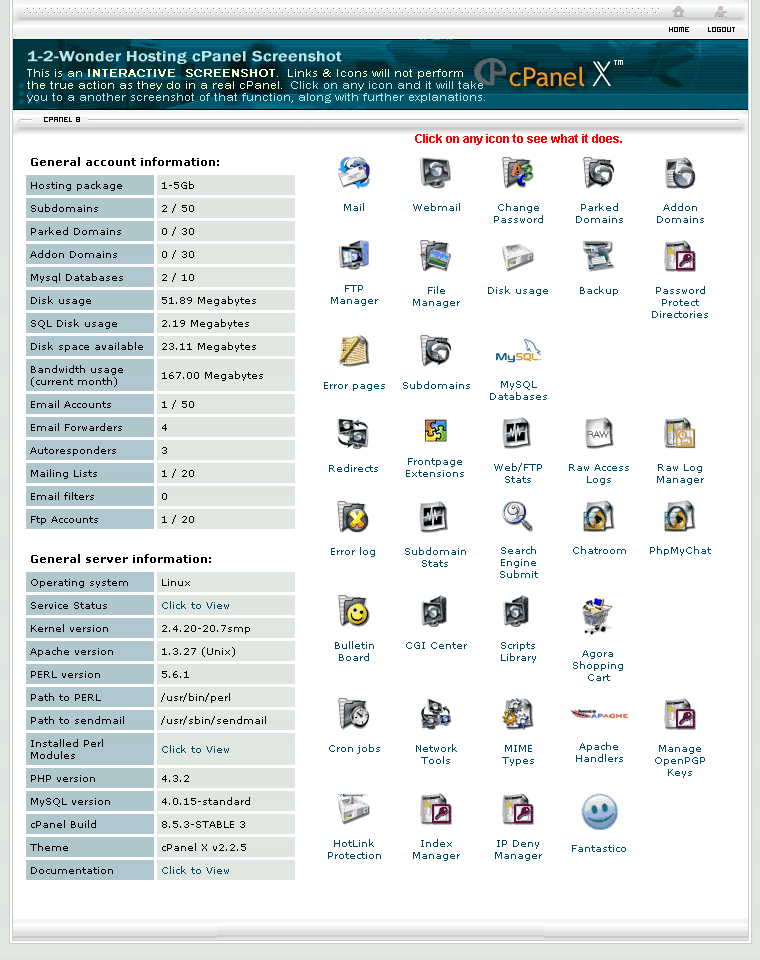 ) and is used on linux hosters on managed accounts.
-- ColasNahaboo - 06 Apr 2008
FYI I've pinned this down to a POST error in CGI.pm, around line 3390 with the following content:
# See RFC 1867, 2183, 2045
# NB: File content will be loaded into memory should
# content-disposition parsing fail.
my ($filename) = $header{'Content-Disposition'}
=~/ filename=(("[^"]*")|([a-z\d!\#'\*\+,\.^_\`\{\}\|\~]*))/i;
$filename =~ s/^"([^"]*)"$/$1/;
# Test for Opera's multiple upload feature
my($multipart) = ( defined( $header{'Content-Type'} ) &&
$header{'Content-Type'} =~ /multipart\/mixed/ ) ?
) and is used on linux hosters on managed accounts.
-- ColasNahaboo - 06 Apr 2008
FYI I've pinned this down to a POST error in CGI.pm, around line 3390 with the following content:
# See RFC 1867, 2183, 2045
# NB: File content will be loaded into memory should
# content-disposition parsing fail.
my ($filename) = $header{'Content-Disposition'}
=~/ filename=(("[^"]*")|([a-z\d!\#'\*\+,\.^_\`\{\}\|\~]*))/i;
$filename =~ s/^"([^"]*)"$/$1/;
# Test for Opera's multiple upload feature
my($multipart) = ( defined( $header{'Content-Type'} ) &&
$header{'Content-Type'} =~ /multipart\/mixed/ ) ? -
- : 0;
}; in configure script ( Warnings are fatal )
-- MikePort - 17 Apr 2008
I have a workaround, not a fix. You can edit the configuration file (I, too, had to add .pl to the script. I did this to all the script files. Don't know if this was needed...
The workaround is this: Open configuration and edit the shebang line at the top, this is the first line that begins with #! and ends with -w
Change the -w to -s. This suppressed the warning, and the script runs and the installation continues. Now, I have NOT finished my install. This may not work or it may mask other problems. But, at least, you can work on your install. Robb
-- RobbLightfoot - 02 May 2008
Well, the script installed Twiki. Here's what I get when I try to go to the home page. (I've installed this on a hosted, cpanel server.)
Not Found
The requested URL /bin/view/ was not found on this server.
Additionally, a 404 Not Found error was encountered while trying to use an ErrorDocument to handle the request.
Apache/1.3.37 Server at www.smallgroups.biz Port 80
-- RobbLightfoot - 02 May 2008
I had the exact same problem on a shared host with cpanel (emwd.com), and the workaround by rob to change -w to -s in the shebang at the top of the configure script worked. Seems, though, like someone with more knowledge could figure out what the error message (see top of this thread) means. Thanks folks.
-- TimWegner - 03 May 2008
I can confirm the workaround as well --- the weird thing for me is that it was working for quite some time until i started messing with add-ons. Suddenly the configure script broke? Weird.
-- RedByer - 07 May 2008
worked flawlessly for me under ace-host.net account, just chmod'd all files in /bin/ to 755 and enabled the .htaccess file without the authentication and it flew through like a charm
-- PaulAdams - 14 May 2008
Also on CPanel server. Workaround successfulChanging line 1 of ~/twiki/bin/configure to:
-
#!/usr/bin/perl -s
where the error is captured and hopefully fixed soon.
-- KennethLavrsen - 23 Jun 2008
We now know more.
The error is in the perl CPAN library CGI.
version 3.37 is know to be buggy and maybe also previous versions. 3.15 is know to now have the problem for sure and probably also versions later.
The error happened when TWiki does this very basic command
$query = new CGIThere are known recorded bugs about this.
- http://rt.cpan.org/Public/Bug/Display.html?id=36340
- http://rt.cpan.org/Public/Bug/Display.html?id=34551
perl -e 'use CGI; print "$CGI::VERSION\n";'Depending on which distro you use and when you read this, your package manager may already have a new perl for you with a newer CGI. The CGI CPAN lib is normally bundled with perl and not in its own package. If you do not have an update you can update using CPAN.
perl -MCPAN -e 'upgrade CGI'which upgrades just CGI to the latest version. If you are on a shared host - contact your system administrator and ask him to update the CGI CPAN library. Even if configure works without the -w in the shebang line TWiki itself may later show problems and your shared host may be flooded with warning messages. -- TWiki:Main.KennethLavrsen
- 25 Jun 2008

Topic revision: r18 - 2008-06-25 - KennethLavrsen


 Site map
 Blog web

 Search
 Changes
 RSS Feed
 Notifications
 Statistics
 Preferences
 Register new user
 Support Forum
  Ask a question
 Open questions
  My recent questions
 Get quick help in #twiki IRC channel


 Ideas, requests, problems regarding TWiki? Send feedback. Ask community in the support forum.
Copyright © 1999-2026 by the contributing authors. All material on this collaboration platform is the property of the contributing authors.